10
Installation
W
W
ire Holders
ire Holders
Swivel Stand
Swivel Stand
Adjusting the
Adjusting the
TV V
TV V
iewing
iewing
Angle
Angle
Installation Instruction
Installation Instruction
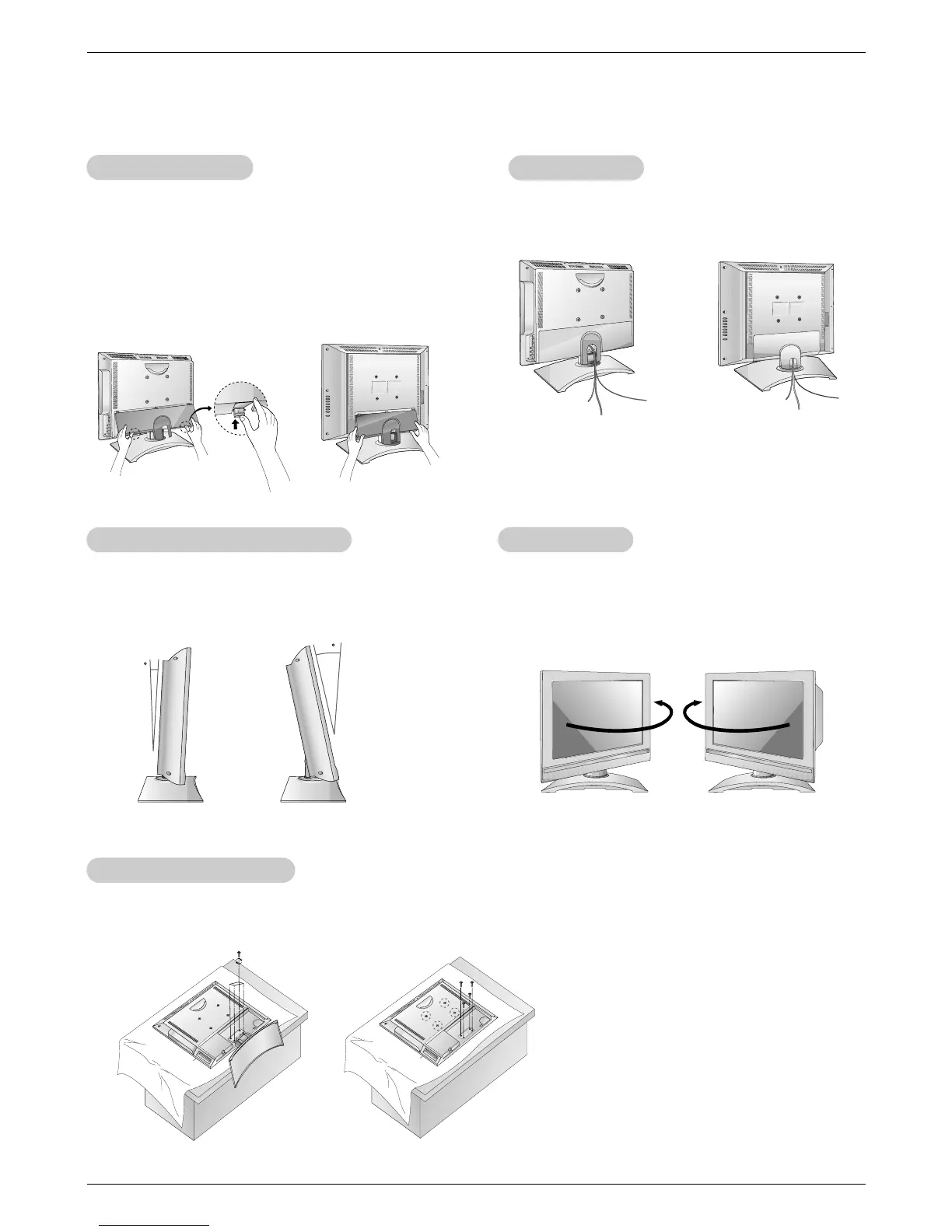
- Thread, then pull the wires through the hole on the TV
stand.
- You can adjust the vertical angle of the TV between 3°
and 12°.
- The TV can be conveniently swiveled on its stand
25° (L23W36) / 30°(L17W36) to the left or right to provide
the optimum viewing angle.
- An optional wall mount is available for this TV, see your dealer.
For installation, follow the instructions provide with the optional wall mount.
Installation on the W
Installation on the W
all
all
Rear
Rear
A/V Cover
A/V Cover
* The connection panel is hidden behind the A/V cover.
a. Remove the cover.
b. Install wires as necessary.
c. Reinstall the cover. Position the A/V cover with the TV
back panel, tilt it back as shown.
d. Align the holes on the TV back panel with the two tabs
on the rear A/V cover and insert.
e. Close cover.



 To Next Page