EasyManua.ls Logo

Zenith L17W36 - Controls and Connection Options

Zenith L17W36
32 pages
Print Icon
To Next Page IconTo Next Page
To Previous Page IconTo Previous Page
Loading...
7
Introduction
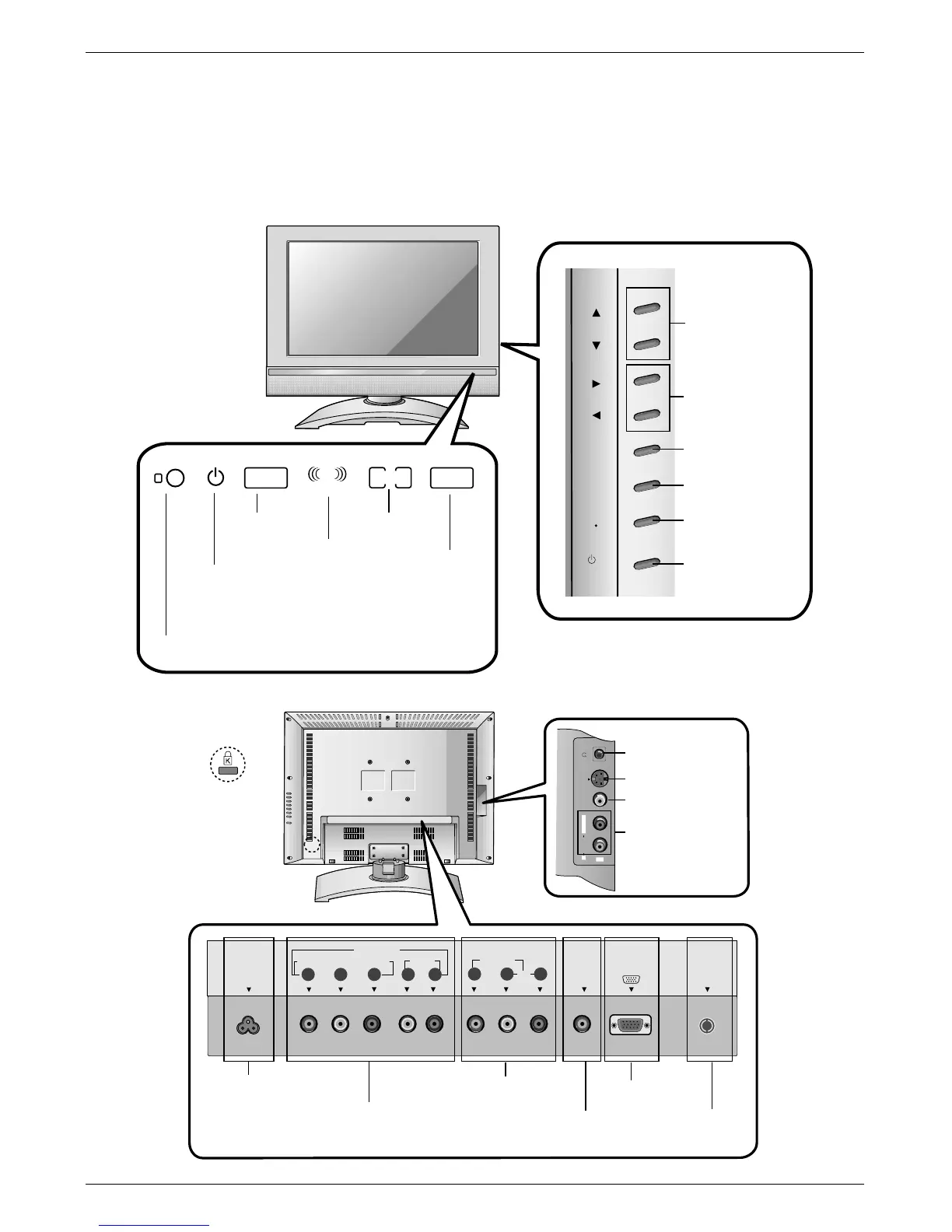
L23W36 Controls & Connection Options
ANT IN
+75
COMPONENT(480i/480p/720p/1080i)
PC
SOUND
VIDEO IN
DVD/DTV IN
AUDIO
VIDEO
P
R
P
B
Y
AUDIO(MONO)
LR
L
R
PC INPUT
AC INPUT
S-VIDEO VIDEO
AUDIO
R
IN2
L / MONO
MONO DPM
SAP
STEREO
ST
R
Remote Control Sensor
DPM Indicator
SAP Indicator
Mono Indicator
Power/Standby Indicator
Glows red in Standby mode,
Glows green when the TV is turned on.
Stereo Indicator
Headphone Jack
S-Video Input
Video Input
Audio Input
AC Input
DVD/DTV Input
(Component (480i/480p/720p/1080i), Audio)
Audio / Video Input
PC Sound Input
PC Input
Antenna Input
Channel Buttons
Volume Buttons
ch
vol
m
enu
enter
on/off
tv
video
/ I
Enter Button
Menu Button
TV·Video Button
On/Off Button
* Kensington Security
System Connector
(Refer to P.9)

Table of Contents

Other manuals for Zenith L17W36

Related product manuals