EasyManua.ls Logo

Zenith VRA424 - Page 7

Zenith VRA424
40 pages
Print Icon
To Next Page IconTo Next Page
To Previous Page IconTo Previous Page
Loading...
INSTALLATION PAGE 7
Things you
must do
before you
can operate
your VCR
Before you operate your VCR
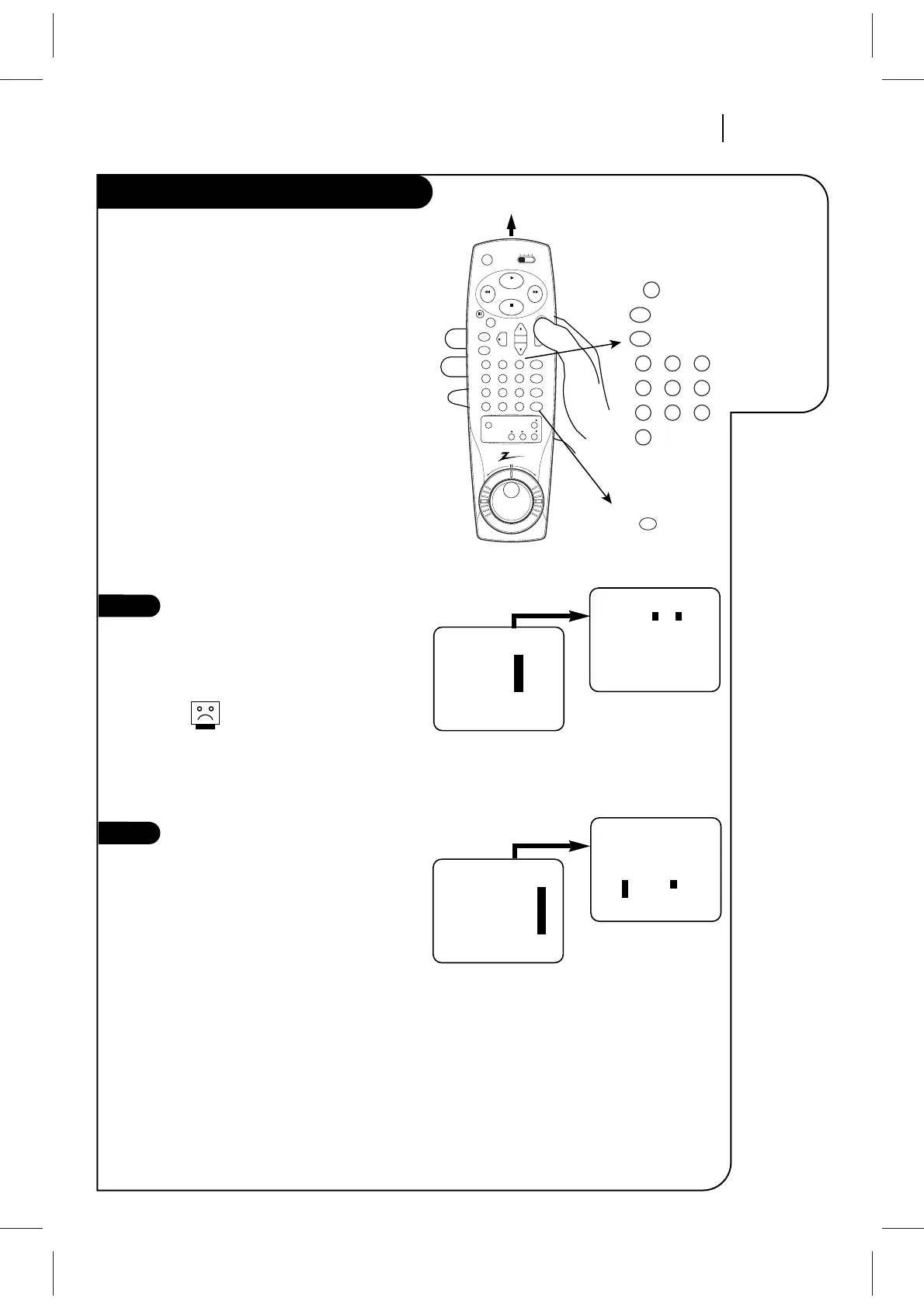
How to Access Menus
1. Press MENU to see Main Menu.
2. Press NUMBER (1, 2, 3, or 4) to see
desired sub menu to be used.
3. Press NUMBER to choose desired
option to be changed.
4. Press QUIT/CC to exit menu, or wait a
few minutes and the VCR returns to
normal operation.
Select SpeakEZ Function ON/OFF
A voice tells you how to use the features
in the menus if SpeakEZ is ON. (ON is
recommended.).
See the AUDIO Menu for details.
SpeakEZ only functions with
ENGLISH.
Select Language for VCR
Menus/Displays
(Optional) Select English, Spanish, or
French for VCR menus and status dis-
plays. See the LANGUAGE SELECT option
on the SETUP menu for details.
tv
dvd
cbl/
dbs
vcr
vcr+ sel
adj
rev fwd
power
play
stop
rew
f fwd
123
456
789
0
mute
program
cm skip
tv/vcr
tv/vcr
memorysp/ep
rec/itr
vol vol
ch
pause
menu
quit/cc
enter
123
456
789
0
menu
quit/cc
enter
ch
sel
Selects
VCR tuner
Chooses and
modifies options
Point remote toward VCR
MAIN MENU
Press NUMBER
(1 or 2) to choose
ON or OFF
Press 4.
Press number keys
QUIT = exit
SETUP MENU
AUTO PROGRAM: 1
CH. ADD/DEL: 2
SOURCE: 3
ON-SCREEN DISPLAY: 4
LANGUAGE SELECT: 5
Press number keys
then ENTER QUIT = exit
SETUP MENU
LANGUAGE SELECT : ENGLISH
1 ENGLISH 2 ESPAÑOL
3 FRANÇAIS
SETUP MENU
Press NUMBER (1, 2,
or 3) to select the
desired language
Press 5.
3
4

Related product manuals