EasyManua.ls Logo

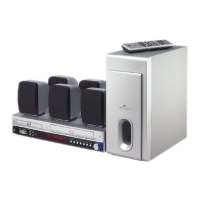
Zenith XBS344 - User Manual

Zenith XBS344
48 pages
Print Icon
To Next Page IconTo Next Page
Loading...
© Copyright 2003, Zenith Electronics Corporation
Installation and Operating Guide | Warranty
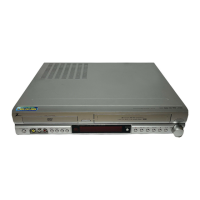
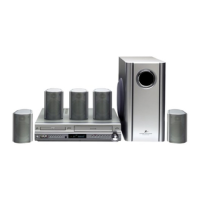
Model Number | XBS344 | DVD/VCR/Radio Combination Home Theater System

Table of Contents

Questions and Answers

  • J
    John GainesAug 13, 2025
    What to do if the picture and sound are weak on my Zenith XBS344?
    • A
      Anthony FreemanAug 13, 2025
      If the picture and sound of a broadcasting channel are weak or missing, first, check if the antenna or cables are loose and tighten the connections or replace the cable. Also, try all CHANNEL SOURCE options.
  • S
    Susan DavisAug 17, 2025
    Why is my Zenith XBS344 remote control not working?
    • E
      Edward JohnsonAug 17, 2025
      If the remote control isn't working properly, make sure it's pointed at the remote sensor of the DVD/VCR Receiver and that you are within 23 ft (7 m). Remove any obstacles in the path. If it still fails, replace the batteries with new ones. Also, remember that this remote control uses same buttons for VCR and DVD (ex. PLAY), so when using the VCR, first press the VCR button. When using the DVD, first press the DVD button.
  • B
    brianclarkAug 21, 2025
    How to fix severe humming or noise from Zenith XBS344 Home Theater System?
    • L
      Lisa SullivanAug 21, 2025
      If you hear a severe hum or noise, wipe the plugs and jacks with a cloth slightly moistened with alcohol. Clean the disc, if you are using one. Securely connect the speakers and components. Also, move your TV away from the audio components.
  • B
    Billy PerkinsAug 25, 2025
    Why is timer recording not working on my Zenith XBS344 Home Theater System?
    • T
      Timothy ByrdAug 25, 2025
      If timer recording isn't working, make sure the clock in the DVD/VCR Receiver is set to the correct time. Also, ensure the timer has been programmed correctly, and if the TIMER indicator light doesn't appear after programming, reprogram the timer and turn the DVD/VCR Receiver off to enable the timer.
  • J
    Joshua TaylorAug 28, 2025
    Why is stereo audio not working on my Zenith XBS344 Home Theater System?
    • K
      Kent Montgomery Jr.Aug 28, 2025
      Stereo audio record and/or playback may not be present because the TV is not Stereo-compatible, or the broadcast program is not in stereo format. Also, check if DVD/VCR Receiver A/V Out jacks are connected to TV A/V In jacks, and that the DVD/VCR Receiver Audio/Video Out is selected for viewing at the TV (Select AUX or A/V source as TV input). Finally, make sure the DVD/VCR Receiver BROADCAST TYPE mode is set to STEREO.
  • K
    Kaylee MooreSep 1, 2025
    How to restore skipped channels on Zenith XBS344?
    • A
      Amber EllisSep 1, 2025
      If some channels are skipped over when using the CH. ADD/DEL option, it's because those channels were deleted with the CH. ADD/DEL option. Use CH. ADD/DEL to restore channels.
  • S
    Shannon MillsSep 5, 2025
    Why is there no sound from DIGITAL AUDIO IN (OPTICAL) on Zenith Home Theater System?
    • M
      moniquekimSep 5, 2025
      If there is no sound from DIGITAL AUDIO IN (OPTICAL), it may be because the DVD/VCR Receiver source is not set to DIGITAL AUDIO IN (OPTICAL). Select OPTICAL by pressing AUX.
  • D
    Donna ScottSep 8, 2025
    What to do if camcorder image is not shown on Zenith XBS344?
    • J
      Jamie GuzmanSep 8, 2025
      If the camcorder image is not shown, turn the camcorder on and operate it properly.

Summary

Safety Precautions

General Safety Warnings

Covers essential safety advice regarding electric shock, fire, and proper usage of the product.

Important Safety Instructions

Operating Safety Guidelines

Lists 14 numbered instructions for safe installation and operation of the product.

Rear Panel Connections

DVD+VCR Connections

Antenna and Cable TV Setup

Guides users on connecting the unit to antenna or cable TV systems.

Basic TV Connection Options

Speaker System Setup

Selecting Input;Output Sources

Source Switching Procedures

Details methods to select and switch between DVD, VCR, RADIO, and AUX input sources.

Sound Mode Setup and Descriptions

Sound Mode Glossary

Explains various sound modes like DTS, Dolby Digital, HALL, THEATER, and Pro Logic II.

Sound Mode Settings

Sound Delay Time Settings

VCR Operation Setup

On-Screen Display and Menu Navigation

Explains how to use the on-screen display and navigate VCR setup menus.

VCR Setup Menu Details

Screen Display, Language, and Audio Settings

Details VCR setup options like screen display, language, audio mode, and broadcast type.

Channel Setup Procedures

Covers tuner setup, auto channel programming, and memory management.

VCR Clock Setting

Manual and Auto Clock Setting

Guides on setting the DVD+VCR's clock using automatic or manual methods.

DVD Operation Overview

On-Screen Display and Playback Controls

Explains general playback status display and basic DVD playback functions.

DVD Initial Setup

TV Aspect and Language Settings

Guides on setting up initial preferences like TV aspect, disc language, and menu language.

DVD Parental Control and Country Code

VCR Tape Playback Modes

VCR Tape Recording Modes

Normal and Timer Recording

Details procedures for standard recording and setting up timed recordings.

VCR Timer Program Management

VCR Recording Features

VCR Sound Setup for Hi-Fi and MTS

DVD Mode Operation Overview

Playing DVDs and Basic Navigation

Covers DVD playback, chapter/title selection, and slow motion.

DVD Playback Functions

DVD Special Features and Menus

DVD Audio CD and MP3 Playback

Troubleshooting Common Issues

Power, Picture, and Sound Issues

Addresses problems related to power, video output, and audio output.

Playback and Disc Issues

Covers problems with disc insertion, playback, and tape condition.

Troubleshooting Connectivity and Recording

Channel and Camcorder Issues

Addresses problems with channel reception and camcorder image input.

Timer Recording and Stereo Issues

Covers problems with timer recording and stereo audio playback.

Troubleshooting Remote and Environment

Noise, Remote, and Environmental Issues

Addresses hum/noise, remote control faults, and moisture condensation.

System Specifications Overview

Tuner, Amplifier, and Speaker Specifications

Zenith XBS344 Specifications

General IconGeneral
BrandZenith
ModelXBS344
CategoryHome Theater System
LanguageEnglish

Related product manuals