More information and FAQ on: www.zepcam.com - [T2+ IM-EN-1.0] 7
HOW TO USE
WHAT CAN YOU DO WITH YOUR ZEPCAM T2+
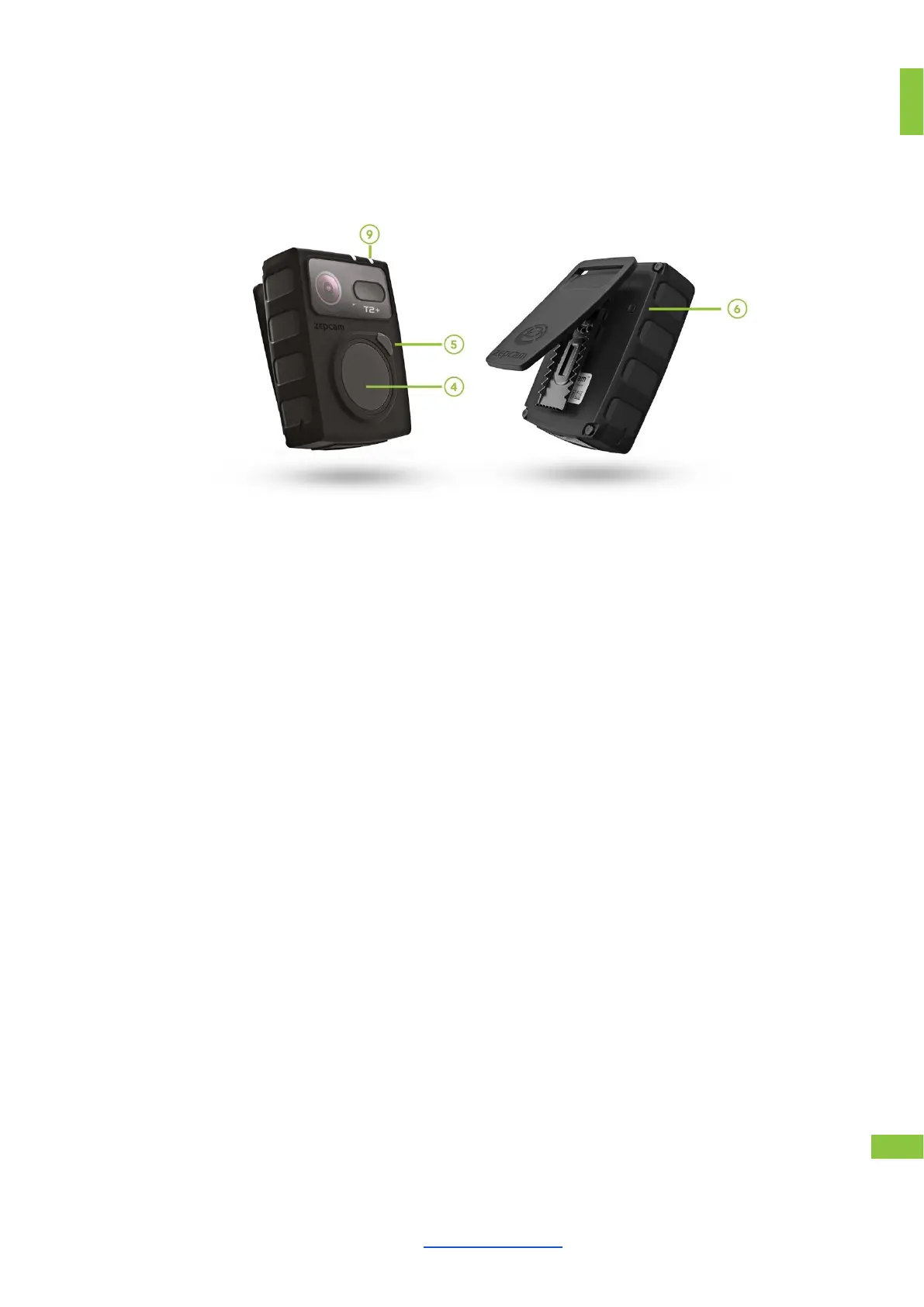
● Push button 4, keep pressed for 2 seconds (single beep, indicator 9 is green to
indicate standby).
(Note! After switching on, the camera needs 5 seconds before accepting
record commands!)
● Push button 4. (2 beeps, indicator 9 is red)
● Push button 4, keep pressed for 2 seconds. (2 beeps, indicator 9 is green
● Push button 5. (1 beep, indicator 9 flashes red 1 time)
TAKE A PICTURE WHILE
RECORDING
● Push button 4 or 5. (1 beep)
● In pre-recording mode video is buffered prior to actual recording and will be
part of the entire recording. This can be activated using Zepcam software.
● Press once for reset
● No data and settings will be lost if the device is in standby mode
● If the device is currently recording, you will lose data while pressing the reset
button.
● (When the indicator 9 is green) Push button 4, and keep pressed for 3 seconds
(single long beep, indication lights turns off)



 To Next Page