25
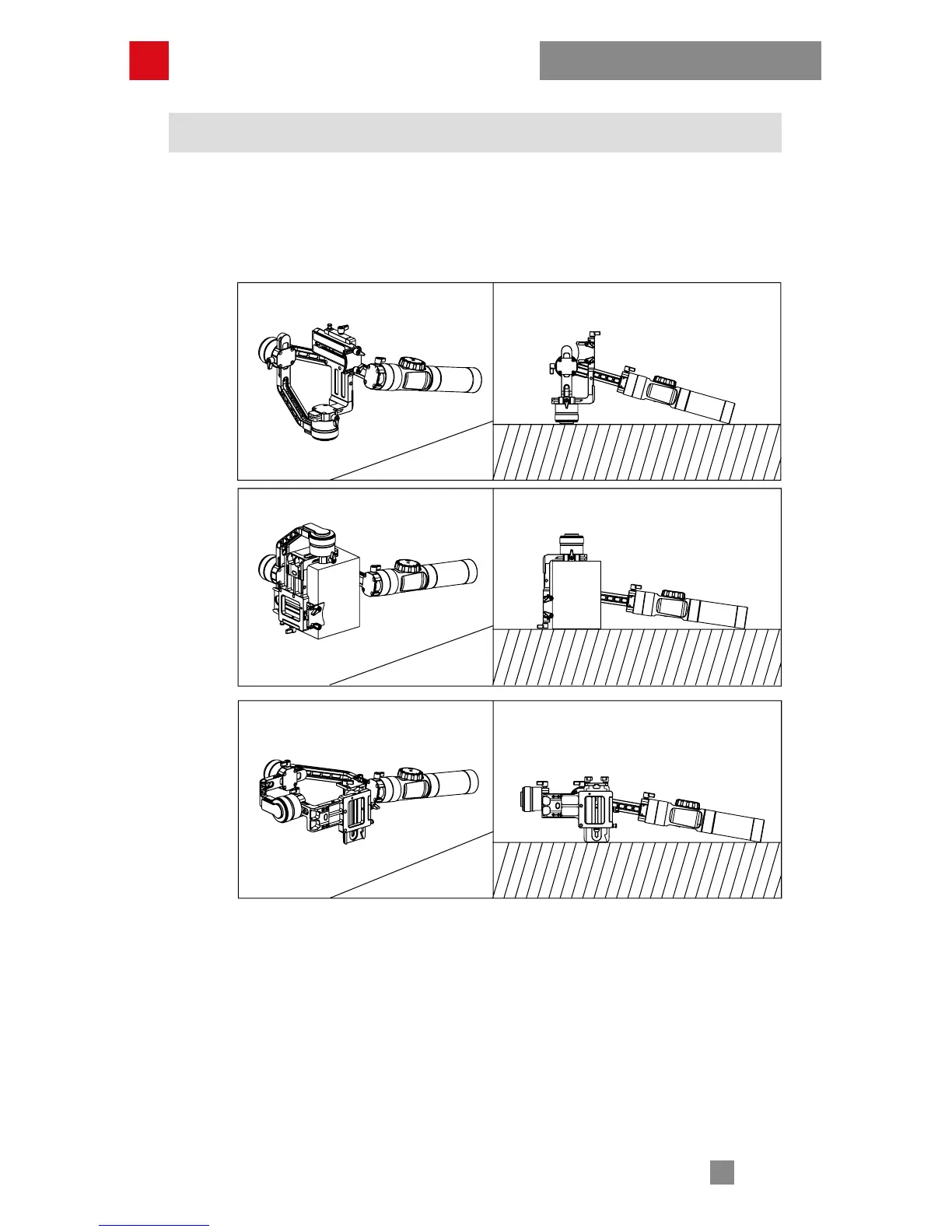
Six-side Calibration
Six-side calibration
1. Power on the stabilizer and enter the standby mode, press menu, rotate the
dial to “calibration” option, press Right to enter the option.
2. As seen below, conduct the six-side calibration following the 6 steps shown in
the graphs, finish by pressing any button to exit the menu.
Calibration and Firmware Upgrade
STEP 1
STEP 2
STEP 3



 To Next Page
 Loading...