7
Installation and Balance Adjustment
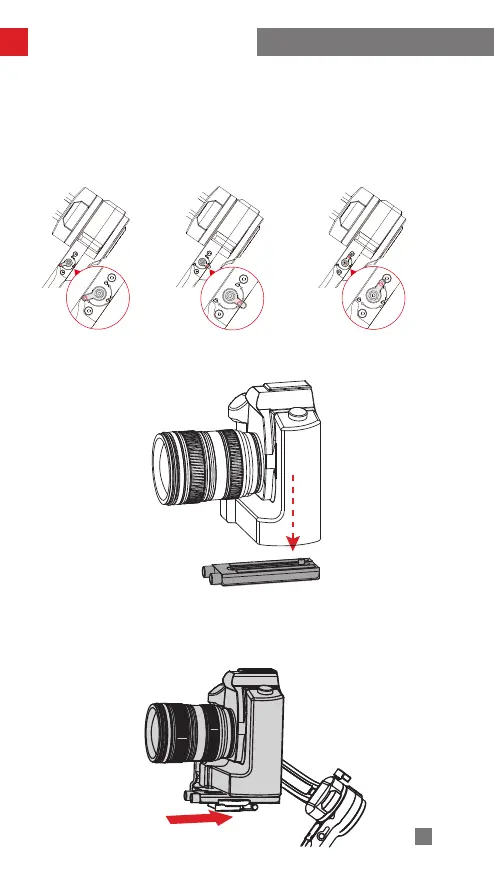
② The axis latches on the stabilizer feature three locking stages: unlocked stage, semi-
locked stage, locked stage. Set the latches to unlocked stage when using the stabilizer.
During setup, storage and transportation of the stabilizer, users can choose to set the
latches to semi-locked stage or locked stage according to their needs. Please set the
latches to semi-locked stage before setting them to locked stage to avoid damaging the
stabilizer.
锁紧状态 锁定状态 解锁状态
1. Mount the camera on the quick release plate and tighten the screws at the bottom.
2. Adjust the lens support on the quick release plate to ensure the stability of the lens.
(Please mount the lens support according to the actual camera-lens combo.)
3. Slide the quick release plate to the stabilizer and then lock the quick release plate
latch.
Locked stage
Semi-locked stage Unlocked stage



 To Next Page
 Loading...