10
Mounting and Balancing
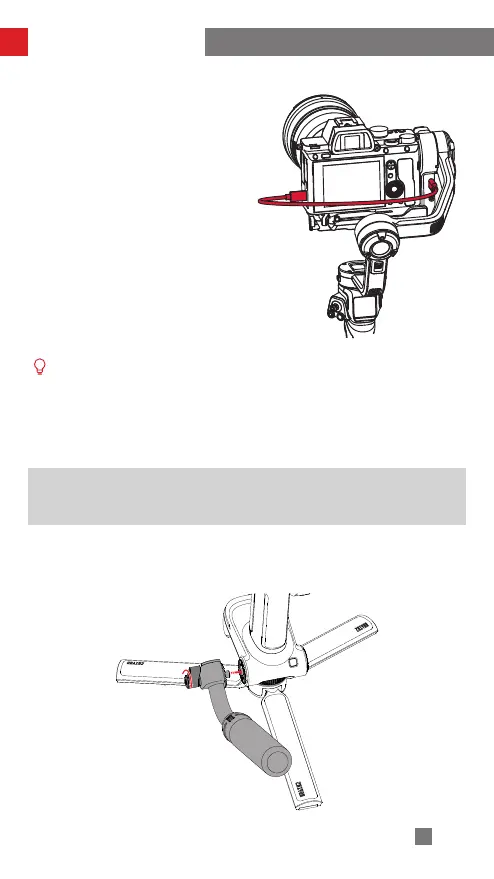
3. Connect the camera control port and
camera/image transmission control
port of the gimbal with a camera
control cable.
There are four camera control cables: Type-C to Multi USB/Type-C to Type-C
USB / Type-C to Micro USB / Type-C to Mini USB. Choose the correct cable
corresponding to the USB port type of the camera. For the compatibility
details, please visit the official website of ZHIYUN (www.zhiyun-tech.com)
and check the WEEBILL 3 Camera Compatibility List .
Installing TransMount Wrist Rest and TransMount Extendable
Sling Grip
(hereinafter referred to as “Sling Grip” and “Wrist Rest” )
Install the sling grip/wrist rest screw to the screw hole. Adjust the sling grip/wrist
rest to the proper position and tighten the screw to complete the installation.
Installing sling grip


 To Next Page
 Loading...