Page 10 of 24 804545 03.17 1.00
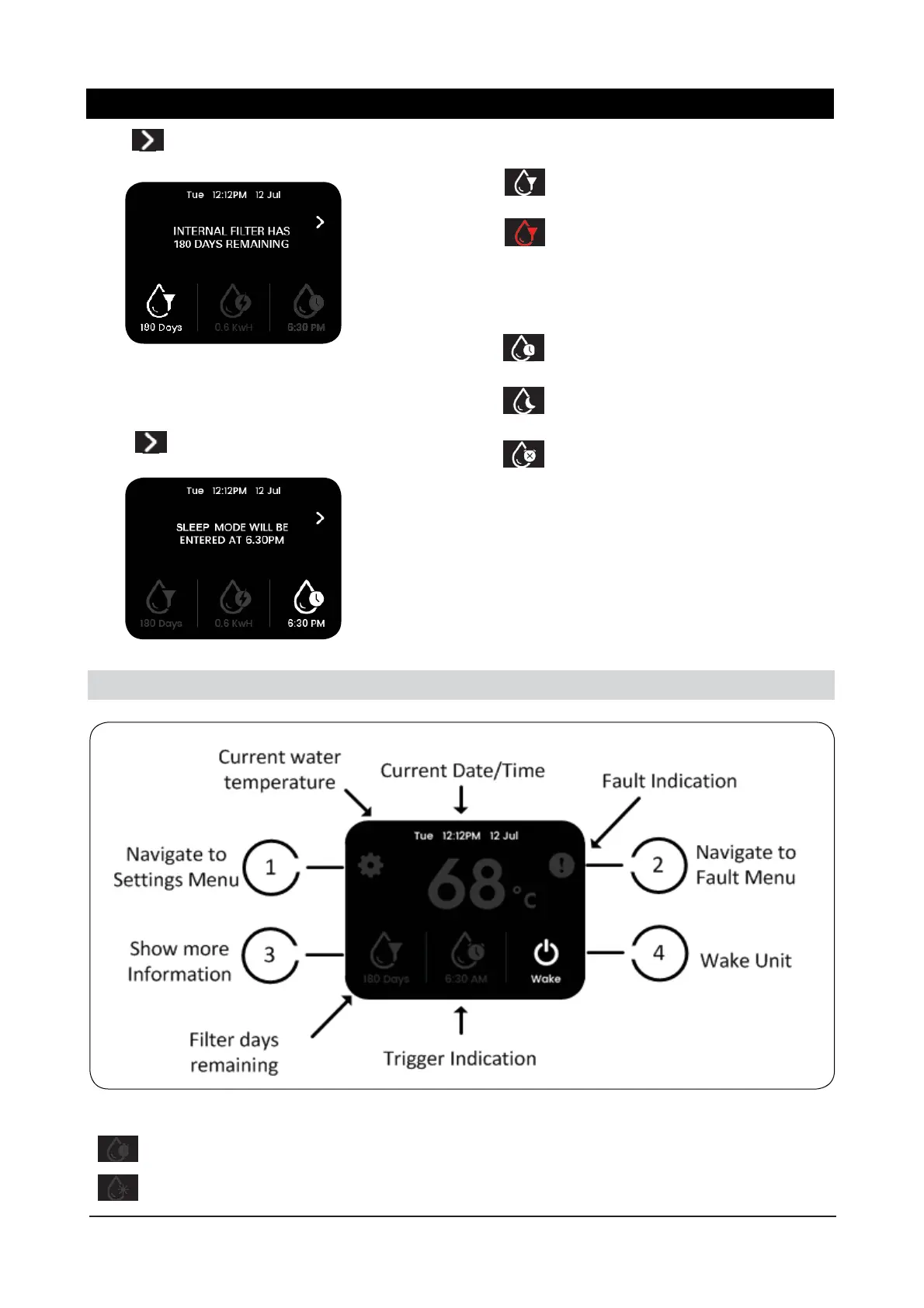
Using to navigate to the fi lter life settings
menu.
Button 4 will show more information about the
sleep mode settings.
Using to navigate to the sleep mode settings
menu.
Filter Indication:
Days remaining of fi lter life.
Shown red, fi lter needs replacement.
Sleep Mode Indication:
Unit will enter sleep mode at the time shown.
Unit will enter sleep mode when it is dark.
All sleep saving modes are disabled.
2.2 Sleep Mode
Trigger Indication:
Unit will exit sleep mode at the time shown.
Unit will exit sleep mode when ambient light returns to normal (bright room).
Menu Operation



 To Next Page