Page 12 of 24 804545 03.17 1.00
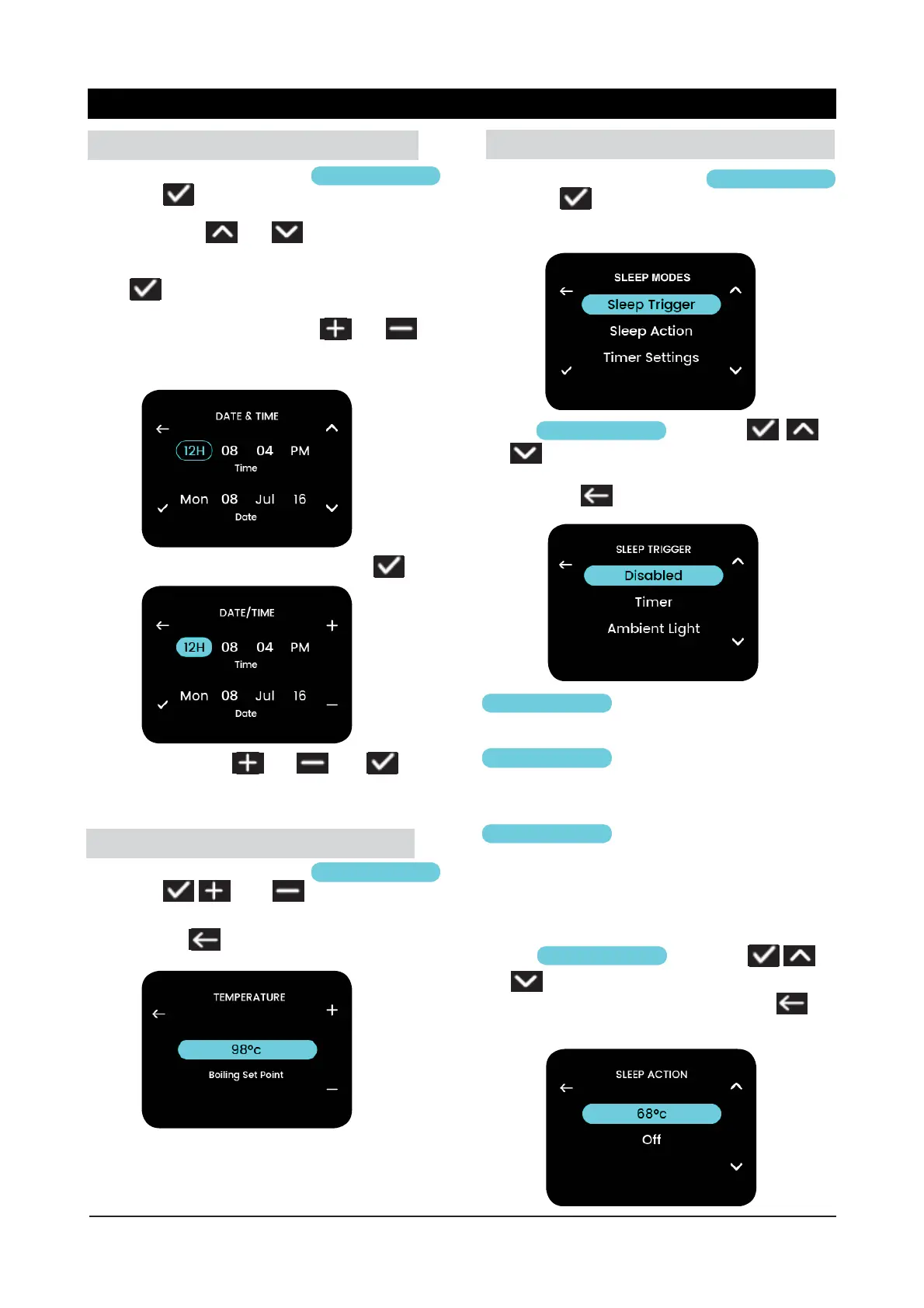
3.1 Settings - Date/Time
From the settings menu choose
Settings
and select
Navigating using and
Perform a selection or confirm an adjusted value
using
Adjust the date/time values using and
Note: Time can be in 12hr or 24hr mode.
To set up time choose a selection, then
Adjust value by using
and then to
confi rm.
Follow similar steps to set up date.
From the settings menu choose
Settings
and select
, and to adjust boiling
point.
Confirm using
and return to the previous
menu.
3.2 Settings - Temperature
Note: Setting the temperature above 98°C may re-
quire boiling calibration to prevent excessive steam
release or high energy usage (see section 4.2).
3.3 Settings - Sleep Modes
From the settings menu choose
Sleep Modes
and select
Choose
Sleep Trigger
and select ,
and to select the trigger for the unit to enter
its sleep mode.
Confi rm using
and return to the previous
menu.
Disabled
the unit will not enter its sleep
mode.
the unit will use the on/off
timer settings to enter and exit
its sleep mode.
the unit will enter its sleep
mode when darkness is detect-
ed and will exit its sleep mode
when the ambient light returns
to a normal level (bright room).
Timer
Ambient Light
Choose
Sleep Action
and select
and to select the heating mode action when
the unit is in its sleep mode. Confi rm using
and return to the previous menu.
3.3.2 Sleep Action
3.3.1 Sleep Trigger
Menu Operation



 To Next Page