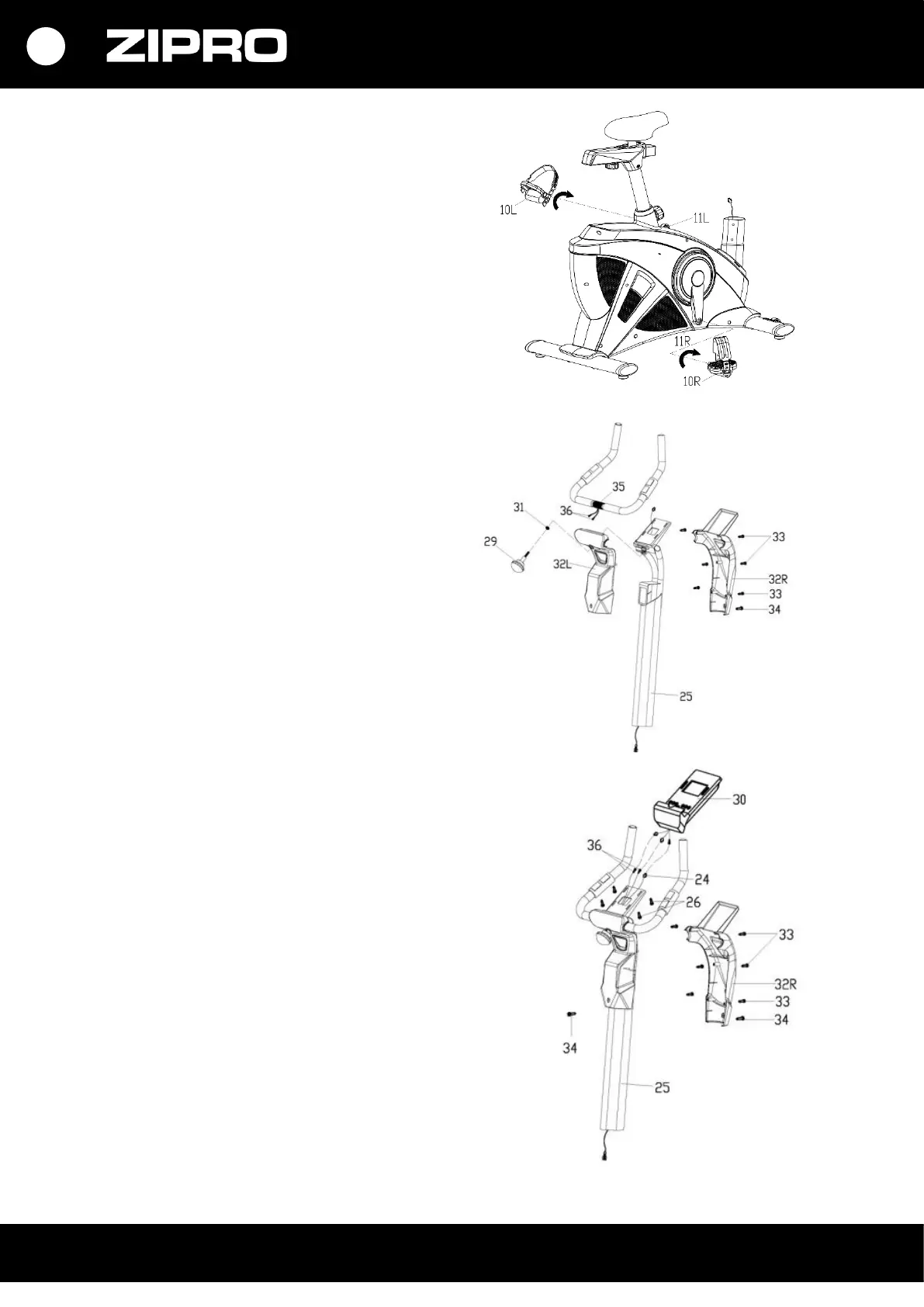
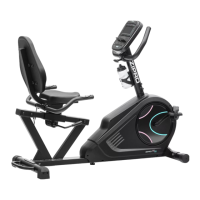
STEP 3.
Screw the right and left pedal (10L/R)
to the crank (11L/R). Screw the right pedal bolt
(10R) on clockwise. Screw the left pedal bolt
(10L) counterclockwise.
CAUTION! The right pedal is marked ‘R’ and the
left pedal is marked ‘L’.
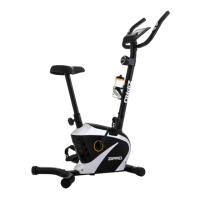
STEP 4.
Remove the rear and front handlebar post
covers (32L/R) and the handlebar adjustment
knob (29).
Run the heart rate measurement cable (36)
through the handlebar post (25). Install the
handlebar adjustment knob (29) on the rear
handlebar cover (32L) with a flat washer (31).
Set the handlebar to the desired height (35) on
the post (25) and lock it with the handlebar
adjustment knob (29)
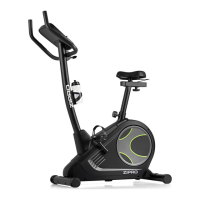
STEP 5.
Connect the heart rate measurement cable (36)
and the computer cable (24) to the computer
(30).
Fix the computer (30) to the handlebar post
(25) using the computer bolt (26). Make sure
every bolt is tight.
Fix the rear and front covers (32L/R) to the
handlebar post (25) with cross-head screws.


 To Next Page