EasyManua.ls Logo

Zipro Rook - User Manual

Zipro Rook
155 pages
Go to English
Print Icon
To Next Page IconTo Next Page
Loading...
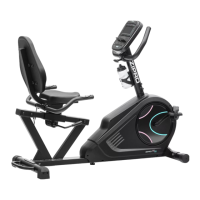
Rook
PL Rower elektryczno-magnetyczny
EN Electric-magnetic bike
DE Elektromagnetisches Fahrrad
RU Электромагнитный велосипед
RO Bicicletă electrică-magnetică
LT Elektrinis-magnetinis dviratis treniruoklis
CZ Elektricko-magnetický rotoped
SK Elektricko-magnetický rotopéd
PL Podręcznik użytkowania
Zachowaj podręcznik użytkowania.
Str. 2
EN User Manual
Keep the User Manual for future use.
Page 21
DE Bedienungsanleitung
Bewahren Sie die Bedienungsanleitung auf.
S. 40
RU Руководство к пользованию
Сохраните руководство к пользованию.
Стр. 61
RO Manual de utilizare
Păstraţi manualul de utilizare.
Psl. 80
LT Naudotojo vadovas
Naudotojo vadovo neišmeskite.
Pag 99
CZ Příručka uživatele
Uchovejte návod pro případné další použití.
Str. 118
SK Príručka užívateľa
Uchovajte návod pre ďalšie používanie.
Str. 137

Questions and Answers

  • C
    Carmen BrownAug 16, 2025
    What to do if there is a lack of appropriate resistance during training on Zipro Fitness Equipment?
    • Q
      qclarkAug 16, 2025
      If you experience a lack of appropriate resistance during training, it might be caused by an incorrectly connected resistance adjustment cable. Connect the cable correctly as per the assembly manual. Other possible causes are a loose drive belt, increased distance between the flywheel and the magnets, or a damaged voltage regulator, which require contacting the manufacturer’s service or customer service.
  • S
    Shelly GarciaAug 22, 2025
    Why does my Zipro Fitness Equipment rock to the sides?
    • R
      Ronald KelleyAug 22, 2025
      Your Zipro Fitness Equipment might rock to the sides because it is placed on an uneven surface, or there is an object disrupting the balance under the base of the device. Place the device on an even surface and remove any objects that upset the balance. Another cause may be that the bases have not been assembled correctly or the caps on the base have not been installed and leveled correctly. Make sure to assemble the bases correctly and level the caps on the rear base.
  • M
    Michael Blackwell Jr.Aug 25, 2025
    How to reduce noise during use of Zipro Rook Fitness Equipment?
    • A
      Amanda SmithAug 26, 2025
      If you are experiencing excessive noise during use, it may be due to incorrectly tightened elements, in which case you should contact the manufacturer’s service. A slight humming noise may be heard during operation due to the inertial movement of the flywheel caused by the nature of the structure; this does not affect the operation of the device. Any possible humming noises heard when rotating the pedals backwards occur for technical reasons and have no negative consequences.
  • C
    Cynthia CoffeyAug 28, 2025
    Why do the saddle or handlebar sway on my Zipro Fitness Equipment?
    • A
      Andrew DelgadoAug 28, 2025
      If the saddle or handlebar sway on your Zipro Fitness Equipment, it's likely because the bolts and knobs of the saddle post or handlebar post have not been tightened. Tighten the bolts and knob of the saddle or handlebar post.
  • H
    harold15Aug 31, 2025
    What causes noise and uneven operation in Zipro Rook Fitness Equipment?
    • K
      Kristen HillAug 31, 2025
      Noise and uneven operation may be caused by damaged bearings. Contact the manufacturer’s service in this case.
  • S
    sandra20Sep 3, 2025
    What does error E-7 mean on Zipro Rook and how to fix it?
    • J
      Jessica DurhamSep 3, 2025
      Error E-7 indicates that the cables connecting the console to the bike have become disconnected or are not connected properly. To solve this, disconnect the power source, then disconnect the cables. Reattach the cables and power source. If the error occurs again, repeat the process.
  • M
    Ms. Beth MoralesSep 6, 2025
    What does error E-1 mean on Zipro Rook and how can I resolve it?
    • J
      johnguzmanSep 6, 2025
      Error E-1 means the device receives no input while measuring the user's body fat. Keep both hands on the pulse sensors during the measurement.
  • J
    Justin OrtizSep 9, 2025
    What does error E-4 mean on Zipro Rook and how to resolve it?
    • J
      Jonathan WilsonSep 9, 2025
      Error E-4 indicates that the numerical scale was exceeded when reporting the age, height, or weight of a user. When entering user data, provide data that fit the scale.
  • J
    Justin ShahSep 10, 2025
    How to fix no Bluetooth connection on Zipro Fitness Equipment?
    • J
      Jennifer EdwardsSep 12, 2025
      If you are experiencing Bluetooth connectivity issues with your Zipro Fitness Equipment, make sure that Bluetooth is enabled on your mobile device and pair it with ZIPRO.
  • J
    Julie HubbardSep 12, 2025
    What does error E-2 mean on Zipro Fitness Equipment?
    • N
      Nathan FaulknerSep 12, 2025
      Error E-2 indicates a power system error. Contact the manufacturer's service.

Summary

SAFETY

General Safety and Electrical Precautions

Covers intended use, adult training, modifications, servicing, electrical safety, and general user precautions.

GROUND AND ELECTRICAL CONNECTION

Grounding and Voltage Checks

Ensures proper ground connection and voltage conformity for safe operation.

HEALTH AND TRAINING ADVICE

Medical Consultation and Exercise Safety

Advises medical consultation, safe training practices, and warns against exercise risks.

OPERATION AND MAINTENANCE

Pre-Operation and Device Care

Outlines pre-operation checks, familiarization, and basic device care for optimal use.

ASSEMBLY

Assembly Instructions and Safety

Provides instructions for adult assembly, part checks, tool safety, and warranty for spare parts.

ENVIRONMENT AND DISPOSAL

Packaging, Battery, and Electrical Waste

Details packaging, battery, and electrical equipment disposal and recycling guidelines.

ASSEMBLY MANUAL

Base and Saddle Assembly

Attaches bases to frame, then fixes saddle and column to the main frame.

ASSEMBLY MANUAL

Pedal and Handlebar Column Assembly

Installs pedals, handlebar column, covers, and routes cables.

ASSEMBLY MANUAL

Final Assembly and Power Connection

Completes assembly by fixing computer, covers, holder, and connecting power.

Handlebar and Saddle Adjustments

Details how to adjust handlebar and saddle position for optimal user comfort and fit.

Pedal Strap Adjustment

Explains how to adjust pedal straps for secure foot placement during training.

MAINTENANCE

Routine Maintenance Checks

Outlines regular maintenance tasks including checking moving parts, bolts, and cleaning.

TRAINING AND PHASES

Warm-up and Stretching Exercises

Details warm-up benefits and provides various stretching exercises.

Exercise and Relaxation Phases

Guides on maintaining pace for exercise and relaxing muscles post-workout.

COMPUTER MANUAL

Buttons and Displayed Functions

Explains the function of each button and lists all displayed data.

COMPUTER OPERATION

Turning On and Countdown Settings

Covers powering on the computer, energy saving, and setting countdown values.

Training Programme Selection

Guides on selecting and starting manual and beginner training programmes.

COMPUTER PROGRAMMES

Advanced, Sporty, and Cardio Programmes

Details how to use Advanced, Sporty, and HRC programmes.

Watt Control Programme

Explains how to select and use the Watt controlled programme.

COMPUTER FEATURES

Recovery and Body Fat Measurement

Explains how to use the recovery test and body fat measurement functions.

Pulse Rate and Bluetooth Pairing

Covers pulse rate display and pairing the computer with a mobile app.

TECHNICAL SPECIFICATIONS

App Compatibility and Auto On;Off

Details iOS/Android compatibility and the computer's auto on/off feature.

Power Supply and Operating Conditions

Lists power supply details, operating, and storage temperatures.

TROUBLESHOOTING

Device Stability and Noise Issues

Addresses issues like rocking, sway, and operational noise.

Resistance and Operation Errors

Troubleshoots lack of resistance, uneven operation, and potential technical faults.

TROUBLESHOOTING

Connectivity and System Errors

Resolves Bluetooth connectivity, system errors, and data input issues.

Cable Connection Errors

Guides on reattaching cables if they become disconnected.

WARRANTY

Warranty Terms and Conditions

Outlines the 24-month warranty, claim process, and exclusions.

Warranty Exclusions and Claims

Lists conditions that void the warranty and customer compensation rights.

WARRANTY CARD AND INFORMATION

Product and Seller Information

Sections for product name, EAN, sale date, and seller stamp/signature.

Usage Compliance and Certifications

Notes household use, CE/RoHS compliance, and EN957 standard.

Zipro Rook Specifications

General IconGeneral
Resistance TypeMagnetic
Maximum User Weight120 kg
DisplayLCD
ColorBlack/Red
Warranty2 years
ModelRook
MaterialSteel

Related product manuals