33
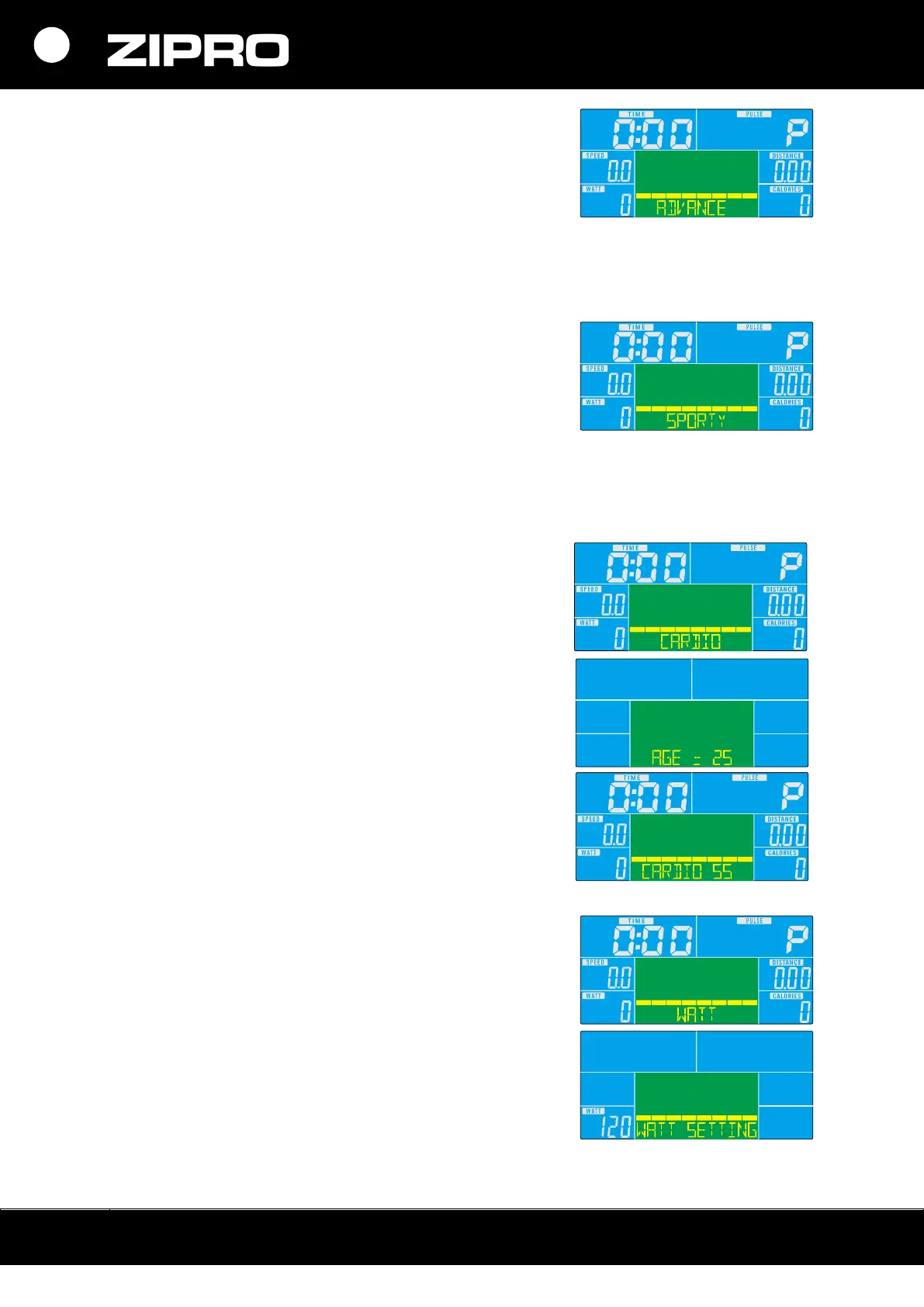
ADVANCED PROGRAMME
1. Select the programme with the UP or DOWN button.
Select Advanced and press MODE to start the training.
2. Set the duration with the UP or DOWN button.
3. Start the training by pressing the START/STOP button.
To set training intensity, use the UP or DOWN button.
4. Stop the training by pressing the START/STOP button.
To return to the main menu, press RESET.
SPORTY MODE
1. Select the programme with the UP or DOWN button.
Select Sporty and press MODE to start the training.
2. Set the duration with the UP or DOWN button.
3. To start the training, press the START/STOP button. To
set training intensity, use the UP or DOWN button.
4. Stop the training by pressing the START/STOP button.
To return to the main menu, press RESET.
CARDIO HEART RATE CONTROL PROGRAMME
1. Select the programme with the UP or DOWN button.
Select HRC and press MODE to start the training.
2. Set your age and press UP or DOWN.
3. Press the UP or DOWN button to set TAG, 55%, 75%, or
90% of the maximum heart rate.
4. Set the training duration with the UP or DOWN button.
5. Stop the training by pressing the START/STOP button.
To return to the main menu, press RESET.
WATT CONTROL PROGRAMME
1. Select the programme with the UP or DOWN button.
Select WATT and press MODE to start the training.
2. Press the UP or DOWN button to select the target WATT
level (default level: 120).
3. Set the training duration with the UP or DOWN button.
4. Start the training by pressing the START/STOP button.
To set training intensity, use the UP or DOWN button.
Stop the training by pressing the START/STOP button. To
return to the main menu, press RESET.



 To Next Page