28
STEP 6.
Install the cover (22) onto the handlebar column
(25). Connect the computer cable (24) to the
connecting cable (23).
Fix the handlebar column (25) to the main frame (1)
with cross-head bolts (21), flat washers (39), and
curved washers (40).
Slide the handlebar column cover on (22).
STEP 7.
Install the water bottle holder (44) on the
handlebar column (25) using the bolt (45) and
the flat washer (46). Make sure the holder is
secure and insert the bottle.
STEP 8.
Plug in the power supply unit (41) and plug the cable
into the power socket on the front of the mainframe.
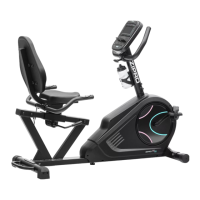
Congratulations! You have assembled magnetic bike!
Read the manual carefully before using the bicycle.
ADJUSTMENTS
Handlebar adjustment
Loosen the handlebar adjustment knob. Set the handlebar in the desired position and tighten the
knob. Make sure the handlebar is secured.
Saddle height
Loosen the adjustment knob. Set the saddle at the right height and tighten the knob. Make sure the
saddle is secured.
Saddle position
Loosen the saddle guide knob. Set the saddle to the desired position and tighten the knob. Make
sure the saddle is secured.
Adjusting pedal straps
Fix the side of the rubber strap with three holes to the internal part of the pedal. Fix the other end
to one of the adjustment opening so that the feet is fixed during training and easy to take out.
Repeat for the other pedal.
41



 To Next Page