Instructions Manual for 5EVM-D Models
M5EVMD2011I
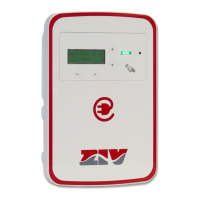
5EVM-D: Electric Vehicle Home AC Charging Station
© ZIV APLICACIONES Y TECNOLOGÍA, S.L.U. 2020
24
General info
Total energy
By means of the buttons you will access the different
options, including statistics information.
ESC
Goes to the upper preview screen, which can be
one of the following:
- Main menu during recharging.
↓↑ Cursor selection.
OK Screen change based on the line where the cursor
is:
- Firmware version: Firmware version.
- Total energy: Total active energy.
- Last recharges: Recharges historical log.
o Changes to ‘A’ state Stopping Session.
o Changes to other states None.
- Without charging session None.
Firmware version
Firmware version
xxxxxxxxx
Displays the current firmware version.
ESC Changes to General info.
OK None.
o Changes to ‘A’ state Stopping Session.
o Changes to other states None.
- Without charging session None.
Total active energy
Indicates the total energy consumed at this Recharge
Point.
ESC Changes to General info.
o Changes to ‘A’ state Stopping Session.
o Changes to other states None.
- Without charging session None.


 To Next Page