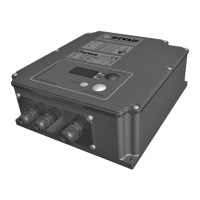
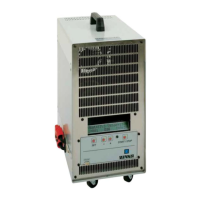
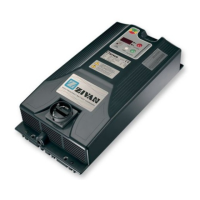
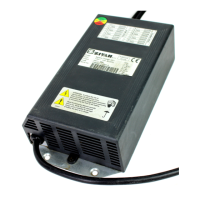
EasyManua.ls Logo

Zivan SG6 CAN Bus Interface - User Manual

Zivan SG6 CAN Bus Interface
32 pages
Go to English
Print Icon
To Next Page IconTo Next Page
Loading...
BATTERY CH AR GER
CARICA BATTERIA
BATTERY CHARGER
CHARGEUR DE BATTERIE
BATTERIE LADEGERÄT
CARGADOR DE BATERÍA
SG6 CAN Bus Interface
Manuale d’uso e installazione..................................3
Installation and User Manual ...................................8
Manuel d'installation et d'utilisation........................13
Einbau und Anwenderinformation..........................18
Manual de uso e instalación ..................................23
Question and Answer IconNeed help?

Do you have a question about the Zivan SG6 CAN Bus Interface and is the answer not in the manual?

Summary

Mechanical Dimensions

Drilling Details

Designated Use

Installation and Safety Instructions

Essential precautions for safe installation and operation of the battery charger.

Warning

Visualization

Digital Instrument Display

Details the parameters shown on the digital display, including voltage, current, and time.

LED Indicators (Display Version)

Explains the meaning of LED colors and blinking patterns on models with a display.

Bi-Color LED Indicator (No Display)

Describes the LED indicators for charger models without a digital display.

Charging Curve Selection

Charging Curve (No Display Version)

Details the standard IUla charging curve and maintenance for models without a display.

Voltage Drop Compensation

Alarms (Display Version)

Connections

Input and Output Cables

Details the specifications for input and output multiwire and flex cables.

Auxiliary Inputs and Outputs Cable

Lists pin assignments and wire colors for MICRO-FIT connectors.

Technical Features

Mains Side Specifications

Provides technical data for the charger's main power input.

Battery Side Specifications

Details electrical parameters related to battery charging.

General Specifications

Outlines operating ranges, efficiency, size, and weight.

Protection and Safety Features

Covers insulation, leakage current, fuses, and safety certifications.

Sales Offices

Summary

Mechanical Dimensions

Drilling Details

Designated Use

Installation and Safety Instructions

Essential precautions for safe installation and operation of the battery charger.

Warning

Visualization

Digital Instrument Display

Details the parameters shown on the digital display, including voltage, current, and time.

LED Indicators (Display Version)

Explains the meaning of LED colors and blinking patterns on models with a display.

Bi-Color LED Indicator (No Display)

Describes the LED indicators for charger models without a digital display.

Charging Curve Selection

Charging Curve (No Display Version)

Details the standard IUla charging curve and maintenance for models without a display.

Voltage Drop Compensation

Alarms (Display Version)

Connections

Input and Output Cables

Details the specifications for input and output multiwire and flex cables.

Auxiliary Inputs and Outputs Cable

Lists pin assignments and wire colors for MICRO-FIT connectors.

Technical Features

Mains Side Specifications

Provides technical data for the charger's main power input.

Battery Side Specifications

Details electrical parameters related to battery charging.

General Specifications

Outlines operating ranges, efficiency, size, and weight.

Protection and Safety Features

Covers insulation, leakage current, fuses, and safety certifications.

Sales Offices

Zivan SG6 CAN Bus Interface Specifications

General IconGeneral
Communication ProtocolCAN Bus
Input Frequency47-63 Hz
Operating Temperature-20°C to +50°C
Storage Temperature-40°C to +85°C
Protection FeaturesOvervoltage, Overcurrent, Short Circuit, Overtemperature

Related product manuals