- 32 -
Step10. Configure the wireless Network IP address
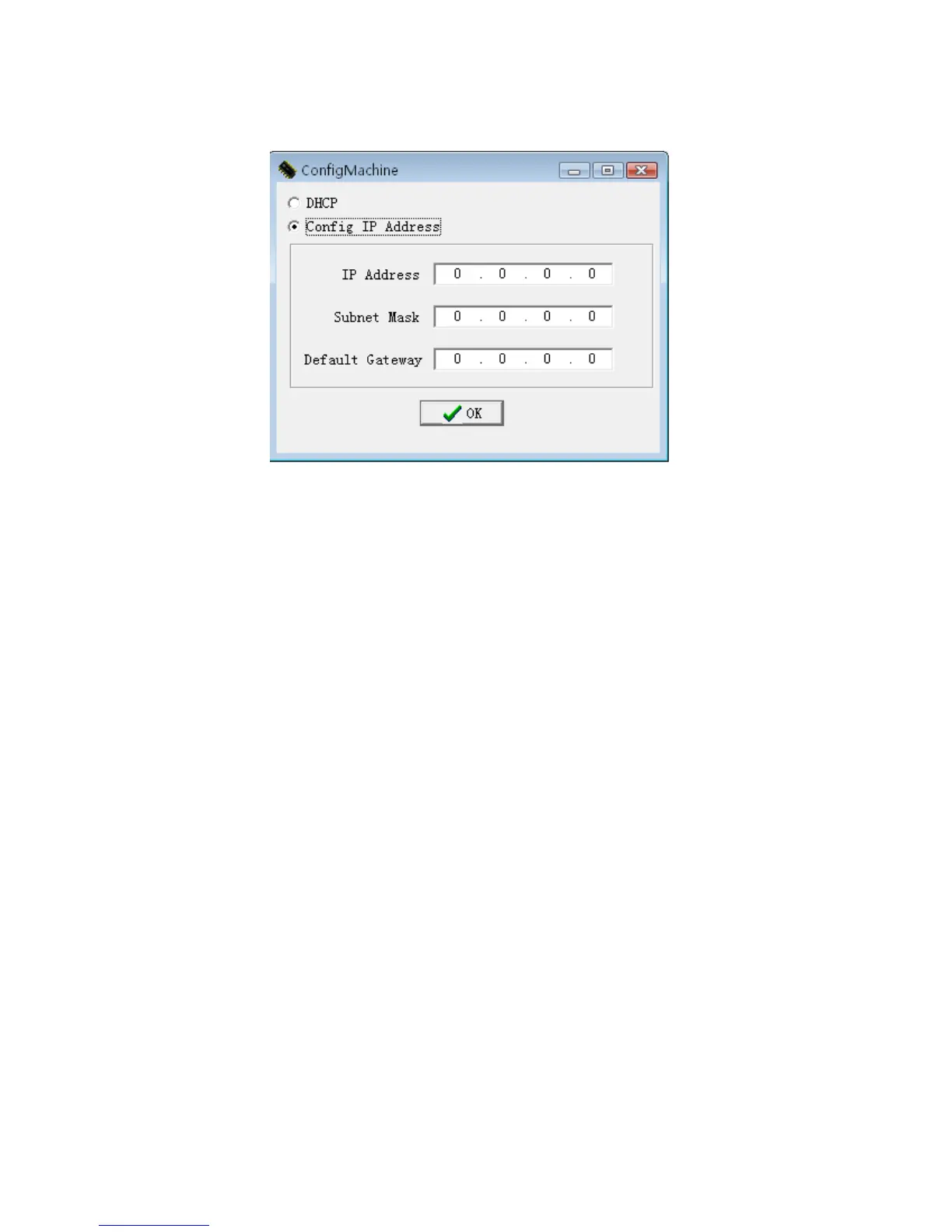
Click configMchine this button, the following menu will pop-up
If there is the DHCP function in the 802.11 network Distribution
system , you may choose DHCP, press OK to exit.
Otherwise, full the IP Address,Subnet Mask blank with the correct
figure, press OK to exit to main interface.
After all setting for wireless network is completed, single –click
SETbutton on the MODEMConfigTool interface, the prompt “ in
working” will appear on the fingerprint machine.
After configure successfully, the corresponding message will inform
you, click OK to close the message.
Be sure to shut down and restart the machine, so the configureation
change take effect.


 To Next Page