http://www.zketech.com
EBD-A20H User Manual
Copyright (C) 2006-2017 ZKETECH
0000mAh, 00.00Ah and 000.0Ah). Press the “ON” button to start discharging and press one
more time to stop working.
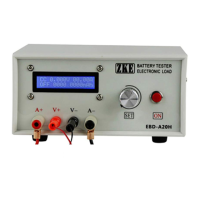
A short press on the “SET” knob can switch between power (W) and capacity.
In the halted state press “SET” knob for two seconds or longer to open the setting interface
(this function disabled when the tester connects to a computer).
4.3 Setting interface
The first line shows testing mode and discharging current. (Discharging current turns
discharging power in CP mode).
The second line shows cut-off voltage (testing stops automatically when voltage reaches below
the set parameter) and the testing time (0-999 minutes, no limitation when it’s set 0).
The cursor sets automatically on the testing mode and you can move it to the option you want
to change. One press on the “SET” knob to move one step to right. Rotate “SET” to left and
right to change the parameter. The parameter will change automatically if it exceeds limitation.
Press the “ON” button to switch to next setting option.
After completes settings, press “SET” knob for a long time to save data and return to the
upper-level interface. In the testing interface press the “ON” button to start testing.
4.4 Setting examples
1) Setting steps
Ø Turn on the battery tester.
Ø Connect battery and you can read the battery voltage on the testing interface on the
screen.
Ø Press “SET” knob for more than two seconds to open the setting interface.
Ø Set testing parameters.
Ø Press “SET” knob for more than two seconds to return to testing interface.
Ø Press “ON” button to start testing.
Ø When testing completes rotate the knob to left and right to read test results.
Ø Remove the battery and turn off the tester.
2) Discharging 3.7V LiPo to 2.8V at 10A


 To Next Page