With Backplate:
1
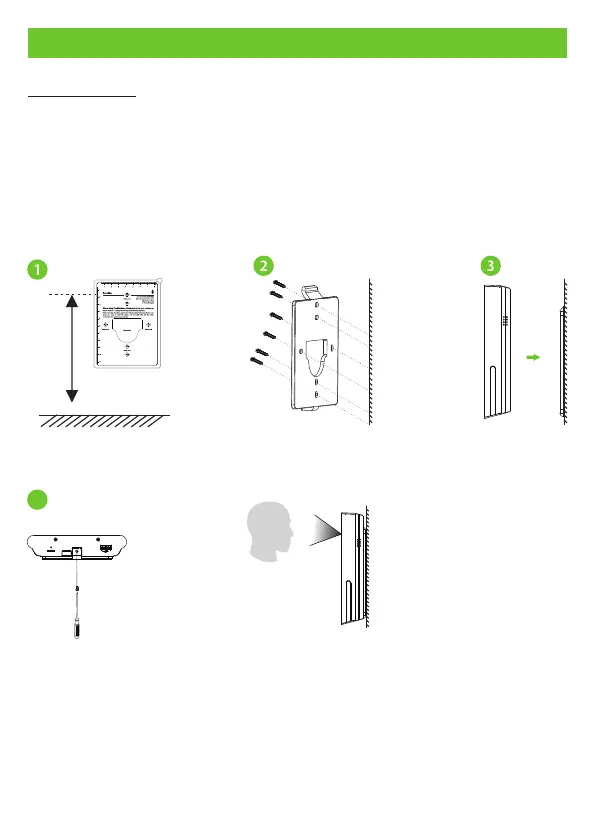
How to Install the Device?
Attach the mounting template sticker to the wall, and drill holes according to the
mounting paper.
1.
Fix the Backplate on the wall using the wall mounting screws.
2.
Attach the device to the Backplate.
3.
Fasten it with a security screw.
4.
4
11
Note: Features and parameters with mark are not available in all devices. ★
1.5m


 To Next Page
 Loading...