EasyManua.ls Logo

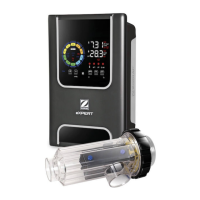
Zodiac eXO Series - User Manual

Zodiac eXO Series
46 pages
Print Icon
To Next Page IconTo Next Page
Loading...
H0632500.A - 2018/09 - ES11--
More documents on:
www.zodiac.com
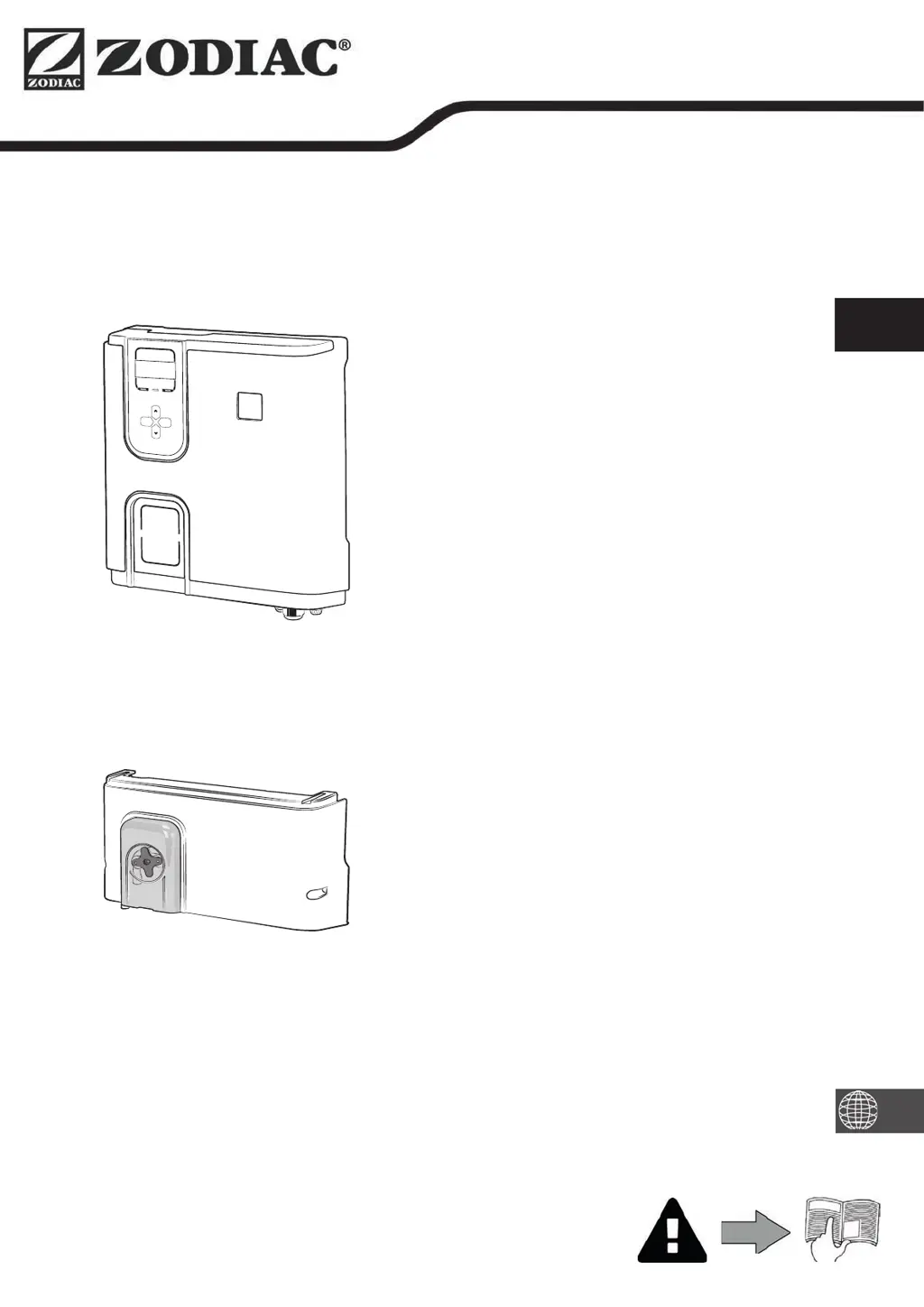
Instruc ons for installa on and use - English
Salt water chlorinator, pH/Redox regula on
Transla on of the original instruc ons in french
EN
eXO® (iQ) / GenSalt OT
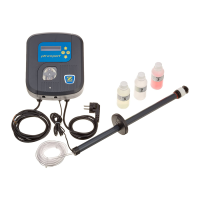
pH Link / Dual Link

Other manuals for Zodiac eXO Series

Questions and Answers

  • J
    Joshua BrownAug 13, 2025
    What to do if the Zodiac Temperature Controller shows 'NO FLOW CHECK PUMP'?
    • H
      htateAug 13, 2025
      If the 'INFO' indicator is lit during the production timers, and the Zodiac Temperature Controller displays 'NO FLOW CHECK PUMP', inspect the pump, filter, skimmer(s), and by-pass valve(s). Clean them if needed. Also, check the wire connections (flow switch). This issue can be due to filter pump failure, dirty filter or skimmer(s), or closed by-pass valve(s).
  • C
    Cheryl AlvarezAug 17, 2025
    What to do if my Zodiac eXO Temperature Controller displays 'LOW CONDUCTIVITY' ('SALTS' indicator lit)?
    • C
      cuevasjohnAug 17, 2025
      If the 'SALTS' indicator is lit on your Zodiac Temperature Controller, indicating 'LOW CONDUCTIVITY', first check the water temperature. It may also mean there is a lack of salt (less than 4000 ppm) due to water loss or dilution. Use a salt tester or test strip to measure the salt concentration and add salt to maintain the level at 4000 ppm. Also, examine the condition of the cell plates, as the issue can vary depending on the temperature and age of the cell or if the cell is calcified, worn, or out of order. Ensure the salt level is correct.
  • A
    Austin BullockAug 21, 2025
    What does it mean when my Zodiac eXO Temperature Controller shows 'CHECK OUTPUT'?
    • G
      Gregory JosephAug 21, 2025
      If your Zodiac Temperature Controller displays 'CHECK OUTPUT', switch off the chlorinator ('Power' button) and the power supply to the control box, then check that all the wires are properly connected (mains power supply, cell, etc.). This issue may be caused by a cell power cord that is disconnected or improperly connected, or an internal electronic problem in the control box. If the issue persists, the cell plates may be worn, calcified, or out of order, requiring cell replacement.
  • J
    Jody TaylorAug 25, 2025
    What to do if the Zodiac eXO displays 'OVER HEAT' ('INFO' indicator lit)?
    • C
      Christian Melton MDAug 26, 2025
      If the 'INFO' indicator is lit and the Zodiac Temperature Controller displays 'OVER HEAT', protect the control box from direct sunlight if it's installed outdoors. The high temperature inside the control box slows down chlorination (above 85°C) and stops it (above 90°C) to protect the electric circuits. Chlorination will automatically resume once the temperature has fallen back down. There might be an issue at the controller.
  • C
    Christine EdwardsAug 28, 2025
    What should I do if the Zodiac eXO displays 'pH DOSING STOP' ('INFO' indicator flashing)?
    • A
      Amy RomeroAug 28, 2025
      If the 'INFO' indicator is flashing and the Zodiac Temperature Controller displays 'pH DOSING STOP', check the pH level in the pool using a photometer or test strip. Also, check the pH sensor wiring on the control box and the sensor holder. Ensure the pH minus container is not empty and replace it if needed. This can happen if the pH setpoint hasn't been reached after 5 hours of injection, the pH sensor is faulty, the pH minus container is empty, the peristaltic pump isn't primed, or there's high alkalinity.
  • R
    revansSep 1, 2025
    What to do if the Zodiac Temperature Controller displays 'pH LOW' ('INFO' indicator lit)?
    • C
      chrissmithSep 1, 2025
      If the 'INFO' indicator is lit and the Zodiac Temperature Controller displays 'pH LOW', check the pH level in the pool using a photometer or a test strip. Also, check the pH sensor wiring on the control box and on the sensor holder. Check and adjust alkalinity. Low pH can be caused by a pH level less than 5, a disconnected, dirty, uncalibrated, or non-working pH sensor, or low alkalinity.
  • D
    duffyjamesSep 5, 2025
    Why is my Zodiac eXO showing 'LOW TEMPERATURE' ('INFO' indicator light is lit)?
    • B
      boyershannonSep 5, 2025
      If the 'INFO' indicator light is lit and the temperature on the display flashes, indicating 'LOW TEMPERATURE' on your Zodiac Temperature Controller, it means the water temperature measured by the chlorinator's temperature sensor is less than or equal to 10°C. Production stops to protect the cell. Chlorination will automatically resume at the Low Mode chlorination rate between 10 and 15°C, and at the normal chlorination rate above 15°C.
  • S
    stevensantiagoSep 8, 2025
    Why is there no visible chlorine production at the cell plates of my Zodiac eXO?
    • J
      Julie HamiltonSep 8, 2025
      If you don't see chlorine production at the cell plates of your Zodiac Temperature Controller, wait and observe. This may occur because chlorination is in a reversing period or is set at less than 100% and is paused. Chlorination should resume.

Summary

Safety Warnings

General Safety Precautions

Safety guidelines applicable to all users and situations.

Electrical Safety Guidelines

Specific safety precautions for electrical components and connections.

Pool Cleaner & Surface Warnings

Precautions for pool cleaners, vinyl surfaces, and recycling.

Product Specifications

Package Contents

Lists all items included in the chlorinator and optional module packages.

Technical Specifications

Details technical data for the chlorinator and pH/Dual Link modules.

Installing the Saltwater Chlorinator

Installing the Cell

Instructions for physically mounting the electrolytic cell on the pool piping.

Installing the Temperature Sensor

Guide for mounting the water temperature sensor on the pipe.

Installing the Flow Switch

Instructions for fitting the flow switch into the system.

Installing the Control Box

Steps to mount the main control unit securely and safely.

Electrical Connections

Procedures for accessing and making electrical connections to the control box.

Connecting Variable Speed Filter Pump

Details on connecting a Zodiac variable speed filter pump to the system.

Reassembling the Appliance

Steps for closing up and securing the control box after connections.

Installing pH Link; Dual Link Module

Installing the POD Kit

Guide for installing the measuring chamber (POD kit) onto the pool pipe.

Installing Flow Switch on POD Kit

Steps for connecting the flow switch to the POD kit.

Installing Sensors on POD Kit

Instructions for mounting and connecting the pH and ORP sensors to the POD kit.

Installing pH Minus Pipes

Guide for connecting the pipes for the pH minus dosing system.

Pool Water Preparation

Water Balance

Guidelines for measuring and adjusting water parameters like pH, TH, and TAC.

Adding Salt to Pool Water

Instructions on how to determine and add salt to the pool water.

Appliance Usage

User Interface Overview

Explanation of the control panel, buttons, and indicators.

Initial Setup and Language

Procedures for starting the appliance and setting the user interface language.

Setting System Time

How to configure the appliance's internal clock for timers.

Filter Pump Configuration

Steps to configure the appliance to manage the pool's filter pump.

Filtration Timer Programming

Setting ON/OFF times for the filter pump operation.

Chlorination Timer Programming

Setting ON/OFF times for the salt water chlorinator.

External Device Control

How to connect and manage auxiliary devices like lighting.

Resetting Programming Settings

Resetting all programmed settings to default values.

Filtration Unit Integration

Connecting the appliance to be controlled by the pool's filtration unit.

Slave Mode Configuration

Configuring the appliance to be controlled by an external system.

Setting Polarity Reversal

Adjusting the frequency of electrode polarity reversal for scale prevention.

Sensor Calibration

Calibrating the pH Sensor

Step-by-step guide to calibrate the pH sensor for accurate readings.

Setting the pH Setpoint

Defining the target pH level for automatic acid injection.

Calibrating the ORP Sensor

Step-by-step guide to calibrate the ORP sensor for chlorine level monitoring.

Setting the ORP Setpoint

Defining the target ORP level for chlorine production.

pH Pump Activation

Procedures for activating or testing the pH minus dosing pump.

Pausing the pH Dosing Pump

Temporarily stopping the pH dosing pump for a set period.

Testing the pH Dosing Pump

Performing a manual test run of the pH dosing pump.

Regular Use and Modes

Adjusting Chlorine Production

Manually setting the chlorine output level.

Boost Mode Operation

Activating high-level chlorination for rapid increase.

Low Mode Operation

Reducing chlorine production for covered or low-use pools.

Cover Mode Operation

Automatically adjusting chlorination based on pool cover status.

Cold Water Failsafe

How the appliance protects itself in cold water conditions.

Locking the User Interface

Preventing unauthorized changes by locking the control panel.

Maintenance Procedures

Cleaning the Sensor(s)

Routine cleaning of pH and ORP sensors.

Checking and Cleaning the Electrodes

Inspecting and cleaning the electrolytic cell electrodes.

Pool Filter Backwash

Instructions for performing the backwash cycle on the pool filter.

Winterizing Procedures

Steps for preparing the appliance for winter storage.

Returning Pool to Service

Actions to take when putting the pool back into operation after winter.

Troubleshooting Guide

Appliance Behavior Messages

Explains common error messages and their causes/solutions.

Troubleshooting Without pH;Dual Link

Solutions for error messages on units without pH or Dual Link modules.

Troubleshooting With pH;Dual Link

Solutions for error messages on units with pH or Dual Link modules.

Stabiliser Effects and Help Menu

Effects of Stabiliser on Chlorine and ORP

How stabiliser levels affect chlorine and ORP readings.

Using the Help Menu

Navigating the built-in help system for error messages.

Zodiac eXO Series Specifications

General IconGeneral
BrandZodiac
ModeleXO Series
CategoryTemperature Controller
LanguageEnglish

Related product manuals