EasyManua.ls Logo

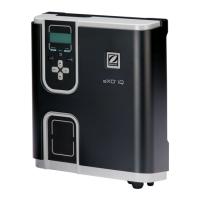
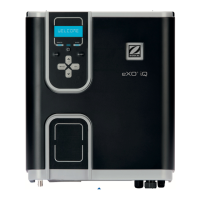
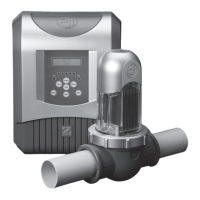
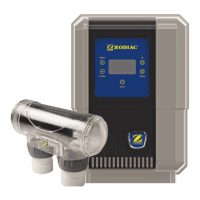
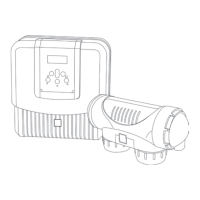
Zodiac eXO iQ 22 - User Manual

Zodiac eXO iQ 22
60 pages
Print Icon
To Next Page IconTo Next Page
Loading...
H0632500.B- 2019/11 - ES11--
More documents on:
www.zodiac.com
Instruc ons for installa on and use - English
Salt water chlorinator, pH/Redox regula on
Transla on of the original instruc ons in french
EN
pH Link / Dual Link
eXO®/ eXO® iQ (LS)
GenSalt OT

Questions and Answers

  • S
    Stanley JonesSep 9, 2025
    What causes 'ORP PROD. STOP' in Zodiac Water Filtration Systems and how to resolve it?
    • R
      Robert TaylorSep 9, 2025
      The 'ORP PROD. STOP' error in your Zodiac Water Filtration System indicates that the ORP setpoint hasn't been reached after prolonged chlorination. You should check the pool's chlorine level using a photometer or test strip, and inspect the ORP sensor wiring on both the control box and sensor holder. High cyanuric acid levels can also interfere with chlorine's effectiveness and ORP readings, so empty the pool using the bottom drain to reduce cyanuric acid concentration and perform shock chlorination with calcium hypochlorite to reduce chloramines. Also, check the condition of the cells and consider replacing the ORP sensor.
  • J
    Jeffrey GibsonAug 23, 2025
    What to do if my Zodiac Water Filtration Systems shows 'NO FLOW CHECK PUMP'?
    • J
      Jason HillAug 23, 2025
      If your Zodiac Water Filtration System displays 'NO FLOW CHECK PUMP', it indicates a problem with water circulation. This can be due to a filter pump failure, dirty filter or skimmer(s), or closed by-pass valve(s). Inspect the pump, filter, skimmer(s), and by-pass valve(s), cleaning them as needed. Also, check the flow switch wire connections and ensure the flow switch is working correctly; replace it if necessary.
  • D
    Dr. Natasha EllisAug 25, 2025
    Why does my Zodiac eXO iQ 22 Water Filtration Systems show a 'CONDUCTIVITY' error?
    • P
      Patricia GilbertAug 25, 2025
      A 'CONDUCTIVITY' error on your Zodiac Water Filtration System can stem from several causes. For models equipped with a temperature sensor, low water conductivity (low salt levels) could be the culprit. If there's no temperature sensor, the error might indicate low water temperature or low salt. Additionally, the cell could be worn, scaled up, or broken. Start by checking the water temperature. Measure the salt concentration in the pool water using a salt tester or a test strip, then add salt to the pool to keep the level at 4 g/L or 2 g/L depending on the model. Check the condition of the cell plates.
  • P
    patriciabrockAug 27, 2025
    What causes a 'PROD. ERROR' in Zodiac Water Filtration Systems?
    • D
      Dustin PhelpsAug 27, 2025
      A 'PROD. ERROR' on your Zodiac Water Filtration System can be caused by a poor connection of the power supply cord from the cell to the cell or inside the appliance, worn, scaled up, or broken cell plates, or an internal electronic problem in the control box following an external electric incident. First, switch off the appliance and the power supply to the control box, then check the connections for all cables (mains power supply, cell, etc.). If the problem persists, replace the cell. If the issue is still not resolved, check the power supply board by contacting your retailer.
  • B
    Barbara JonesAug 27, 2025
    How to fix Zodiac eXO iQ 22 Water Filtration Systems overheating?
    • K
      Kevin SchultzAug 27, 2025
      If your Zodiac Water Filtration System is overheating, it's likely because the temperature inside the control box is too high. Chlorination slows above 85°C and stops above 90°C to protect the electric circuits. If the box is installed outdoors, protect it from direct sunlight. Chlorination resumes automatically once the temperature has fallen back down. If the issue persists, it may indicate a problem with the appliance.
  • B
    Brittany SawyerAug 29, 2025
    What to do if Zodiac eXO iQ 22 Water Filtration Systems displays 'pH LOW'?
    • A
      allison33Aug 29, 2025
      If your Zodiac Water Filtration System displays 'pH LOW', it indicates that the pH is less than 5, or there is a faulty connection or calibration error, pH sensor failure or dirty, or low alkalinity, reduced pH. Check the pH sensor wiring on the control box and on the sensor holder. Check the operation of the sensor using a sensor tester (contact your retailer). Check and adjust the alkalinity.
  • K
    Kimberly MartinSep 18, 2025
    What causes a 'pH LOW' error on my Zodiac Water Filtration Systems?
    • C
      Connor BenjaminSep 18, 2025
      A 'pH LOW' error on your Zodiac Water Filtration System indicates that the pH is less than 5. Check the pH sensor wiring on the control box and the sensor holder. Also, a faulty connection, calibration error, pH sensor failure, or a dirty sensor could be the cause, so check the sensor's operation. Low alkalinity can also reduce pH, so check and adjust the alkalinity.
  • M
    Meredith JonesSep 22, 2025
    What causes data loss (time, etc.) in my Zodiac Water Filtration Systems?
    • T
      tinachapmanSep 22, 2025
      Data loss (like time) in your Zodiac Water Filtration System is typically due to a dead battery or a power cut. If it's a dead battery, contact your retailer to replace the 3V CR1220 battery. If it's due to a power cut, wait for the power to be restored; the appliance should automatically recover the information saved before the power cut.
  • C
    cabrerakaylaSep 8, 2025
    What should I do if pH dosing STOP on my Zodiac Water Filtration Systems?
    • A
      Austin JonesSep 8, 2025
      If the pH dosing stops on your Zodiac Water Filtration System, it means that the pH value measured remains higher than the pH setpoint. To solve this problem you should check or replace the container, check and adjust the alkalinity (TA) of the pool water, and check/clean or replace the pH sensor.
  • W
    whitechristopherSep 4, 2025
    Why does my Zodiac Water Filtration Systems show a conductivity error?
    • L
      Lisa AlvaradoSep 4, 2025
      A conductivity error in your Zodiac Water Filtration System could be due to several reasons. If your model has a temperature sensor, low water conductivity (low salt) might be the cause, so check the water temperature. It can also be caused by low salt levels due to water loss or dilution from filter backwash, water renewal, rain, or leaks. Measure the salt concentration using a salt tester or test strip, and add salt to maintain the level at 4 g/L or 2 g/L, depending on your model. Also, check the condition of the cell plates.

Summary

General Warnings

Safety Precautions

General safety warnings for appliance use, installation, and maintenance.

Electrical Safety Warnings

Troubleshooting Guide

Appliance Behaviour Messages

Error messages, causes, and solutions for the appliance.

Salt Water Chlorinator Installation

Installing the Electrolytic Cell

Instructions for installing the electrolytic cell.

GenSalt OT Cell Installation

Sensor and Flow Switch Installation

Temperature Sensor Installation

Instructions for installing the temperature sensor.

Flow Switch Installation

Instructions for installing the flow switch.

Control Box Installation

Electrical Connections

External Device Connections

Connecting the Filter Pump

Specific instructions for connecting the filter pump.

pH Link;Dual Link Module Installation

Installing the Module

Steps to install the pH or Dual Link module.

POD Kit Installation

Pool Preparation

Water Balancing

Detailed guide on water analysis and adjustments.

Appliance Usage

Sensor Calibration

pH Sensor Calibration

Detailed steps to calibrate the pH sensor.

pH Setpoint Configuration

ORP Sensor Calibration

ORP Setpoint and pH Pump Activation

ORP Setpoint Configuration

How to set the ORP level for chlorine production.

Routine Usage Modes

Adjusting Chlorine Production

How to manually adjust chlorine output.

Chlorination Modes

iAquaLink App Control

App Configuration and Setup

Steps to set up the iAquaLink app connection.

Appliance Care and Maintenance

Cleaning the Sensors

Instructions for cleaning the pH and ORP sensors.

Electrode Inspection and Cleaning

Zodiac eXO iQ 22 Specifications

General IconGeneral
Salt Chlorinator Output22 g/h
pH ControlYes
ORP ControlYes
ConnectivityWi-Fi and Bluetooth
Suitable Pool VolumeUp to 60, 000 liters
Flow RateMinimum 5 m³/h
Filter TypeNot applicable
Filter LifeNot applicable
Hose LengthNot applicable
Inlet Size50 mm
Outlet Size50 mm
Cell TypeSelf-cleaning titanium electrolytic cell

Related product manuals