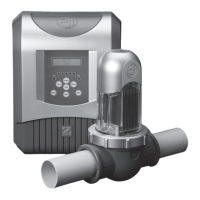
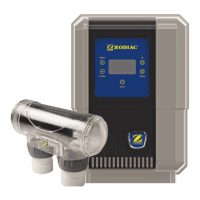
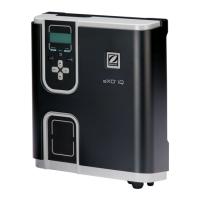
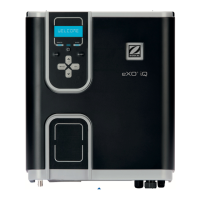
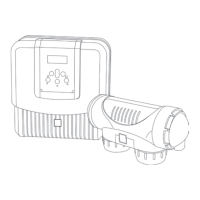
The ZODIAC Ei3 Saltwater Chlorinator is a device designed for pool and spa sanitation, utilizing salt electrolysis to produce chlorine. This installation manual provides comprehensive details for its setup, operation, and maintenance, ensuring safe and efficient use.
Function Description
The Ei3 Saltwater Chlorinator generates chlorine from salt dissolved in pool water, providing an automated and continuous sanitation solution. It is designed to be integrated into the pool's circulation system, typically as the last piece of equipment on the return line. The system comprises a controller and an electrolytic cell. The controller manages the chlorine production, pump operation, and other auxiliary functions, while the electrolytic cell is where the actual chlorine generation takes place. The device features a smart polarity reversal system to prevent scaling on the cell plates, extending its lifespan and maintaining efficiency.
Important Technical Specifications
The Ei3 Saltwater Chlorinator is available in two models: Ei3 24 and Ei3 40, with differing nominal chlorine production and output amps:
- Ei3 24: Nominal chlorine production of 24 g/h, nominal output amps of 5.0 A.
- Ei3 40: Nominal chlorine production of 40 g/h, nominal output amps of 7.2 A.
Both models share the following specifications:
- Required salt level: 4000 ppm
- Power supply voltage: 240 VAC - 50 Hz
- Electric power: 200 W
- Protection index: IP43
- Flow through the cell: Minimum 80 Lpm
- Operating water temperature: 10°C - 40°C
Dimensions:
- Controller: 31.5 cm (width) x 36.4 cm (height) x 9.6 cm (depth).
- Electrolytic Cell: 38 cm (length) x 11 cm (diameter) x 19.5 cm (height, including unions). The cell inlet and outlet ports are 11.5 cm apart.
Installation Requirements:
- The controller must be installed at least 3.5 meters from the inside wall of the pool/hot tub, 1.5 meters off the ground, and within 2 meters of the cell.
- All electrical work must conform to AS/NZ 3000 and other local codes, requiring a qualified installer.
- The controller must be permanently powered by connection to a 30 mA residential circuit breaker.
- The cell must be plumbed horizontally and level, as the last piece of equipment on the return line.
- A bypass with isolation valves is recommended for all installations and mandatory if system flow rate exceeds 300 Lpm.
- The cell inlet is on the side closest to the electrical lead.
Usage Features
The Ei3 Saltwater Chlorinator offers several user-friendly features for flexible operation:
User Interface:
The controller features an intuitive user interface with an LCD screen and buttons for navigation and settings adjustment.
- SALT LED: Indicates low salt/minerals or poor water conductivity.
- INFO LED: Indicates information or error messages.
- ON/OFF/STANDBY button: For powering the device on/off and entering standby mode.
- LOW button: Activates a reduced chlorine production mode (0%-30% in 10% increments), suitable for covered pools or limited use.
- BOOST button: Activates 100% chlorination for 24 cumulative hours, ideal for high use, poor weather, or initial season start-up. The filter pump will also operate in Boost mode if connected to the controller.
- MENU button: Accesses the main menu for settings.
- OK button: Confirms selections and deletes error messages (hold for 4 seconds).
- Up/Down arrows: Browse menus, increase/decrease settings, and lock/unlock the UI (press and hold both).
Operational Modes:
- Initial Start-Up: Guides users through setting language, clock, and initial chlorination percentage (0-100% in 10% increments).
- Boost Mode: Provides a temporary increase in chlorine production for 24 hours at 100% output.
- Low Mode: Reduces chlorine production (0-30%) for situations like covered pools or low usage.
- Cover Mode: Automatically reduces chlorination when a compatible electric roller cover is closed, resuming normal levels when opened. Output can be set from 0-30% in 10% increments.
- Quick Clean: A backwash mode that quickly starts/stops the filter pump for filter backwashing. Chlorination is stopped during this mode for safety and automatically stops after 5 minutes.
- Locking the Controller: The user interface can be locked/unlocked by simultaneously pressing and holding the up and down arrow buttons for 3 seconds, preventing accidental changes.
Programming/Timers:
The controller includes two internal operating timers for the filter pump and the Salt Water Chlorinator (SWC).
- Filter Pump Programming: Allows setting ON and OFF times for the filter pump.
- SWC Programming: By default, the chlorination program mirrors the filtration program but can be adjusted. Chlorination cannot be activated outside of the filtration program(s) for safety reasons.
- AUX/Lights Programming: The chlorinator can control auxiliary devices (e.g., lights) connected via a low voltage supply (12/24V). Users can turn them on/off, program timers, and select light colors (for Zodiac color lights). An additional switching box (Part # W000222) is required for controlling light transformers.
- Reset Timers: Resets all programmed timers to 00:00.
- External Timer Operation: The controller can operate with an external timer if all internal programs are cleared and the device is set to "on."
Reversing:
The chlorinator uses a smart polarity reversal system to prevent scaling on cell plates. The factory setting for reversal is 5 hours, but it can be adjusted from 2 to 8 hours in 1-hour steps depending on water calcium hardness. Adjusting reversal times will void the warranty unless done in consultation with Zodiac.
Slave Mode:
This mode is for integration with third-party control devices that use a chlorine/sanitizer sensor (e.g., ORP sensor). In slave mode, the chlorinator's chlorine production is controlled by the external device. Boost and Low modes remain operational, but SWC programs are deactivated, with chlorination output maintained at 100%.
Maintenance Features
Regular maintenance is crucial for the longevity and performance of the Ei3 Saltwater Chlorinator.
Water Chemistry Management:
- Water Chemistry Table: Provides guidelines for maintaining correct water balance throughout the season, including ideal ranges and actions for Free Chlorine, pH, Total Alkalinity, Calcium Hardness, Cyanuric Acid, and Salt Level.
- Salt Level: Requires a salt level of 4000 ppm. Adding salt directly into the skimmer is not recommended, and electrolysis should not be initiated until salt is fully dissolved.
- Low Salt Indication: The cell has a negative charge sensor that monitors flow and salt levels. A low salt indication may require checking the salt level at a local pool shop or manual cleaning of the cell.
Cell Maintenance:
- Automatic Cleaning: The Ei3 Saltwater Chlorinator features an automatic cleaning function to keep cell plates clear of salt and calcium deposits under normal conditions.
- Manual Cleaning: In areas with high calcium hardness, manual cleaning of the electrode may be necessary. This involves switching off the pump and chlorinator, unplugging the cell terminal cap, unscrewing the retaining ring, and immersing the electrode in a cell cleaning solution (Zodiac Salt Chlorinator Cell Cleaner or a 1:10 hydrochloric acid to water solution) for about 10 minutes. The cleaning solution must be disposed of at an approved Council Depot.
- Electrode Inspection: Regular inspection of the electrode for calcium buildup is recommended.
General Maintenance:
- Component Checks: Regular checks of moving parts, cable connections, and O-rings are recommended to identify worn parts and prevent serious damage.
- Insect Prevention: To protect electronics from extreme temperatures and insect ingress, it is recommended to spray a surface insecticide on the surfaces surrounding the control unit every three months (with power turned off).
- Winterizing:
- Active Winterizing: The chlorinator can run during winter, but output and filtration times should be reduced as water temperatures drop below 10°C to minimize wear.
- Passive Winterizing: For pool shutdown, water levels should be lowered, piping drained, and the cell electrode can be left in place with isolation valves open.
- Reopening the Pool: Requires adjusting water level, checking water parameters (TAC/TH/pH/Salinity/Chlorine/Stabilizing Agent/Copper/Metals), adjusting parameters for a healthy pool, checking equipment condition, checking sensors, and restarting the chlorinator once salt levels are correct.
Troubleshooting:
The chlorinator automatically displays error messages on the screen and flashes the INFO LED when a problem occurs. The manual provides a troubleshooting assistance menu with possible causes and solutions for common issues like "NO FLOW," "CHECK OUTPUT," "LOW CONDUCTIVITY," and "OVER HEAT." To clear an error message, press and hold the OK button for 4 seconds.


 To Next Page
 General