20X Bar-tacking and Button Sewing Machine(LCD N) Operation and Debugging
64
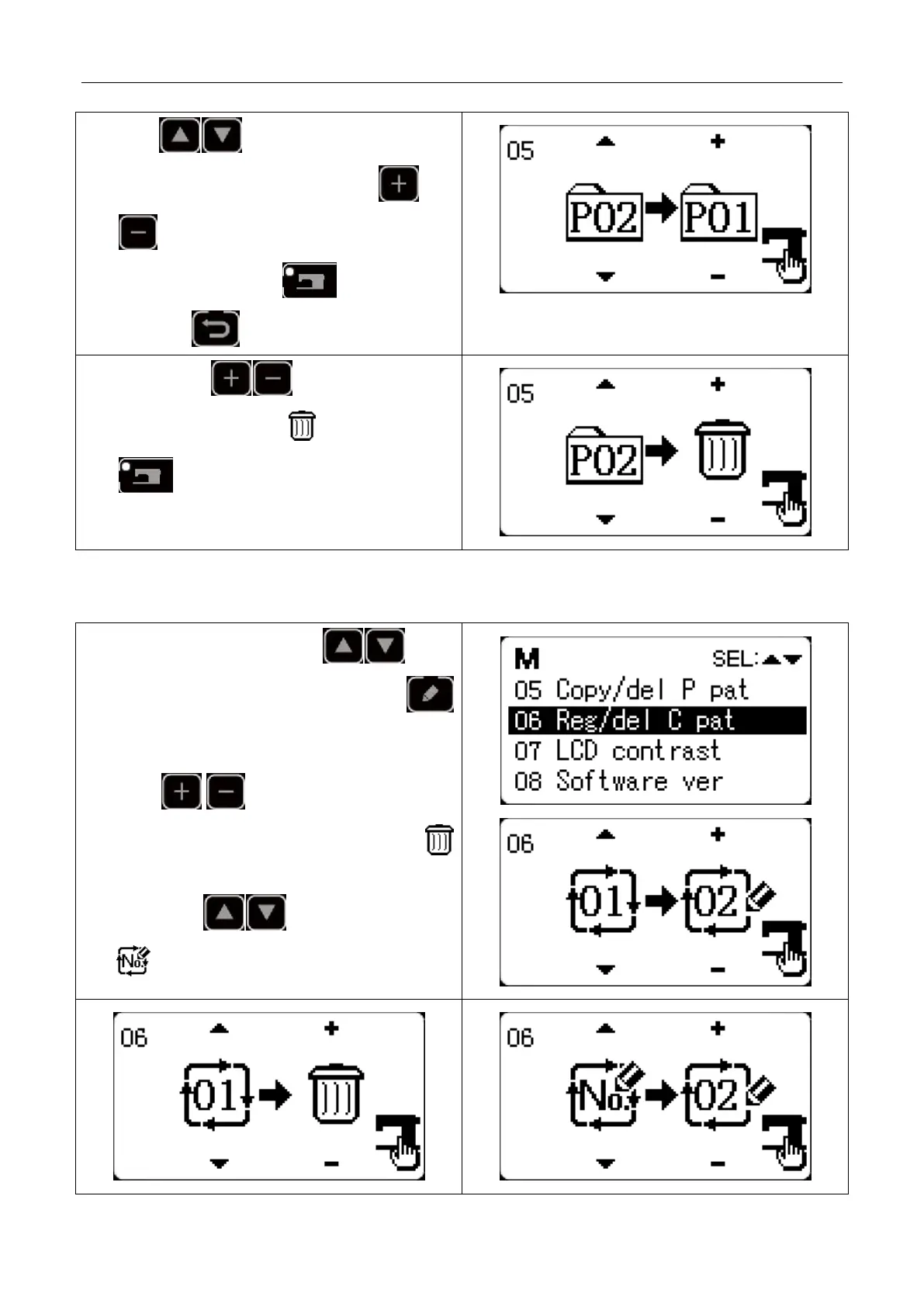
2) Press key to shift to the P pattern
number(existing) to be copied, and press
to shift to a new P pattern number (new).
After confirmation, press key to save and
return.Press key to quit saving and return.
3) When pressing to shift to new P pattern
number, user can selecticon , and if user press
at that time, the existing P pattern will be
deleted.
2.6.2 Copy/Delect C Pattern
1) Under the system menu, press key to
select “06 copy/delete C pattern” and press
key to enter this mode.
2) Similar to the operation to copy/delete P pattern,
press key to shift new C pattern
number to execute copying operation or press
key to delete C pattern.
When press key to shift to the icon
, it means to register a new empty C pattern.



 To Next Page