6
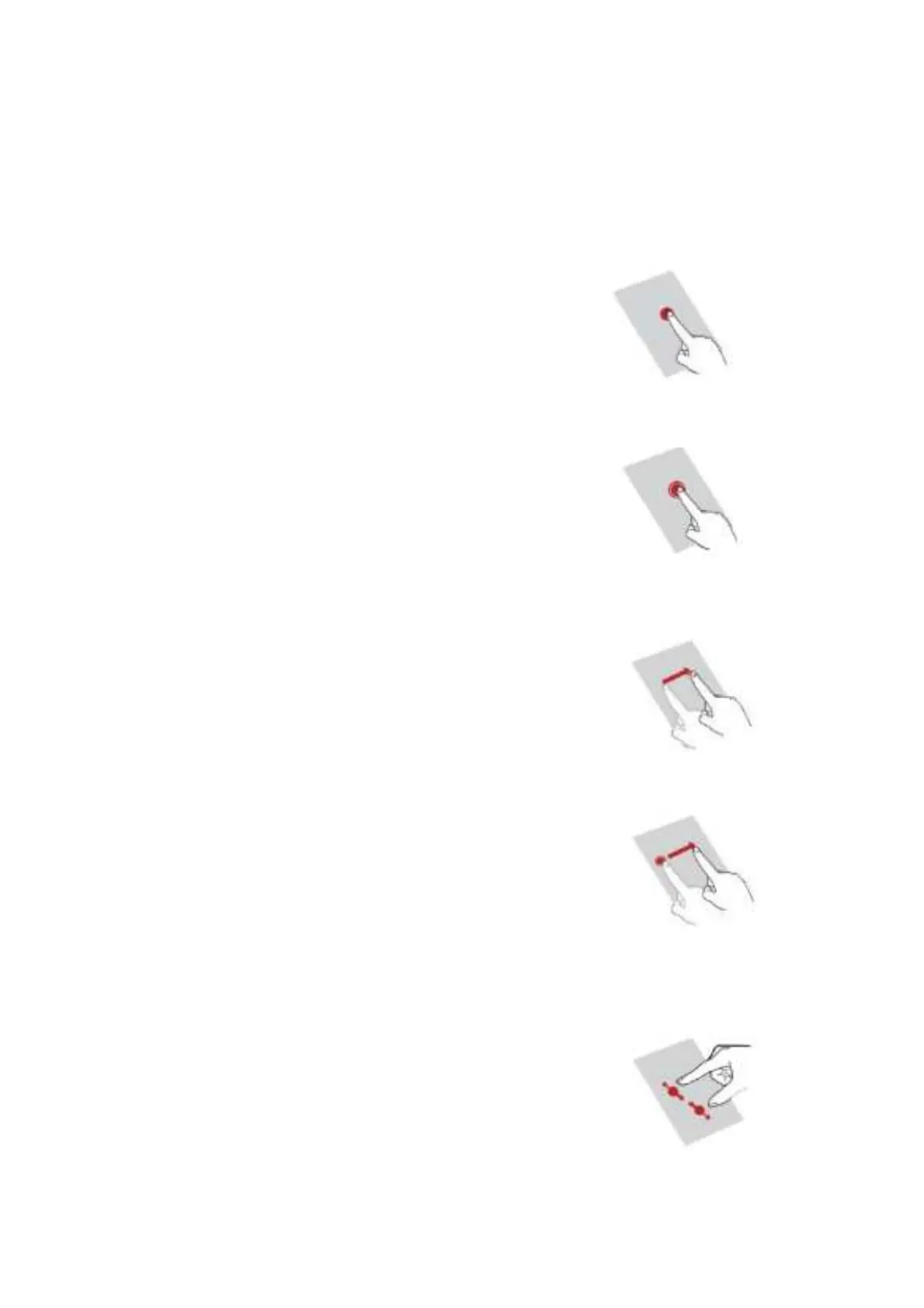
Gesture operation
Users can directly operate icons, buttons, keyboards and interfaces on the touch screen with your
fingers
Including the following operations:
Click:
Click the screen slightly once with your fingers
For example, click an application icon to open the application.
Long press:
Click the target for more than 2 seconds
For example, press and hold in the blank area of the desktop to enter the editing
interface.
Slide:
Slide on the screen with fingers
For example, sliding left and right on the main screen can switch screens.
Drag:
Press and hold the target, and then drag it to another position on the screen
For example, press and hold an icon on the main screen to drag it to other
positions.
Other locations.
Zoom:
Close the two fingers to reduce the display size of the target and separate the two
fingers to enlarge the target
For example, when viewing a picture, this operation can enlarge and reduce the
picture.


 To Next Page