7
Basic operation
Main screen
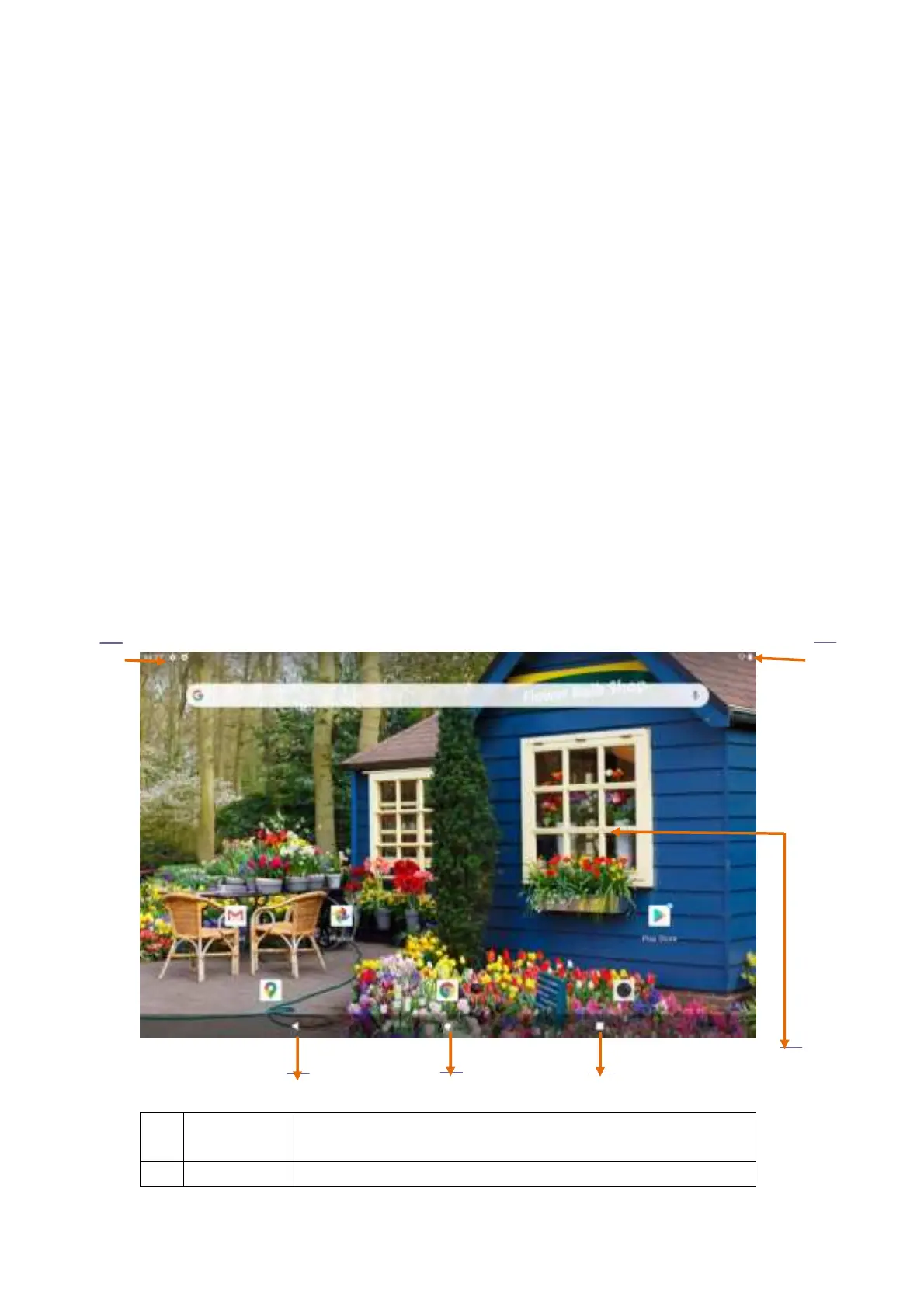
After booting and unlocking, users can see the main screen, which contains the following
contents:
At the top of the screen is the status notification bar, which displays battery power, network
signal, time and other icons. Pull down from the top to open the status notification bar panel;
Indication icons, widgets, application shortcuts and other items can be seen in the
main-screen display area;
At the bottom of the screen is an operation bar with three operation keys: [Back Key], [Home
Key] and [Last Run]
Execute the corresponding function after touching;
The main screen extends beyond the screen width, and you can switch to different pages by
sliding left and right on the desktop with your fingers;
Users can enter the APP application interface by sliding from bottom to top in the main
screen.
1
Return key
Go back to the previous interface, and if the on-screen keyboard is
open, this operation will close the keyboard.
2
Home key Back to the main screen


 To Next Page