17
Edit Mode
In the Edit mode, an Effect Module which comprises the Patches of the 9000 is called
one after another, and the desired parameters for each Patch can be set.
Entering the Edit Mode
· In the Play mode, select the Patch to be edited, and then press the
EDIT/CANCEL key.
The 9000 goes into the Edit mode, and the display shows “EDIT.” Pressing the
EDIT/CANCEL key again sets the 9000 back in the Play mode.
LVL100 23
n
n
n
n
Editing Patches
Edit the Patches in the following simple steps:
1. select the Effect Module. (with the BANK DOWN/UP key and the /PATCH 1 to 4
key)
2. select the Effect Type. (with the VALUE - / + key)
3. select the parameter. (with the PARAMETER key)
4. change the value of the selected parameter. (with the VALUE - / + key)
· In the Edit mode, using the BANK DOWN/UP key and the PATCH 1 to 4
key, select the Effect Module to be edited.
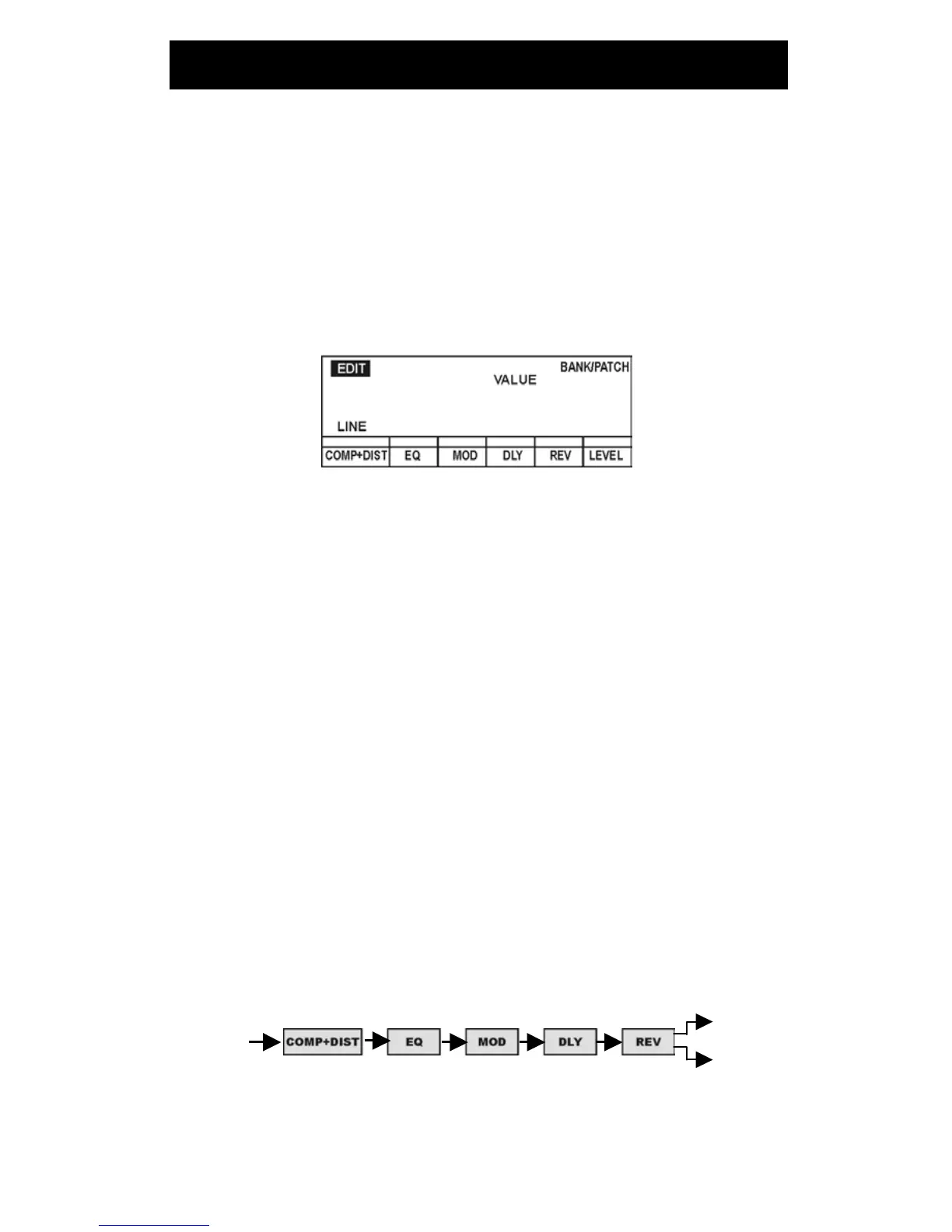
The 9000 has the following groups of Effect Modules for the Patches.
·
COMP+DIST (Compressor/distortion Effect Module group)
·
EQ (Equalizer Effect Module group)
·
MOD (Modulation Effects Module group)
·
DLY (Delay Effects Module group)
·
REV (Reverb Effects Module group)
The above Effects Modules are connected in series. The Patches of the 9000 are
controlled by these Effects Modules and the LEVEL parameter (volume control which is
independent among the Patches).
OUT L
IN/POWER
OUT R
Composition of the Effects Modules


 To Next Page