15
System settings
1
2
3
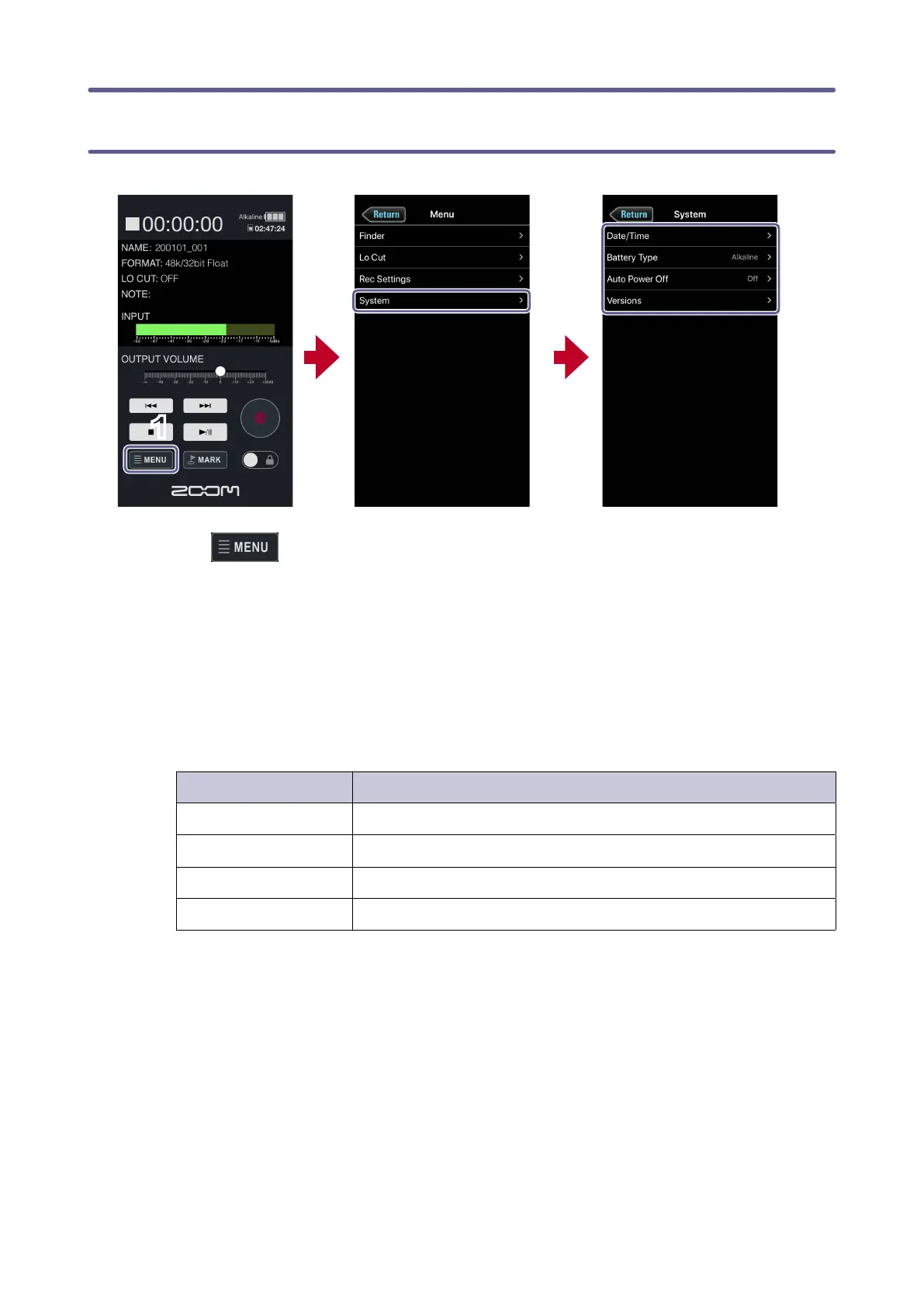
1.
Tap on the Home Screen.
2.
Tap System on the Menu Screen.
3.
Tap a setting item and then change it.
System settings
Setting item Description
Date/Time Set the date and time.
Battery Type Select the type of batteries used in the F2-BT.
Auto Power Off Use this to set the time until the F2-BT power turns off automatically.
Versions Check the F2-BT and F2 Control versions here.



 To Next Page