© 2014 ZOOM CORPORATION
Copying or reproduction of this document in whole or in part without permission is prohibited.
Thank you very much for purchasing the ZOOM .
The has the following features.
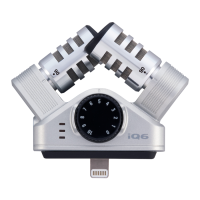
High quality mic that connects with iPhones, iPods and iPads
This stereo microphone can be connected to an iPhone (5 or later), iPod touch (5th generation),
iPad (4th generation), iPad Air or iPad mini and used with an application that supports mic input to
record high-quality audio.
Note: In this manual, we refer to all of these devices as “the connected device” or “the iOS
device.”
X/Y mic format allows adjustment of the recording angle
The X/Y mic format uses two crossed unidirectional mics and allows you to record audio sources in
a targeted field as a stereo image that has depth. You can set the recording angle to 90° or 120°
by turning the mics.
High-performance app for use with the mic
Download the free application from the App Store and use it with the to, for example, set
the recording format, edit audio files and apply various effects.
Audio monitoring without latency (only when using the ZOOM Handy Recorder app)
Using latency-free direct monitoring, the audio input through the can be output directly
from the stereo mini jack without passing through the connected iOS device.
Recording level can be adjusted directly from the
The dial on the can be used to adjust the recording level.
Usable even with devices in cases
By removing the included case adjuster, you can connect this mic to a device even when it is in a
case.
Specifications


 To Next Page