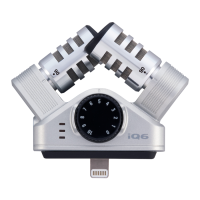
Remove the case adjuster if the case of the device prevents the Lightning connector from
connecting completely.
Some cases might prevent connection even when the case adjuster is removed.
NOTE
• The lightning connector does not have a front or back, but if you connect the to the
device upside down compared to the illustration above, the left and right stereo channels will
be reversed.
* The left and right stereo settings can be reversed in Handy Recorder app.This setting is
stored in the itself.
HINT
If an authentication error or other problem occurs, the red LED will blink dimly.
2. Connect headphones, for example, to the stereo mini jack on the .
Use the Handy Recorder app to adjust the volume of the headphones or other device connected
to the stereo mini jack.
The volume level set using the Handy Recorder app is saved in the and will be applied
when using the with other applications.
Using the Microphone
Adjusting the stereo width
1. Turn both individual mics to change the recording angle.
90°: Record with a stereo width of 90°.
120°: Record with a stereo width of 120°.
NOTE
When adjusting the dial or mic angle, hold the and the connected device together to
prevent them from becoming disconnected. Use of excessive force could cause disconnection and
even damage the connector.
Adjusting the recording level
1. Turn the dial to adjust the recording level.


 To Next Page