14
Playback
Using Direct Monitoring
Using Direct Monitoring
Sound inputs into the can be directly output without passing
through the computer. This enables monitoring without latency.
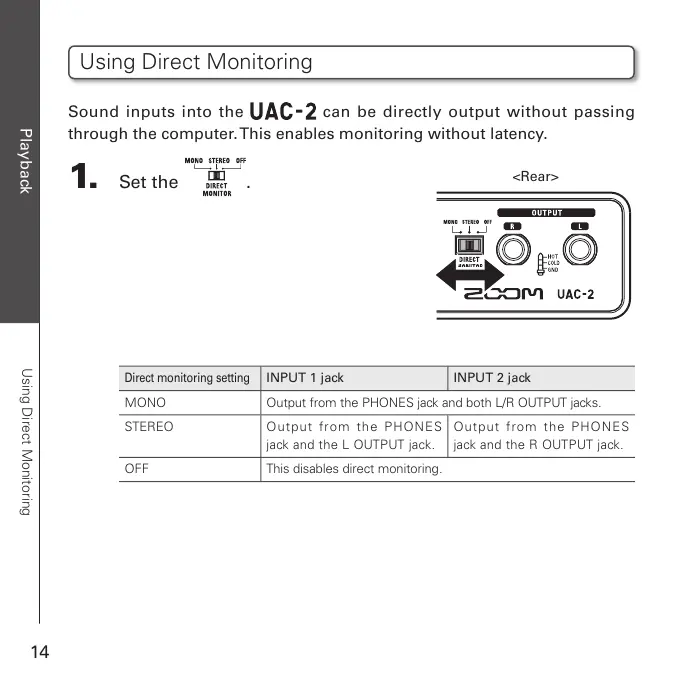
1. Set the .
Direct monitoring setting
INPUT 1 jack INPUT 2 jack
MONO Output from the PHONES jack and both L/R OUTPUT jacks.
STEREO Outp ut from the PHONES
jack and the L OUTPUT jack.
Outp ut from the PHONES
jack and the R OUTPUT jack.
OFF This disables direct monitoring.
<Rear>


 To Next Page