Home
Zoom
Computer Hardware
V3
Firmware Update Guide
Page 8 (Loading Batteries and Powering On)
Zoom V3 - Loading Batteries and Powering On; Loading Batteries; Turning the Power On
9 pages
Manual
Save Page as PDF
To Next Page
To Next Page
To Previous Page
To Previous Page
Loading...
8
C
hecking
the
firmware
version
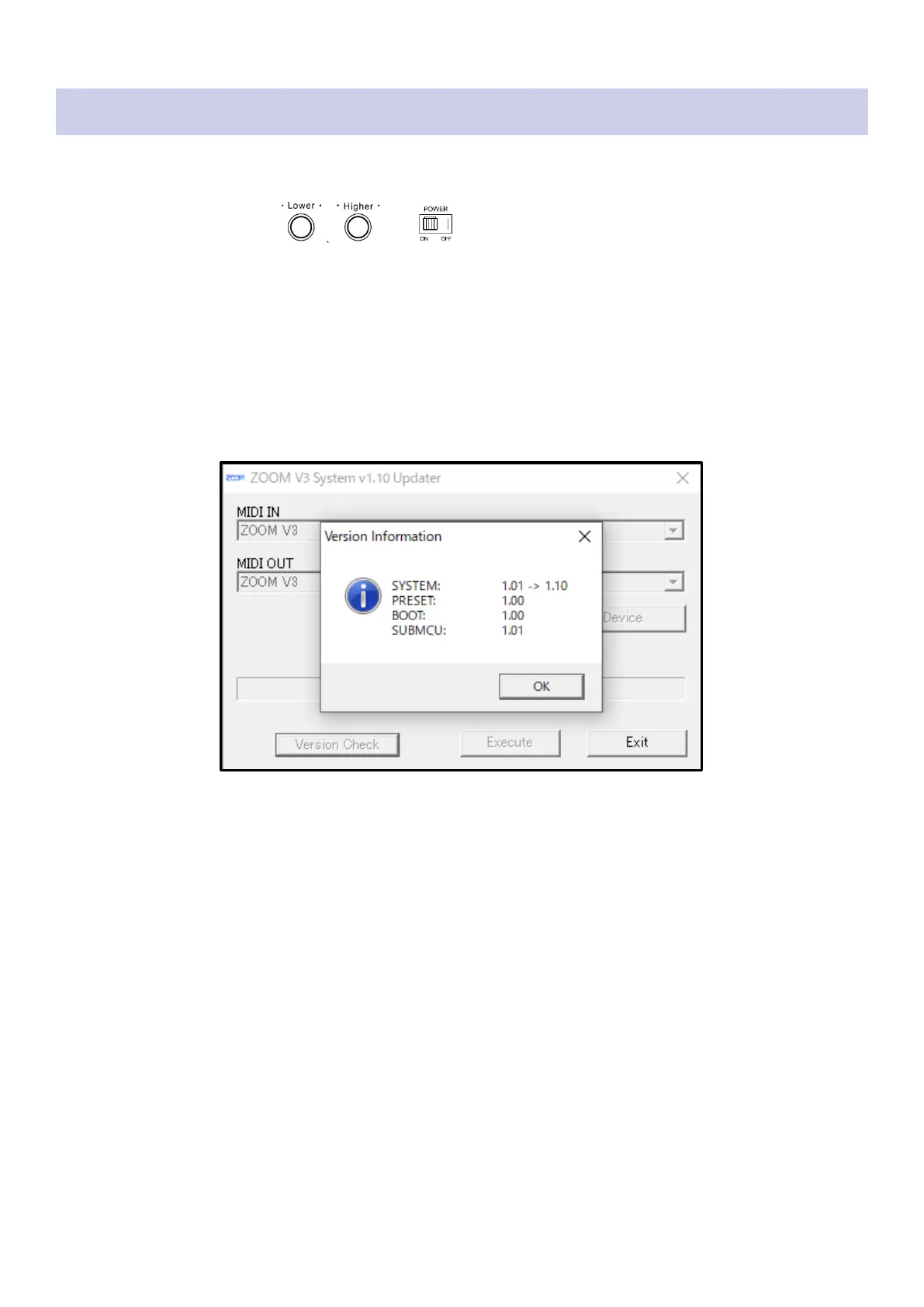
1.
Use a USB cable t
o connect t
he V3
with the computer
.
2.
While pressi
ng and hol
ding
, set
to
ON.
3.
Launch the firmware
update applicati
on.
4.
Click the [V
ersion Ch
eck] but
ton.
5.
Check the fir
mware ver
sions.
7
9
Table of Contents
Main Page
Introduction
1
Items to prepare
1
Firmware update process
1
Installing the firmware update file
2
Extracting zip files
3
On Windows
3
On Mac
4
Update the firmware
5
Checking the firmware version
8
Other manuals for Zoom V3
Operation Manual
16 pages
Related product manuals
Zoom B6
16 pages
Zoom 2020
22 pages
Zoom 9030
69 pages
Zoom GFX-8
46 pages
Zoom GFX-5
19 pages
Zoom GFX-4
32 pages
Zoom GFX-1
40 pages
Zoom B2FOUR
86 pages
Zoom B2 FOUR
21 pages
Zoom player 3000
52 pages
Zoom STUDIO 1201
8 pages
Zoom 3030 zoom player
40 pages



 To Next Page