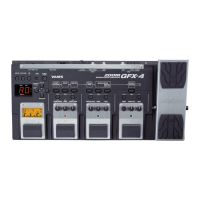
The ZOOM B6 Multi-Effects Processor is a versatile device designed for bassists, offering a wide array of effects, amp models, and performance features. It serves as a comprehensive solution for shaping bass tones, practicing, and live performance.
Function Description
The B6 functions primarily as a multi-effects processor for bass guitars. It integrates various effects, amp models, and DI types, allowing users to craft diverse soundscapes. Key functionalities include:
- Multi-Effects Processing: The core function involves applying a wide range of digital effects to the bass signal. Users can select, reorder, add, delete, and replace effects within a patch memory. Each effect has adjustable parameters, providing granular control over the sound.
- Amp Modeling: The device includes amp models that simulate the characteristics of different bass amplifiers, contributing to the overall tone.
- DI Type Selection: The B6 offers four selectable DI types (Tube-1, Tube-2, Solid State-1, Solid State-2) that reproduce the characteristics of vacuum tube and solid-state DIs. These DI types affect the output of both the XLR (BALANCED) and AMP OUTPUT jacks, providing options for different tonal qualities, from rich harmonics and thick low frequencies to clear attacks and tight low frequencies, or moderate compression and sharp tones.
- Patch Memory Management: Users can save their customized effect and amp model settings as "patch memories." These patches can be organized into "banks," with each bank containing four patch memories. This allows for quick recall of different sounds during performance.
- Looper Function: The B6 features a looper that enables users to record and playback phrases, facilitating practice, songwriting, and live performance with layered sounds. Loops can be recorded for longer times and saved to an SD card, which also allows for playback and overdubbing.
- Rhythm Function: The device includes a rhythm function, allowing users to play along with various rhythm patterns. This is useful for practice and developing timing.
- Tuner: A built-in tuner helps ensure the bass is in tune. It displays the nearest note name and pitch detuning, guiding the user to tune the string until the indicator lights green.
- Input/Output Flexibility: The B6 provides multiple input and output options, including two input jacks with impedance switches for different bass types (ordinary electric basses and acoustic basses with piezo pickups), balanced XLR output, AMP/LINE/PHONES output, AUX IN, and external loop jacks for integrating other effects.
- USB Audio Interface: When connected to a computer, the B6 can function as a USB audio interface, enabling direct recording of bass signals to a digital audio workstation (DAW).
- Guitar Lab Integration: The device is compatible with ZOOM's Guitar Lab software (for computers) and Handy Guitar Lab app (for iOS/iPadOS devices), which allow for managing patch memories, editing effects, and adding new effects.
- SD Card Functionality: An SD card slot allows for extended looper recording times, saving loops, loading impulse response data, and updating firmware. The B6 can also act as a card reader when connected to a computer.
Usage Features
The B6 is designed for intuitive operation, combining physical controls with a touchscreen interface.
- Power On/Off: The device is powered on by a dedicated switch. An ECO mode is available, which automatically turns off the power after 10 hours of inactivity, conserving energy. This mode can also be turned off.
- Input Selection: Users can select between two input channels using a dedicated switch, accommodating different bass setups. Impedance switches are provided for each input to optimize for electric or acoustic basses.
- Connections: The manual provides clear instructions for connecting the B6 to various audio equipment, including powered monitors, bass amps, PA mixers, and headphones. It emphasizes connecting these devices before powering on the B6 to prevent noise and malfunction.
- Tuning: The tuner is activated by pressing and holding the TAP switch. It provides visual feedback to guide accurate tuning.
- Bypassing Effects: The BYPASS switch allows users to bypass the effects section (EFX BYPASS) or bypass everything (ALL BYPASS), which is useful for adjusting the EQ and volume of an external bass amp without the B6's processing.
- Play Modes: The B6 offers different "PLAY MODES" (Looper, Memory, Bank/Patch, Effect Board) that change the functions of the touchscreen and footswitches, adapting to various performance and practice scenarios.
- Footswitch Control: Four footswitches are central to controlling the B6. Their functions vary depending on the selected play mode, allowing for actions such as selecting patch memories and banks, turning effects on/off, and operating the looper. Function indicators light up to show the current footswitch assignments.
- Touchscreen Interface: The touchscreen is used for selecting and setting patch memories, adjusting B6 settings, and navigating menus. It allows for intuitive interaction with effect parameters, patch management, and system settings.
- Parameter Knobs: Dedicated parameter knobs allow for quick and precise adjustments of effect parameters and various settings.
- Menu Navigation: The touchscreen displays various icons that correspond to different functions, such as adjusting effect parameters, changing effect order, adding/deleting effects, creating patches, setting rhythm, managing IR data, creating/deleting banks, and system settings. Swiping left and right on the touchscreen allows navigation between menu pages.
- Tempo Adjustment: The TAP switch can be tapped to adjust the tempo for effects, rhythms, and the looper.
- Volume Control: A MASTER knob controls the overall output volume of the B6.
- External Control: An expression pedal can be connected to the CONTROL IN jack to adjust pedal effects. A wireless adapter can be connected to the REMOTE connector for wireless control from iOS/iPadOS devices using the Handy Guitar Lab app.
Maintenance Features
While the manual primarily focuses on operation, it includes some aspects related to maintenance and troubleshooting:
- Firmware Updates: The B6's firmware can be updated by loading data from an SD card, ensuring the device stays current with the latest features and improvements.
- Troubleshooting Guide: A dedicated troubleshooting section addresses common issues such as the unit not powering on, no sound or quiet output, and excessive noise. It provides practical steps like checking connections, confirming input selection, adjusting levels, turning off the tuner, using shielded cables, and using a genuine ZOOM AC adapter.
- SD Card Management: The system settings allow for managing SD cards, which is important for maintaining data integrity and performance.
- ECO Mode: The ECO mode, which automatically powers off the device after inactivity, contributes to energy saving and potentially extends the lifespan of internal components by reducing unnecessary operation.
- Copyright and Manual Access: The manual emphasizes that copying or reprinting is prohibited without permission and advises users to keep the manual accessible for future reference. It also notes that the contents and specifications can change without notice, implying that users should refer to the latest available documentation. The operation manual can be downloaded from the ZOOM website in PDF and HTML formats, ensuring easy access to updated information.

 Need help?
 General

 To Next Page