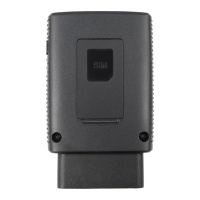
The ZTE Mobley Mobile Hotspot is a vehicle-based Wi-Fi device designed to provide internet connectivity on the go. It creates a Wi-Fi network within your vehicle, allowing smartphones, laptops, tablets, digital cameras, printers, gaming consoles, and digital picture frames to connect to your network provider's mobile broadband network.
Function Description:
The Mobley functions as a mobile Wi-Fi hotspot, drawing power from your vehicle's On-Board Diagnostics (OBD II) connector port. Once plugged in and the vehicle's engine is running, it automatically searches for and connects to your network provider's mobile broadband network. Users can then connect up to five (5) Wi-Fi-enabled devices to the hotspot's Wi-Fi network(s). The device offers both a Main Wi-Fi network for trusted devices and an optional Guest Wi-Fi network for temporary users. It supports SMS messaging, allowing users to view and delete messages through the AT&T Wi-Fi Manager home page. The device can be managed via a lite or full AT&T Wi-Fi Manager web interface, accessible at http://attwifimanager with a default administrator login of attadmin. This interface allows for viewing connected devices, changing Wi-Fi network names and passwords, configuring data network options (domestic and international roaming), and accessing detailed device information.
Important Technical Specifications:
- Dimensions: 3.23 x 2 x 0.87 inches (82 x 50.5 x 22 mm).
- Power Source: Vehicle's OBD II connector port (no internal battery).
- Voltage Range: 9V to 16V.
- Protection Mode: Activates if OBD II voltage drops to 11.5V, ensuring the car battery remains capable of restarting.
- Power Save Mode Threshold: Between 11.3V and 11.7V.
- Supported RF Bands:
- LTE: Band 2, Band 4, Band 5, Band 17.
- UMTS/HSPA+: Band 2, Band 5.
- Maximum Connected Devices: Up to five (5) wireless devices, shared between Main and Guest Wi-Fi networks.
- Wi-Fi Protocols: 802.11 b/g/n and 802.11 n only, depending on the band range selected.
- Security Types: WPA2(AES)-PSK (recommended default).
- Administrator Login: Default is
attadmin, changeable to 4-32 characters.
- FCC ID: SRQ-VM6200.
- Operating Temperature Range: -4°F ~ 158°F (-20°C ~ +70°C).
- Humidity Range: 5% ~ 95%.
- Average Current Consumption (mA):
- Power Saving: 2.5 mA
- LTE network searching: 54.6 mA
- LTE MAX power (maximum transmission power): 283.2 mA
- LTE normal network connection (5 devices, no open PDP context): 121.7 mA
- LTE normal network connection (5 devices, streaming video): 173.7 mA
Usage Features:
- Easy Installation: Plugs directly into the vehicle's OBD II connector port, typically located on or under the dash.
- Automatic Connection: Powers on and connects to the mobile broadband network automatically when the vehicle's engine is running.
- Wi-Fi Manager Interface: Provides both a lite (smartphone-optimized) and full (laptop-optimized) web interface for managing settings.
- Device Management: View connected devices, block/unblock access, and set the maximum number of connected devices for Main and Guest Wi-Fi networks.
- Customizable Wi-Fi: Change network names (SSID) and passwords for both Main and Guest Wi-Fi.
- Data Network Options: Enable/disable domestic mobile data and international roaming.
- Advanced Settings: Configure Wi-Fi network options (network mode, country/region code, frequency channel), view WAN information, enable port mapping, enable VPN passthrough, configure APN details, set router options (DHCP server), and define power save options.
- Power Save Options: Allows the device to remain engaged for a user-defined period (30 minutes, 1 hour, 90 minutes, or 2 hours) after the engine is turned off or idle, before entering Sleep mode.
- Status LED Indicator: Provides visual feedback on power status (LED 1) and signal/connection status (LED 2), indicating states like power on, factory reset, SIM locked, no network service, FOTA updating/update failure/update success, and connected to mobile/Wi-Fi network.
- SMS Messaging: View SMS messages through the AT&T Wi-Fi Manager home page.
Maintenance Features:
- SIM Card Replacement: Instructions provided for gently lifting the SIM card cover, removing the existing micro-SIM, inserting a new one with gold contacts facing down, and closing the cover.
- Device Reset:
- Hardware Reset: Press and hold the Reset Key on the device for approximately 7 seconds until LED 1 turns red to restore factory default settings. This is useful if the Administrator login is forgotten.
- Software Reset: Perform a reset via the full AT&T Wi-Fi Manager home page by navigating to Settings > Advanced > Device Reset.
- Troubleshooting Guide: Includes solutions for common issues such as inability to establish Wi-Fi connection, no internet access, and inability to visit the AT&T Wi-Fi Manager home page, or forgotten passwords.
- Regulatory and Safety Information: Provides guidelines for safe operation, including interference with medical devices, usage limitations in hazardous environments (aircraft, gas stations, hospitals), proper handling, and authorized accessories. It also includes information on Radio Frequency (RF) Energy exposure and FCC Compliance.


 To Next Page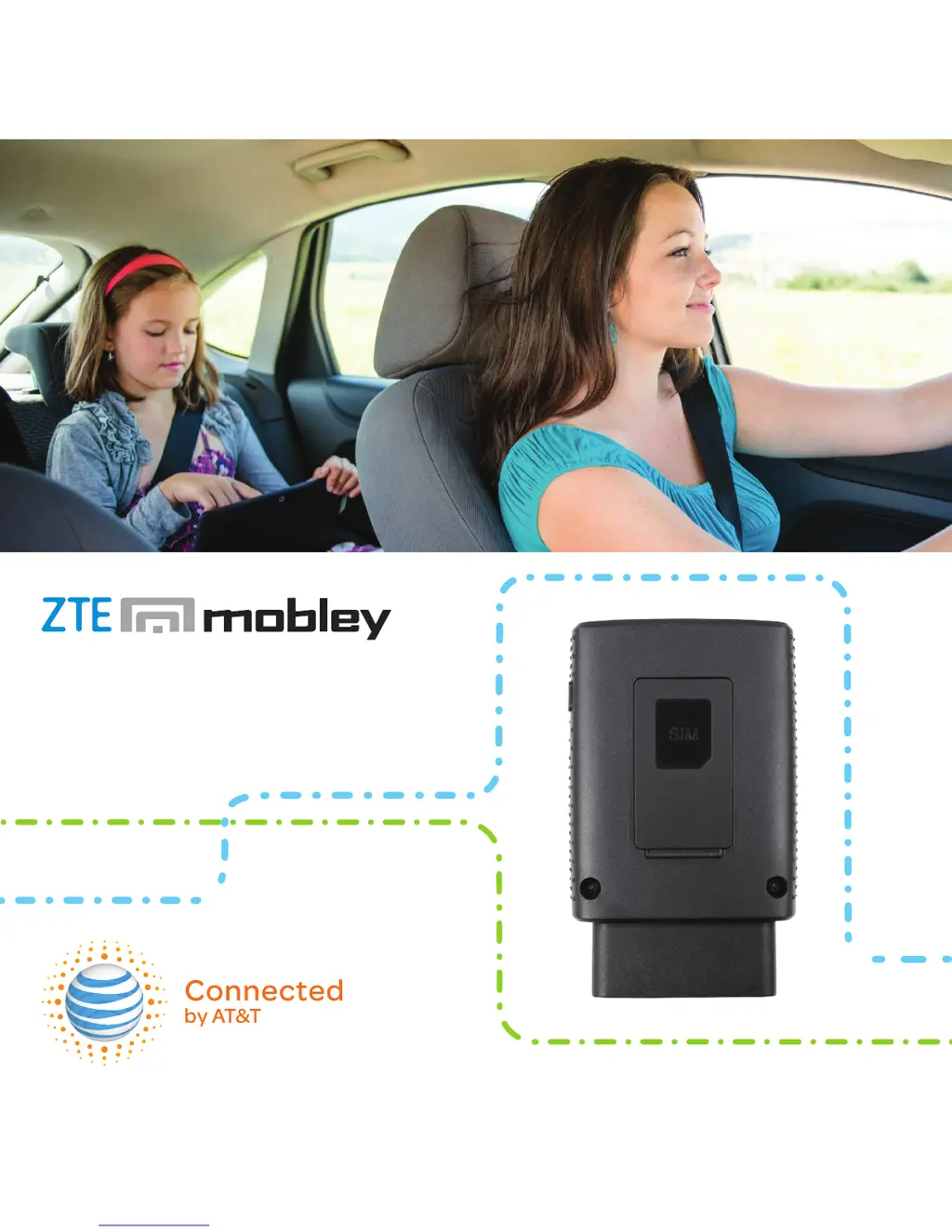
 General