Need help?
Do you have a question about the Zte ZXV10 and is the answer not in the manual?
Details the revision history of the document.
Outlines compliance with FCC radiation exposure limits.
Special notes for using the Set-Top Box.
Crucial safety guidelines for operating the device.
Instructions on device servicing and when to contact a provider.
Lists all items included in the package.
Provides advice regarding the packing list.
Details the indicators and buttons on the front panel.
Describes the connectivity ports on the rear panel.
Explains the interfaces located on the side panel.
Instructions on how to connect the STB to a network.
Illustrates different network connection methods.
Guides on connecting the STB using SD interfaces.
Guides on connecting the STB using HD interfaces.
Instructions for connecting digital audio output.
Steps to power on the Set-Top Box.
Explains the automatic software upgrade procedure.
Describes the functions of each button on the remote control.
Instructions for installing batteries in the remote.
How to program the remote to control other devices.
How to switch the STB between standby and active states.
How to navigate and use the EPG.
Controls for volume, audio modes, and channel switching.
Controls for pausing, playing, fast-forwarding, and rewinding programs.
How to watch missed live programs using TSTV.
Solutions for when the STB indicator is not lit.
Troubleshooting steps for EPG connectivity issues.
Solutions for issues with the video display.
Solutions for audio problems.
Troubleshooting steps for a non-responsive remote control.
Addresses problems with sound and video synchronization.
Lists the standards the device complies with.
Details the input and output specifications of the power adapter.
Specifies operating temperature and humidity ranges.
Lists supported network protocols.
Details supported video formats, resolutions, and audio codecs.
Covers network access modes and physical dimensions.
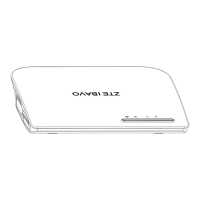
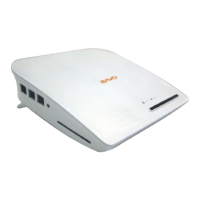
The ZXV10 B760E RichMedia Box is a versatile Set-Top Box (STB) designed to deliver a rich media experience, primarily for IPTV services. This device serves as a central hub for accessing various forms of digital content, including live television, video-on-demand (VOD), and time-shifted television (TSTV). Its primary function is to receive and decode digital video and audio signals from a network, then output them to a connected television or display, enabling users to enjoy a wide range of entertainment and information services.
The core function of the ZXV10 B760E is to act as an IPTV client, connecting to a service provider's network to access and display multimedia content. It supports both standard definition (SD) and high definition (HD) video output, ensuring compatibility with a broad range of televisions. The STB processes incoming network streams, decodes the audio and video, and presents it to the user.
For video, the device handles various resolutions, from standard PAL/NTSC to high-definition 720p and 1080i/p, providing clear and crisp images. Audio capabilities include support for multiple formats and channels, including Dolby Digital Plus, offering an immersive sound experience. The STB is equipped with both analog (AV) and digital (HDMI, SPDIF) output interfaces, allowing flexible connection to different audio and video systems.
Network connectivity is crucial for the ZXV10 B760E. It features an Ethernet interface (WAN) for wired connections to a gateway or xDSL modem, ensuring a stable and reliable data stream for content delivery. The device also supports wireless LAN (WLAN) access, providing an alternative for network connection. This dual connectivity option enhances installation flexibility.
Beyond simply displaying content, the STB offers interactive features. It supports an Electronic Program Guide (EPG), allowing users to browse program schedules, discover new content, and navigate through available services. The remote control is integral to this interaction, providing dedicated keys for switching between live TV, VOD, TV on Demand (TVOD), and information surfing programs.
The device also incorporates media playback controls, enabling users to pause, resume, stop, fast forward, and rewind content. This functionality is particularly useful for VOD and TSTV services, giving users control over their viewing experience. For TSTV, it allows users to watch previously aired live programs, offering flexibility in scheduling.
The ZXV10 B760E is designed for straightforward setup and daily operation. Users connect the STB to their home network and television using the provided cables. The power adapter supplies the necessary electrical current. Once connected and powered on, the device typically initializes and connects to the service provider's network.
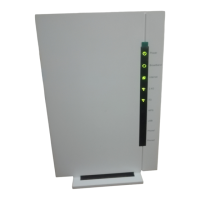
The front panel of the STB includes indicator lights that provide visual feedback on its status: a running status indicator (red for standby, green for normal operation), a connection status indicator (blinking green for normal network connection), and an infrared indicator that flashes when receiving signals from the remote control. These indicators help users quickly assess the device's operational state.
The remote control is the primary interface for interacting with the STB. It features a comprehensive set of keys for channel navigation, volume control, menu access, and playback management. A unique feature is the "TV learning window" and "Key Customization" function, which allows users to program certain keys on the STB remote (Power, TV/AV, VOL+, VOL-) to control corresponding functions on their television. This reduces the need for multiple remote controls, simplifying the user experience. The learning process involves placing the STB remote and TV remote close to each other and following a specific sequence of key presses.
Navigating the EPG is intuitive, with direction keys and an OK button for selection. Users can easily switch between different program modes (Live TV, TVOD, VOD, Service) using dedicated function keys. During program playback, specific keys control audio modes (left, right, stereo) and mute/unmute functions. The ability to fast forward and rewind at multiple speeds (2X, 4X, 8X, 16X, 32X) enhances the VOD and TSTV experience.
For TSTV, users can enter the service from a live program, play content from the beginning, or jump to specific points using the program progress bar. This feature adds significant value by allowing users to catch up on missed shows or re-watch segments at their convenience.
The STB also includes USB and TF card interfaces on its side panel, suggesting potential for local media playback or external storage expansion, though specific functionalities related to these ports would depend on the software implementation by the service provider.
Maintenance of the ZXV10 B760E primarily involves ensuring proper environmental conditions and basic troubleshooting. The device is designed for indoor use and requires adequate ventilation, meaning the plastic covering should be removed before use and ventilation openings should not be blocked. It should be placed on a flat surface, away from heat sources and heavy objects.
Regular checks of cables (power, network, audio/video) are recommended, with immediate replacement of any damaged cables to prevent operational issues or safety hazards. The power adapter provided with the STB should always be used to ensure compatibility and prevent damage. In case of extended non-use or lightning storms, it is advised to power off the device and unplug it from the power source. After powering off, a brief waiting period (at least 15 seconds) is recommended before powering it back on.
The device is not user-serviceable; users are explicitly warned not to remove the cover due to the risk of electric shock and the absence of user-serviceable parts inside. Any issues requiring repair or internal inspection should be referred to qualified service personnel or the service provider.
Troubleshooting guidance is provided for common issues. For instance, if the indicator lights are not on, users are advised to check the power adapter connection, the power outlet, or contact the service provider if the adapter is damaged. Network connection problems (e.g., inability to connect to the EPG homepage) suggest checking the network cable, verifying network configuration, or contacting the service provider if the network itself is failing.
Audio and video issues also have clear troubleshooting steps. If there's no image on the TV, users should check if the STB is in standby mode, reconnect the video cable, or ensure the TV's input source is correctly set. For no sound, checking for mute status, reconnecting audio cables, or adjusting volume levels are suggested. If the remote control fails, users should check and replace batteries, ensure correct battery installation, and operate the remote closer to the STB without obstacles. For sound not matching the image, switching audio modes via the remote is recommended.
The STB also features an automatic upgrade mechanism. Upon power-on, it can connect to a server to check for available software updates. If an upgrade is required, it proceeds automatically, typically taking a few minutes. During this period, users are advised not to perform any operations to ensure a successful update. This feature helps keep the device's software current, potentially improving performance and adding new functionalities without manual intervention.
In summary, the ZXV10 B760E RichMedia Box is a user-friendly IPTV STB that combines robust multimedia delivery with intuitive controls and essential maintenance guidelines, designed to provide a seamless entertainment experience.
 General
| Category | Gateway |
|---|---|
| Type | ADSL2+ |
| ADSL Standards | ANSI T1.413 Issue 2, ITU-T G.992.1 (G.dmt) |
| ADSL2 Standards | ITU-T G.992.3 (G.dmt.bis), ITU-T G.992.4 (G.lite.bis) |
| ADSL2+ Standards | ITU-T G.992.5 (ADSL2+) |
| Security | WEP, WPA, WPA2 |
| Ports | 4 x 10/100 Mbps Ethernet |

 To Next Page