Display
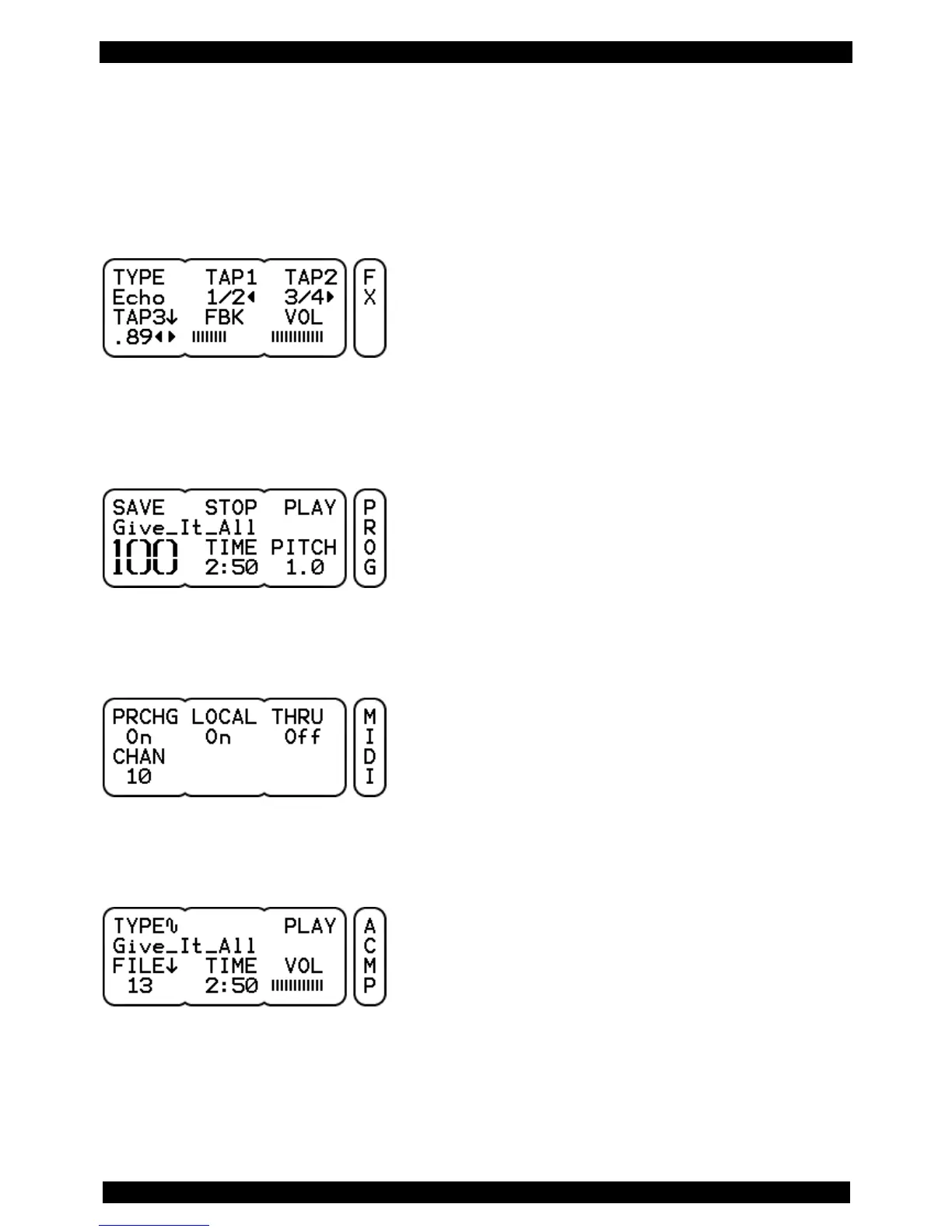
The display of the DrumIt Five-module can give a readout of up to 6 parameters. In general, these are
three below the DATA buttons and three above the DATA controllers. The name of the parameter is
always in the upper row (see example: TYPE, TAP1, TAP2, TAP3, FBK, VOL) and the value to be edited
beneath (see Example: Echo, 1/2, 3/4, .89, IIIIIII, IIIIIIII).
However, there are pages in which the value extends over several fields. However, from the context it is
obvious what it is about. In the example below, the entire second row is used for the KIT-name and
the KIT number is displayed without a heading.
In addition, on some pages not all the buttons / controllers have a function assigned. On the page MIDI
(see example below) two of the three controllers have no function.
Furthermore, there are pages on which only one single, specific function is assigned to a button. In the
example below, a START/STOP command is given with the right button over the display.
On the right side, a separate, vertical section of the display always shows on which page you are
currently in the menu.



 To Next Page