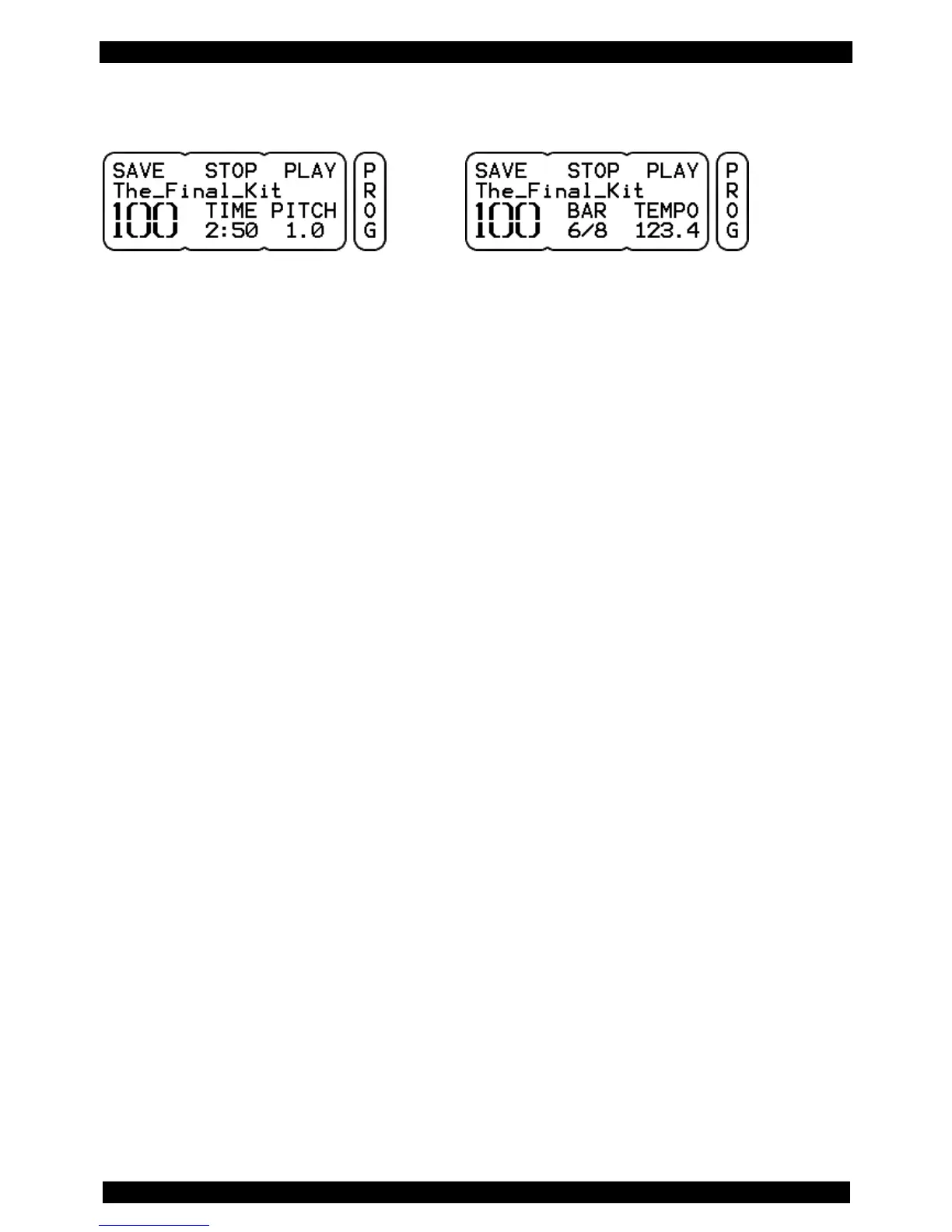
9.1 KIT – PROG
Display view: KIT with Song Display view: KIT with metronome
NUMBER The large numeral indicates the KIT number. Use the left rotary control to select a KIT
(program location).
SAVE See detailed descriptions on page 27.
PLAY/PAUSE PLAY starts - if available – the song or metronome loaded with the KIT (see also page
42). Do this with the DATA button to the right.
When you have started a song with PLAY (Right DATA button), the display changes to
PAUSE. With PAUSE (right DATA button again), you can pause the song. The time
display below TIME will flash, signaling the PAUSE status.
STOP Stops playing back the song or the metronome (DATA button in the middle)
Functions for KITs With a Song:
TIME Shows the elapsed time of the song. If no song is selected, "-" appears in the display.
(The knob has no function)
PITCH This feature allows you to change the tempo of the song. You can adjust the tempo in a
range between .50 and 1. This feature is useful for playing back the song slower while
practicing. Please note that this also changes the pitch.
Functions for KITs With Metronome:
BAR Indicates the selected metronome setting. While the metronome is running, you can
read the current bar and the current beat here. (The rotary control has no function)
TEMPO Here you can see or edit the current tempo of the metronome. The metronome has a
tempo range from 30 to 280 bpm When you push the rotary control, an arrow appears
pointing to the right and you can set the tempo in decimals. If you push the controller
once more, you can change the tempo in whole bpm steps again.



 To Next Page