10.10 UNIT – MEM
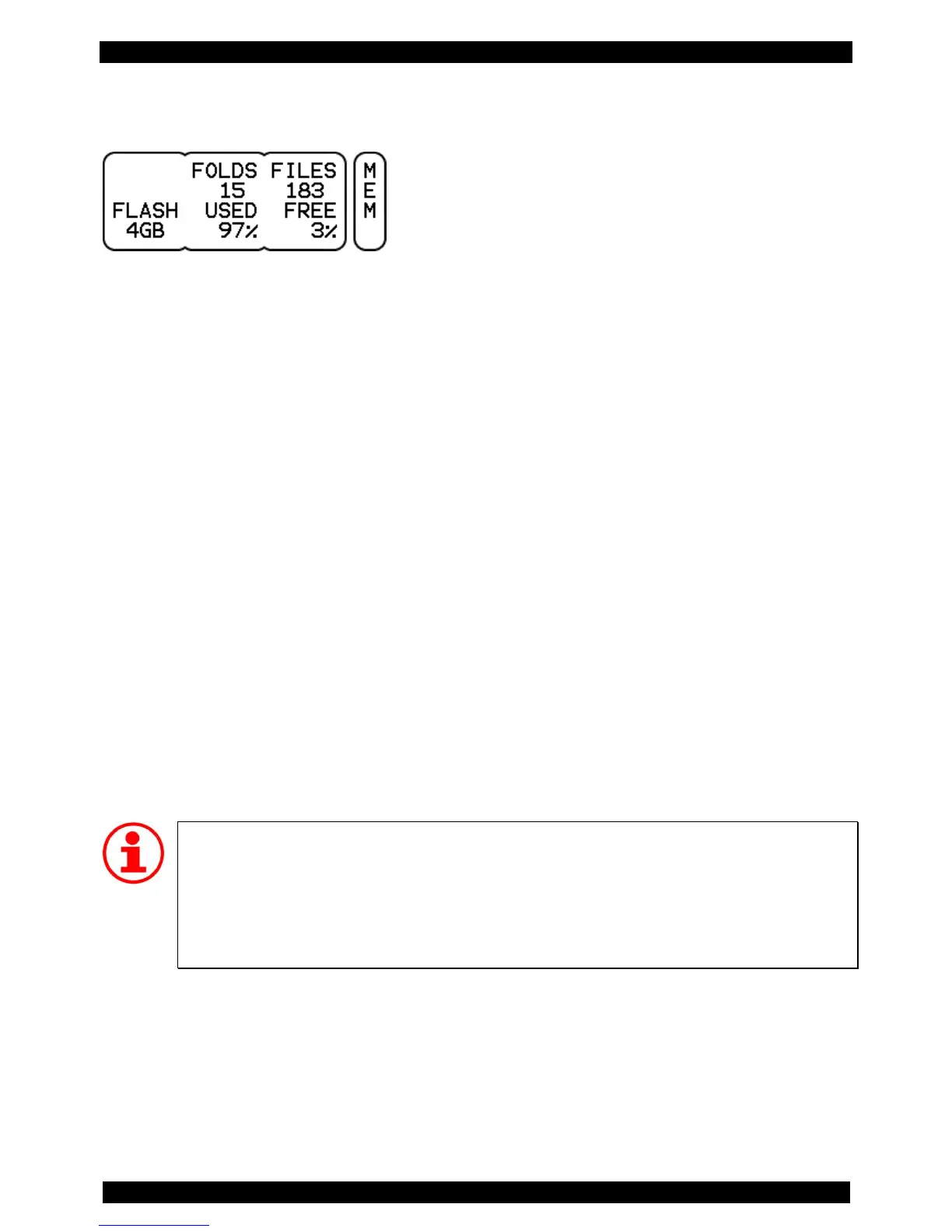
On this page you can read information about memory usage and the number of files respectively folders
(DATA buttons and DATA controllers have no function).
FOLDS Displays the number of folders and subfolders.
FILES Provides information on the number of files on your module. Please note that this is not
the number of sound files, but the total number of files. In fact, all files are counted
here: system files, sound files, User-KIT files, etc.
FLASH Displays the size of the internal flash memory.
USED Percentage of the flash memory that is used.
FREE Percentage of the flash memory that is still free and available to you for additional
sound files.
Memory Capacity
When you frequently copy additional sounds to your DrumIt Five-module, it may occur that
there is not enough memory available. In this case, you should clear up your module to make
room for new sounds. Make a back-up of the entire contents of your module and in the
second step, delete those sounds from the module, you don’t like. This way, you create free
space and still have all the original 2BOX sounds archived.



 To Next Page