10 UNIT Mode
In the mode UNIT you make general settings. On the pages in this section, you can change the general
routing and trigger settings, adjust the internal mixer and calibrate the hihat. The settings made here are
global and therefore apply to all KITS.
Changes in the mode UNIT are saved on the UNIT Main page (see SAVE on the next page).
10.1 UNIT – MIX
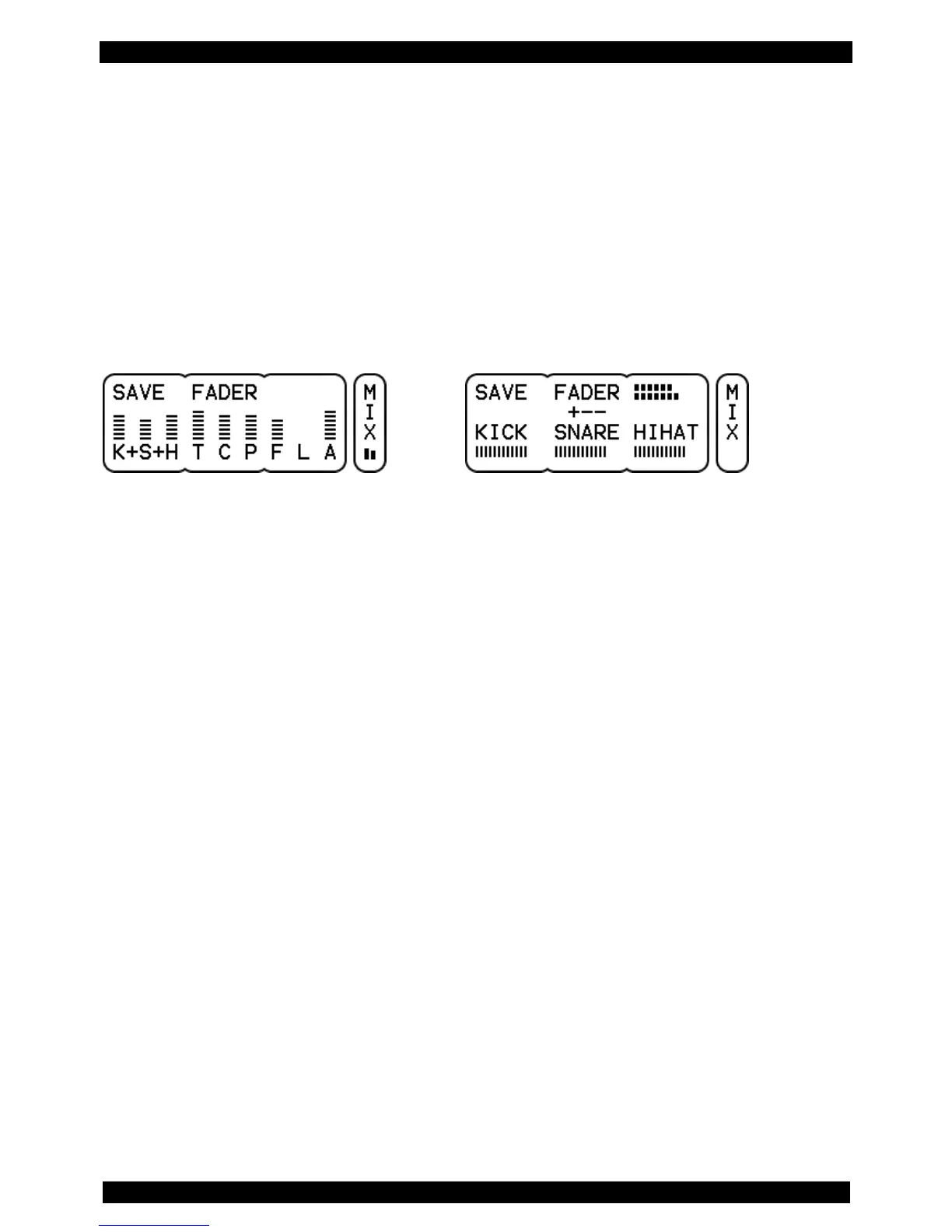
Display view: vertical display Display view: horizontal display
The DrumIt Five includes a mixer, that allows you to balance out the volume levels of the drum channels.
There are nine FADER groups whose levels can be controlled individually.
FX (F) sets the volume of the internal effects section, LINE (L controls the line-in channel's signal, and
ACMP (A) controls, depending on the selection within the kit, either the volume of the metronome or of
the song player. The assignment of this group is fixed and can not be changed.
The remaining six groups are used to control the volume levels of the drum channels. By default, the
respective channels are already assigned to the following groups: KICK (K), SNARE (S), HIHAT (H),
TOMS(T), CYMBS (C) and PERC (P). You can change the assignment of every channel individually on
the INTF page (see page 52). You can even modify the names of each fader group according to your
needs (more on page 60).
The current setting of the respective group is symbolized by a bar with dotted lines.
On the page PREF you can choose between two different views (see page 60).
Vertical Display
In this view you see all nine groups in an overview. With the DATA controllers you always have access
to three FADERs - namely those three that are connected through a "+". Rotate to the right to increase
the volume (the bar grows), turn left to reduce the volume (the bar becomes smaller).
The "+" signs indicate which FADERs are assigned to the DATA controllers. Press the middle DATA
button to move to the next group of three.
When you select a new fader group or while you are making changes, the full names of the currently
active FADERs appear directly after pressing the DATA button or controller.



 To Next Page