Set-up of a 2N door station with a PEAKnx touch panel
7
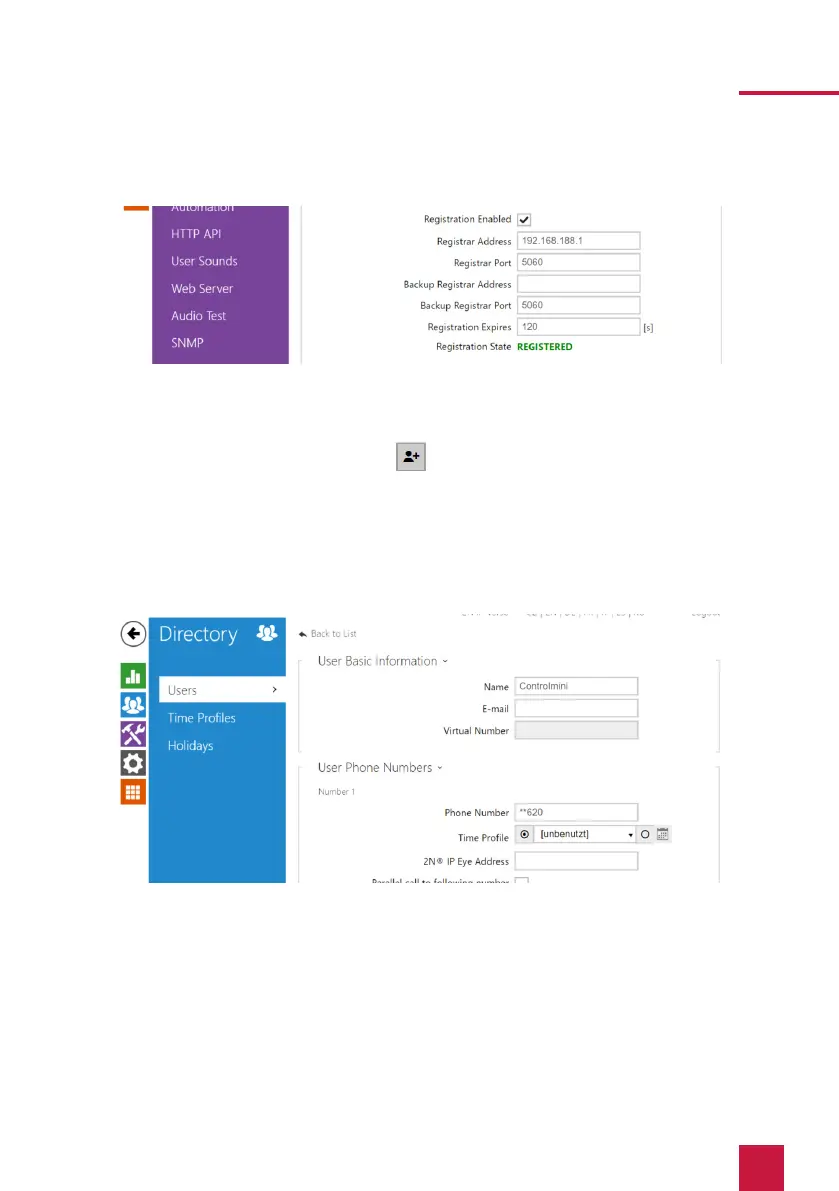
15. The status should now show “Registered”.
16. Return to the main menu.
17. Create a new user under Directory > Users.
Therefore, click on the following icon:
18. Enter a suitable name for the panel under “Name”, e.g. Controlmini.
19. Under “Phone Number” enter the number that you have assigned to the panel in the
Fritzbox. In this case “**620” and save.
20. Click on Hardware > Buttons and add the Controlmini under “Quick Dial Buttons” by
clicking on the plus symbol and selecting the Controlmini.
21. Click on “Save”.



 To Next Page