Control
This section helps you monitor the system. It includes storage filling information and
AutoCLIP records.
SMS Queues
The subsection displays the current SMS storage state.
Incoming SMS database
The subsection displays current information on the incoming SMS storage filling
percentage and maximum count of incoming storage records.
Outgoing SMS Database
The subsection displays current information on the outgoing SMS storage filling
percentage and maximum count of outgoing storage records.
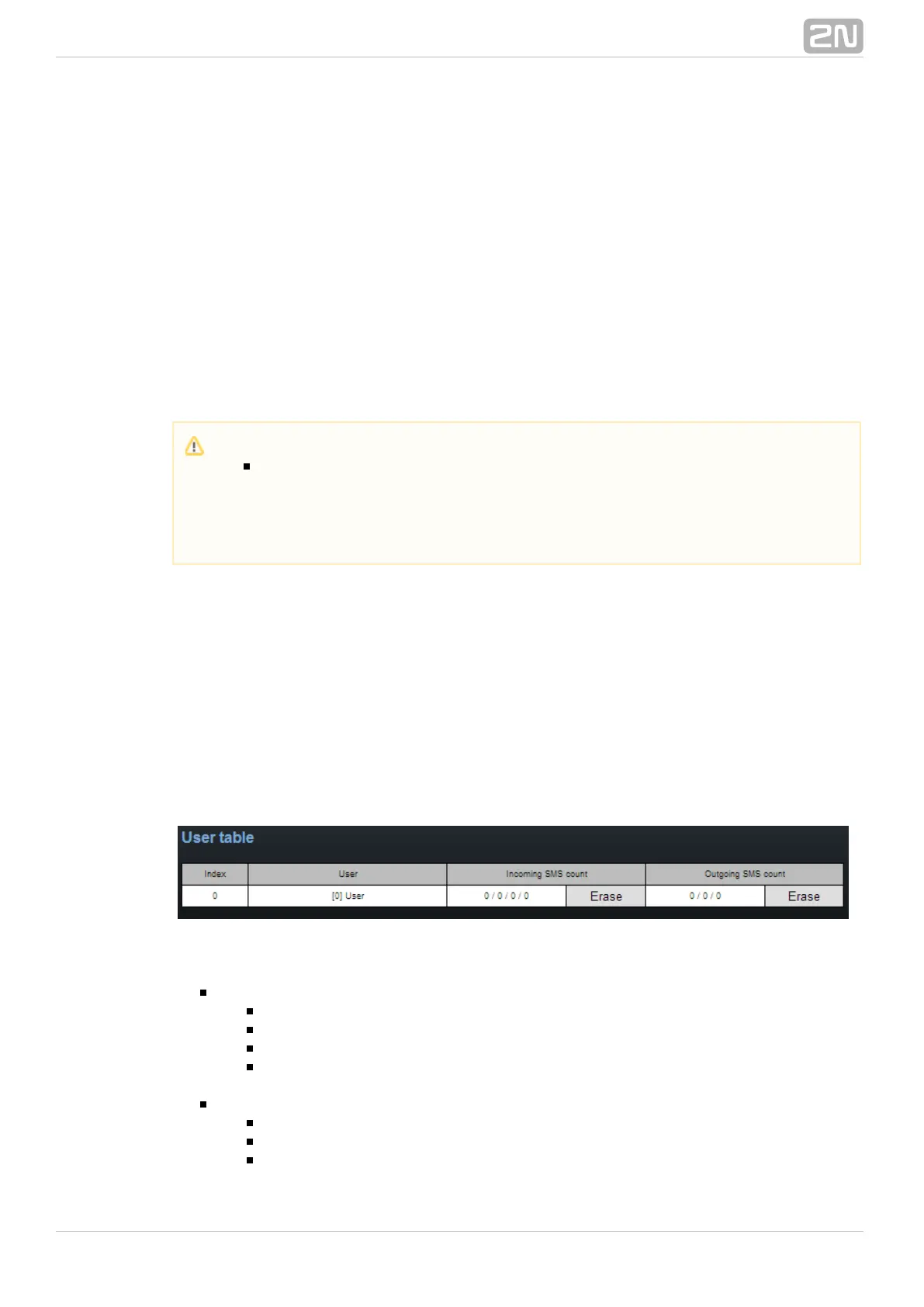
User Table
The table shows the count of incoming and outgoing SMS stored in the
above-mentioned databases from the user's point of view and helps you delete the
SMS stored.
User table items:
Incoming SMS count – Received / Ack OK / Ack error / Failed
– count of received common SMS messagesReceived
– count of SMS delivery acknowledging messagesAck OK
– count of SMS non-delivery acknowledging messagesAck error
– count of SMS sending failure messages (failed due to networkFailed
error, invalid number, etc.)
– Waiting / Sending /SentOutgoing SMS count
– count of waiting SMS messagesWaiting
– count of currently sent SMS messagesSending
– count of sent SMS messages waiting for delivery acknowledgementSent
Caution
The POP3 protocol enables you to set how long a copy of the loaded
message shall be kept in the SMS server. The SMS keeping time depends
on your e-mail client setting. Make sure that you have chosen a correct
time value to avoid database overfilling. When the storage has been filled
up, no new SMS messages will be received!



 To Next Page