Management
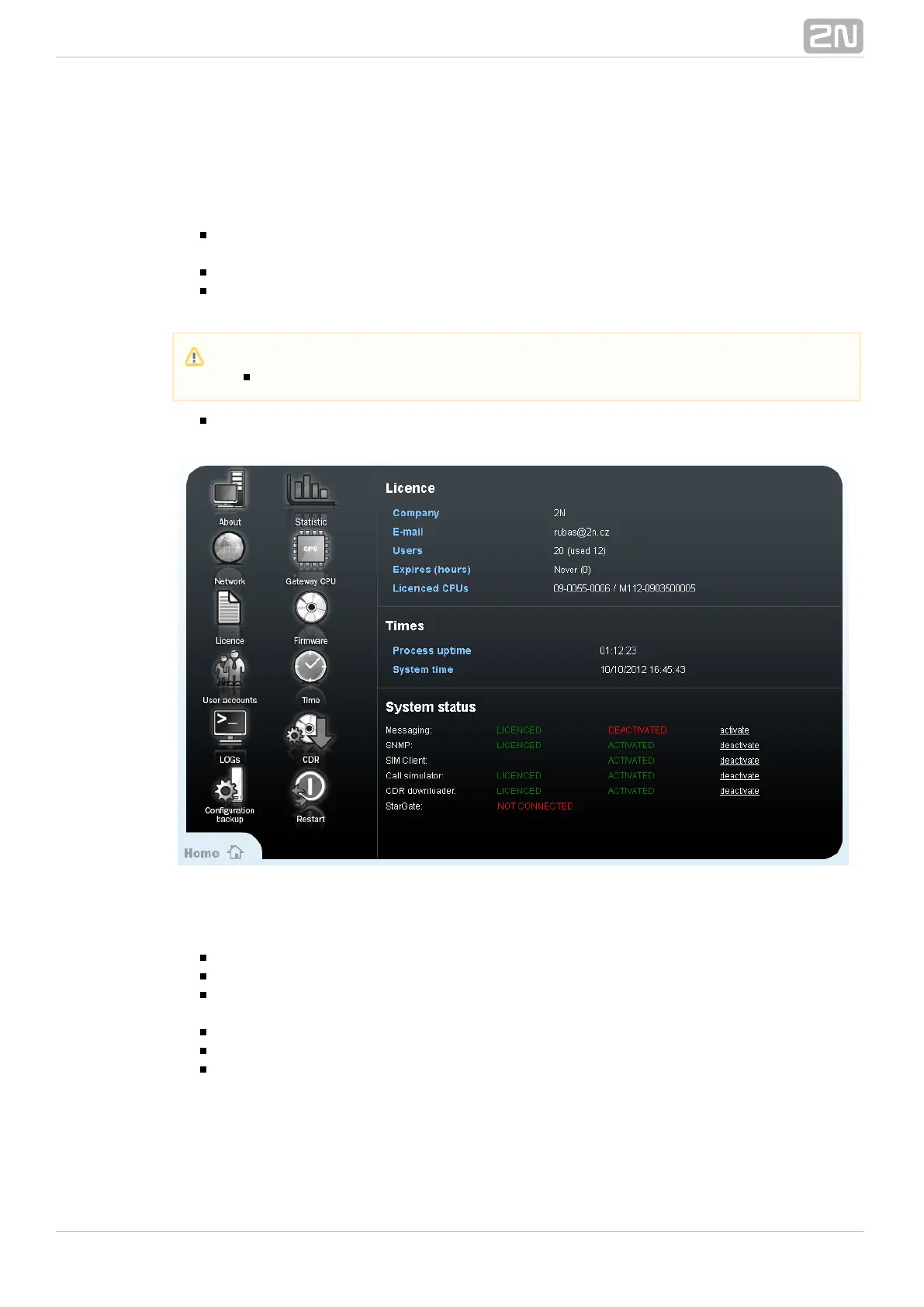
The status screen for all the above mentioned functions and additional eCPU
configuration. The window is divided into four sections:
Licence – Information on the current licence state and potential licence
expiration.
Times – The current system time and up time of the eCPU.
System status – States of all eCPU functions. You can enable/disable each
function manually.
Icon list – Additional eCPU configuration and management.
Icon List
About – Information on the manufacturer.
Statistics – Statistics of connected gateway.
Network – The eCPU IP settings. If you save wrong parameters, you can restore
the correct IP parameters using a serial console.
Gateway CPU – The IP address and access data of the gateway basic CPU.
Licence – An item for uploading a new licence for the eCPU (NOT the main CPU).
Firmware – An option to upload new firmware (format PGW-x-x-x) for the eCPU.
Please be patient in the case of a narrow connection bandwidth because the
firmware size is about 9MB.
Caution
You have to activate the requested function before use.



 To Next Page