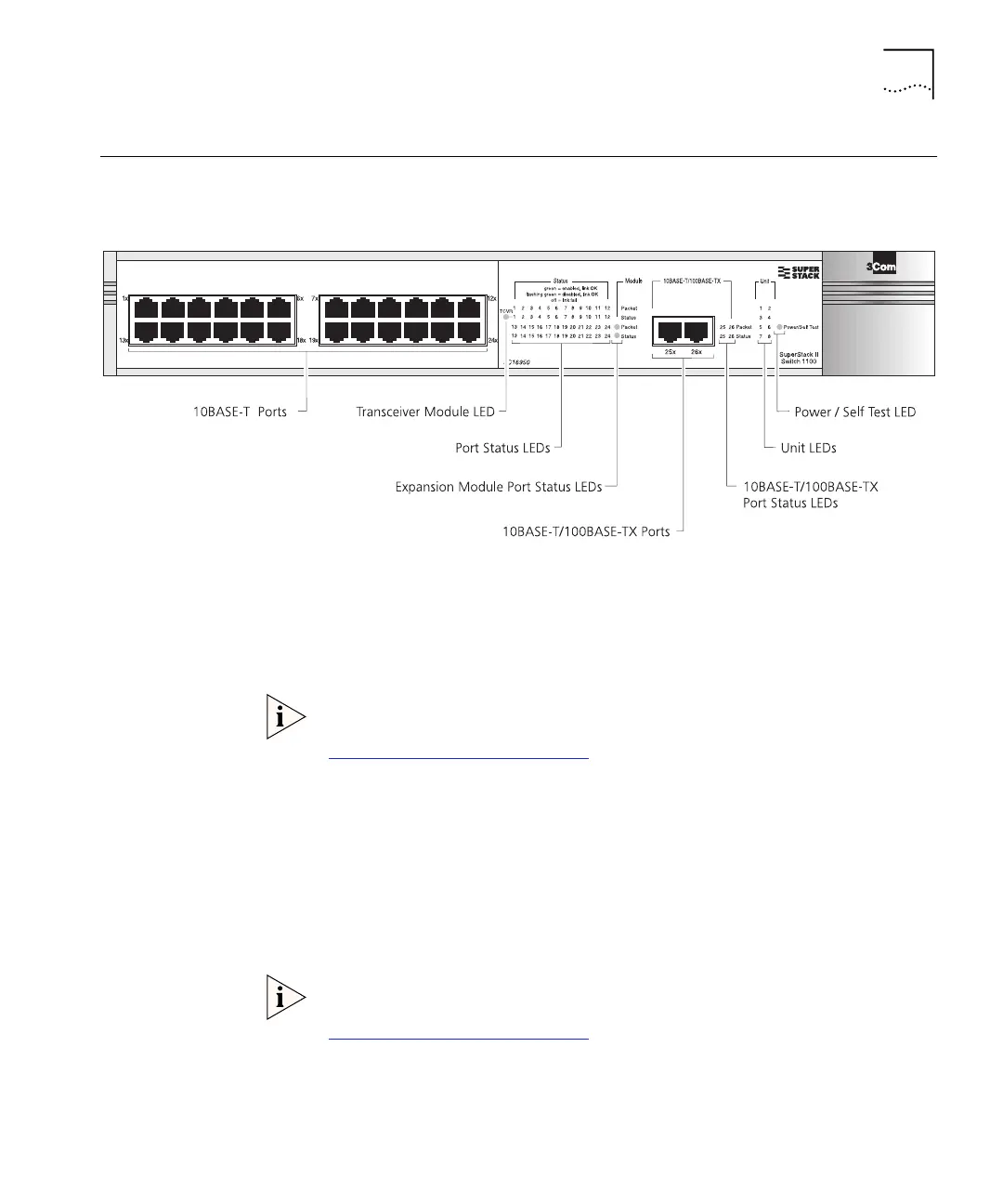
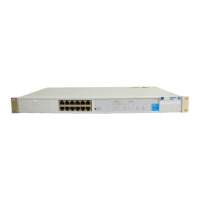
Switch 1100 — Front View Detail 13
Switch 1100 —
Front View Detail
Figure 1
Switch 1100 — Front view
Port Connections 10BASE-T Ports
The Switch has 12 or 24 10BASE-T ports configured as MDIX (cross-over).
The maximum segment length is 100m (328ft) over Category 3, 4, or 5
twisted pair cable.
As these ports are configured as MDIX (cross-over), you need to use a
cross-over cable to connect to devices whose ports are MDIX-only. See
“Choosing the Correct Cables”
on page 30 for more information.
10BASE-T/100BASE-TX Ports
The Switch has two auto-negotiating 10BASE-T/100BASE-TX ports
configured as MDIX (cross-over). These ports can be set to 10BASE-T half
duplex, 10BASE-T full duplex, 100BASE-TX half duplex, 100BASE-TX full
duplex, or they can automatically detect the speed and duplex mode of a
link and provide the appropriate connection. The maximum segment
length is 100m (328ft) over Category 5 twisted pair cable.
As these ports are configured as MDIX (cross-over), you need to use a
cross-over cable to connect to devices whose ports are MDIX-only. See
“
Choosing the Correct Cables”
on page 30 for more information.
16950ua.bk Page 13 Thursday, April 29, 1999 1:28 PM






 To Next Page