58 CHAPTER 6: TROUBLESHOOTING AND DIAGNOSTICS
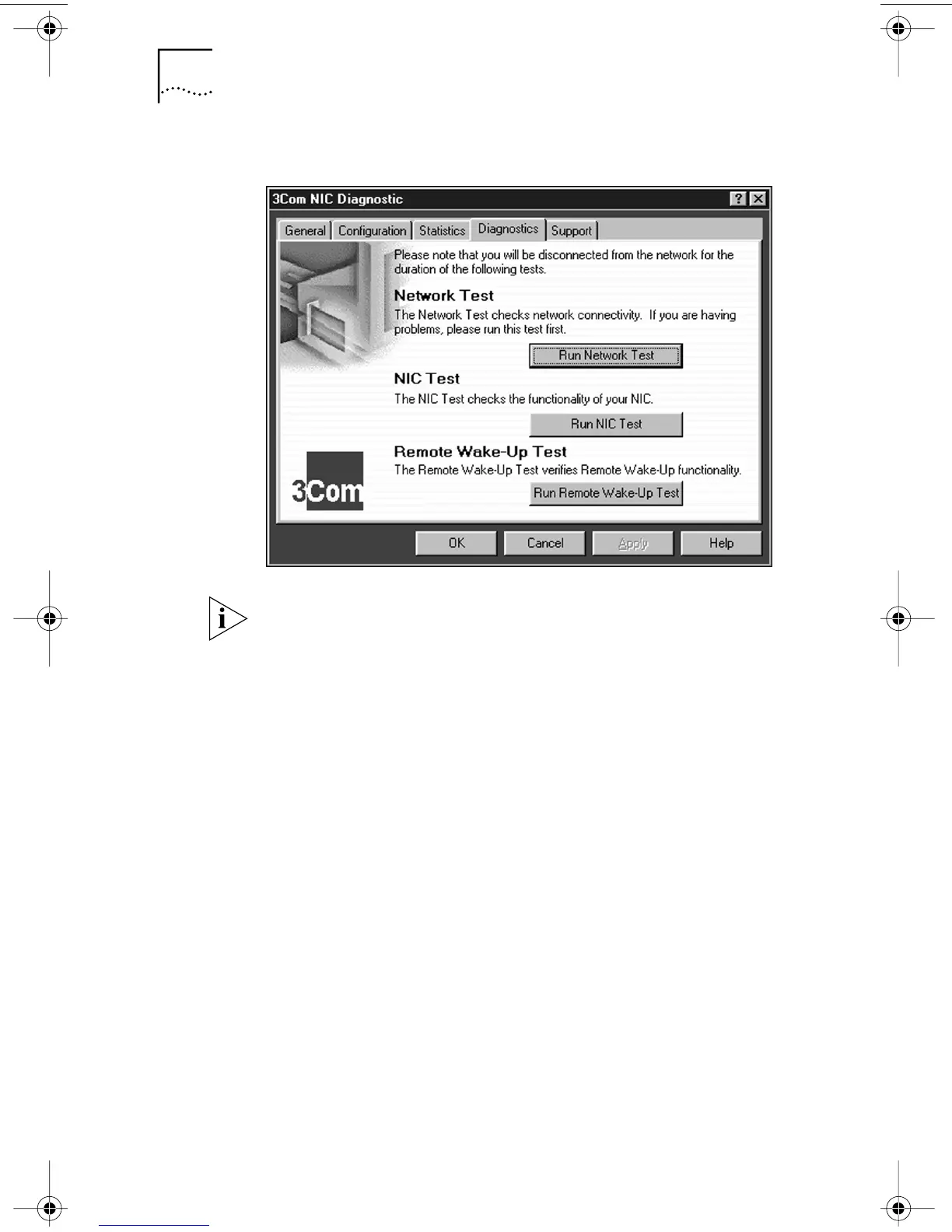
Figure 11 Diagnostics Screen
If the Run Remote Wake-Up Test button appears dimmed,
the NIC that is installed in the PC does not support
Remote Wake-Up.
To Run the Network Test
Run the Network Test to check the NIC connectivity to
the network.
1 Click Run Network Test on the Diagnostics screen.
The Network Connectivity Test screen appears.
2 Click Start.
If the test fails:
■ Make sure that the NIC is properly connected to the
network cable.
■ Make sure that the hub or switch to which the NIC is
connected is powered on.
■ Make sure that the cable complies with the proper
length and specifications for your network.
If the test passes, the NIC connection to the network is
functioning correctly.
3 Click Close.
book Page 58 Monday, March 15, 1999 1:31 PM


 To Next Page