3Dconnexion SpaceMouse Wireless | 4
Feature Guide
3Dconnexion SpaceMouse Wireless Bluetooth Edition
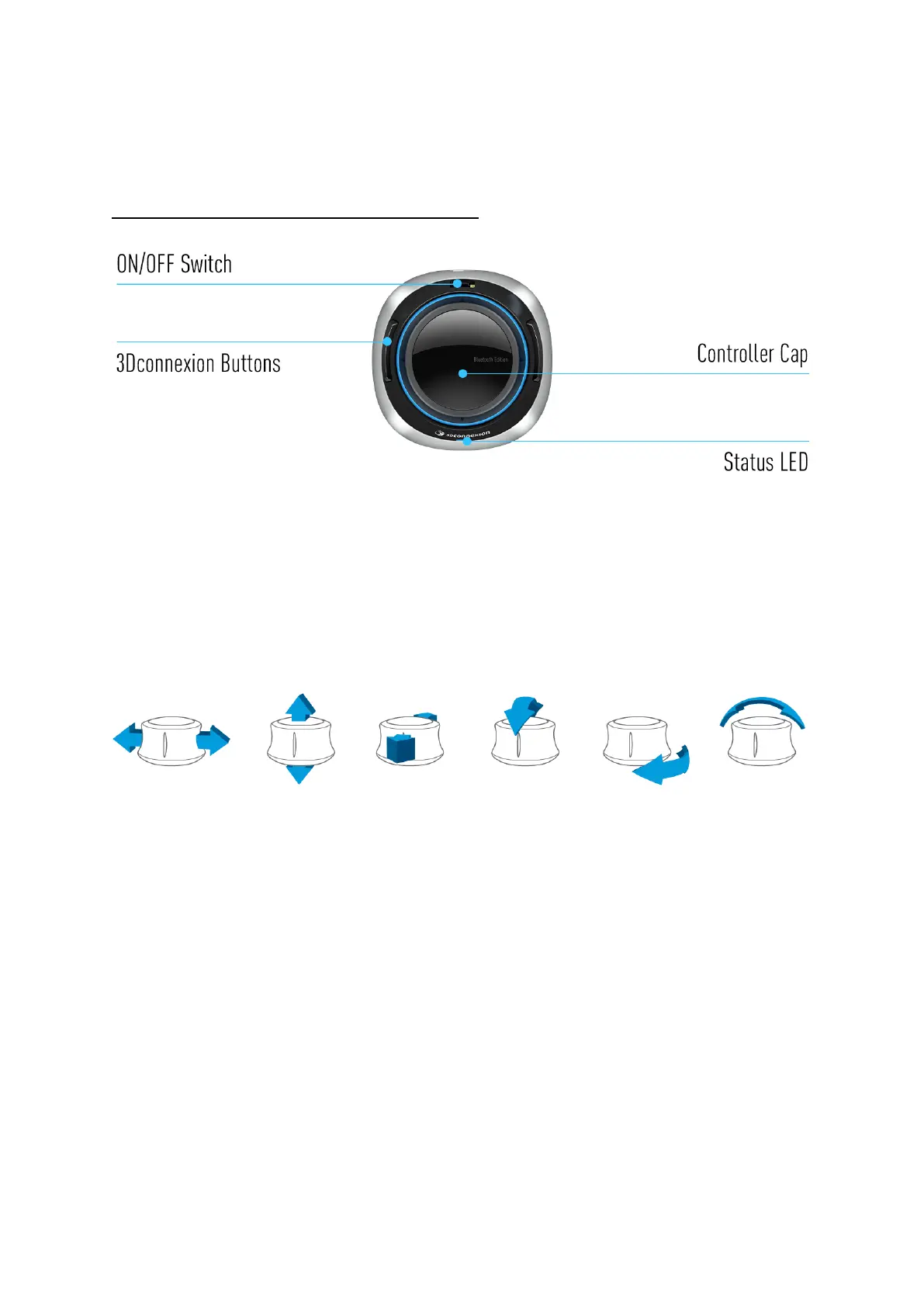
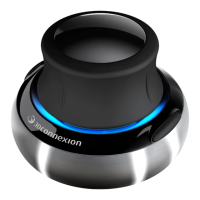
Controller Cap
The Controller Cap is the heart of your SpaceMouse Wireless. Its Six-Degrees-of-Freedom (6DoF) sensor allows you to push,
pull, rotate, or tilt to pan, zoom and rotate your drawings and 3D models. The SpaceMouse has different motion profiles
depending on the application you are using. In Object Mode applications the 3D navigation behaves as if you were reaching
into the screen and holding the object in your own hand. In Fly Mode applications, the navigation behaves like a flying camera
you are viewing through. For many applications, you can adjust this behaviour in the Advanced Settings of your SpaceMouse
Wireless.
3Dconnexion Buttons
The SpaceMouse Wireless features two additional programmable function buttons, located on its socket. It instantly
recognizes the applications you are using, as well as their environments, and automatically assigns the most used
commands to the buttons. You can personalize commands assigned to the function buttons using the 3Dconnexion
Settings.


 To Next Page