28 © 3M 2008. All Rights Reserved.
User Controls 3M™ Digital Projector
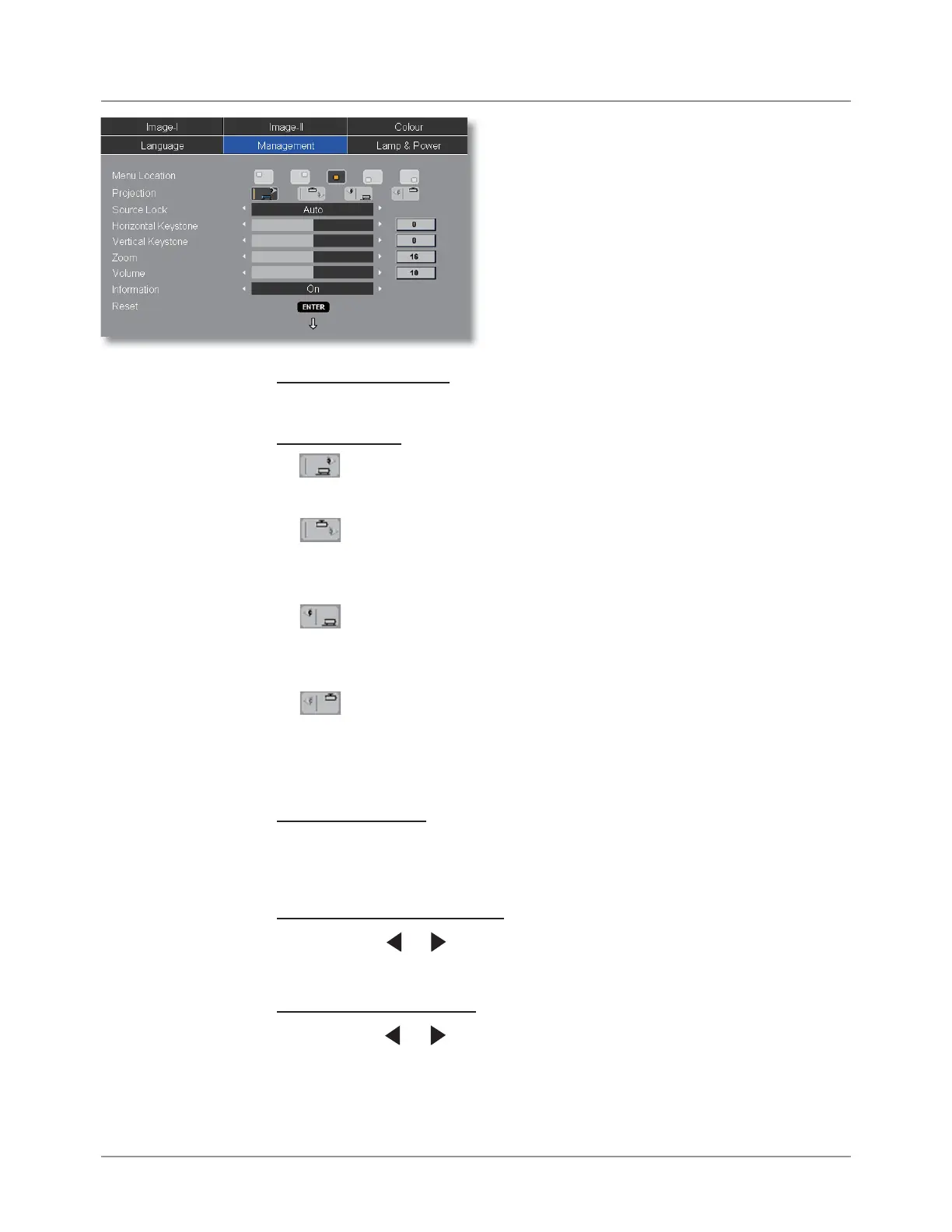
Menu Location
Choose the menu location on the display screen.
Projection
Front-Desktop
The factory default setting.
Front-Ceiling
When you select this function, the projector turns the image
upside down for ceiling-mounted projection.
Rear-Desktop
When you select this function, the projector reverses the
image so you can project from behind a translucent screen.
Rear-Ceiling
When you select this function, the projector reverses and
turns the image upside down. You can project from behind a
translucent screen with ceiling mounted projection.
Source Lock
Auto: The projector will search all connection port.
Lock: The projector will lock connection port.
Horizontal Keystone
Press the or to adjust image distortion horizontally and makes
a squarer image.
Vertical Keystone
Press the or to adjust image distortion vertically and makes a
squarer image.
Management



 To Next Page