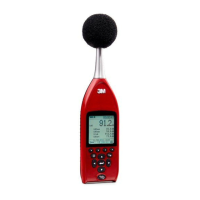
Measurement/Start screen
When powering on, the measurement screen displays six measurements which include: SPL, Max, Min, Peak, Leq,
and L
AE
(sound exposure level). The sound pressure level (SPL) measurement is continuously updated while the
remaining measurements are updated during a log session. The sound exposure level is displayed as a summary
value. Please see Measurements, Chapter 4, for more details.
Measurement screen views
There are two different measurement views:
• A multi-measurement screen displays 5 measurements. Press / arrow to scroll through
measurements.
• A single measurement displays one measurement in larger font. Press / arrow to scroll
through the measurements.
• To toggle between the two types of screens, press key.
Figure 2-2: Measurement screen displaying multiple measurements
Navigating
•To navigate through the menus and data screens, press the / arrows
/ arrows, or press one of the softkeys .
• The Enter key is used to select menus and toggle through settings.
• The On/Off Esc key is also used as a navigational tool to move back one level. If you press
ESC repeatedly, you will return to the start screen.
Turning off
To turn off the SE-400 Series, ensure the meter is stopped.
Note: The stop indicator will be at the top of the measurement screen.)
1. Press and hold the key until the measurement screen disappears.
• The SE-400 Series will countdown from 3 seconds prior to turning off.



 To Next Page