3millID 9249 S. Broadway Building #200 Suite 826 Highlands Ranch CO 80129
+1 303 475 4972
sales@3millid.com
© 3millID
100-02640-A
www.3millid.com
‘MIFARE’, ‘MIFARE Classic’ and ‘MIFARE DESFire EV1’ are trademarks of NXP B.V.
MANUAL
3M
S-Gang
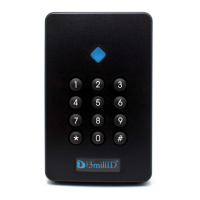
Keypad
5
- entering programming mode
- set PIN mode (output)
- set audible tone on key press
- set audible tone on card
- set proximity reading
- set LED colour configuration
- set site code embedding
- set LED quiescent colour
6
6
7
7
7
8
8
8
LOG ON
PIN MODE
KEY TONE
CARD TONE
PROX READ
RX00 LED
SITE CODE
RX00 COLOUR
*00
*01
*02
*03
*04
*05
*06
*07
pageKEYPAD SECTIONTITLEDESCRIPTION
- set reader to read HID®
- set reader to read EM
- set reader to read CASI
- set reader to read AWID
- set reader to read KANTECH
- set reader to read FARPOINTE
- set reader to read MIFARE®
- set reader to read ENDIAN
- set reader to read DESFire®
RX00 HID
RX00 EM
RX00 CASI
RX00 AWID
RX00 KANTECH
RX00 FARPOINTE
RX80 MIFARE
RX80 ENDIAN
RX90 DESFIRE
*10
*11
*12
*13
*14
*15
*20
*21
*30
- set engineer’s PIN code
- exit configuration mode
12
12
SET PIN
LOG OFF
*98
*99
9
9
9
10
10
10
11
11
11
The following instructions give a step-by-step procedure for accessing the many features
supported by this reader.
4.keypad programming guide


 To Next Page