Page 31
3. Linking and Networking
NOTE: A Router is required to handle the IP addresses and a switch will not work if the game is
set to Auto.
• In the router/switch, the LAN ports are where cable(s) to PCS should be inserted;
• the WAN port is where the internet cable should be inserted;
• If using switch, all the cabinets need to set static IP in networking settings.
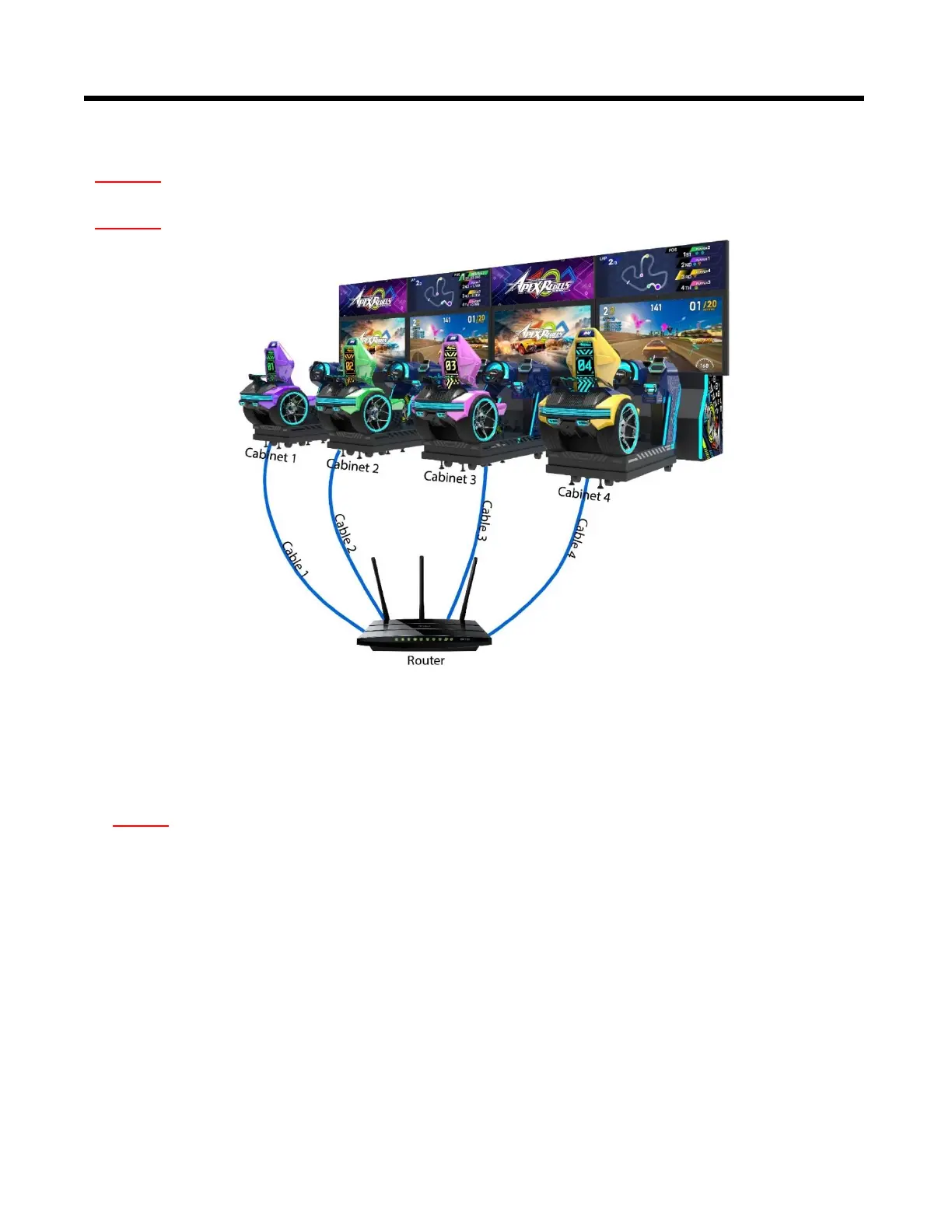
In the below figure, it shows how 4 cabinets should be linked up with the router by cables
separately.
Note 1: Please make sure all games are in the same version in order to be linked with.
Note 2: 2-player configuration does not require a router and the PC's should be directly connected.
In the router, the LAN ports are where cable(s) to PCS should be inserted; the WAN port is
where the Internet cable should be inserted.



 To Next Page