XY nozzle calibration
If nozzle aren't aligned, print quality will suffer and supported prints could be failing.
You can easily regain control of your settings with an easy print that gives you immediate numerical feedback about the
numbers to set.
1. Be sure to have loaded same polymer,
different colors, for each printer nozzle: will
let you easily spot alignment differences !
2. Download (and unzip it in your STL directory)
the calibration file: http://3ntr.eu/wp-
content/uploads/2015/08/xy_align.zip
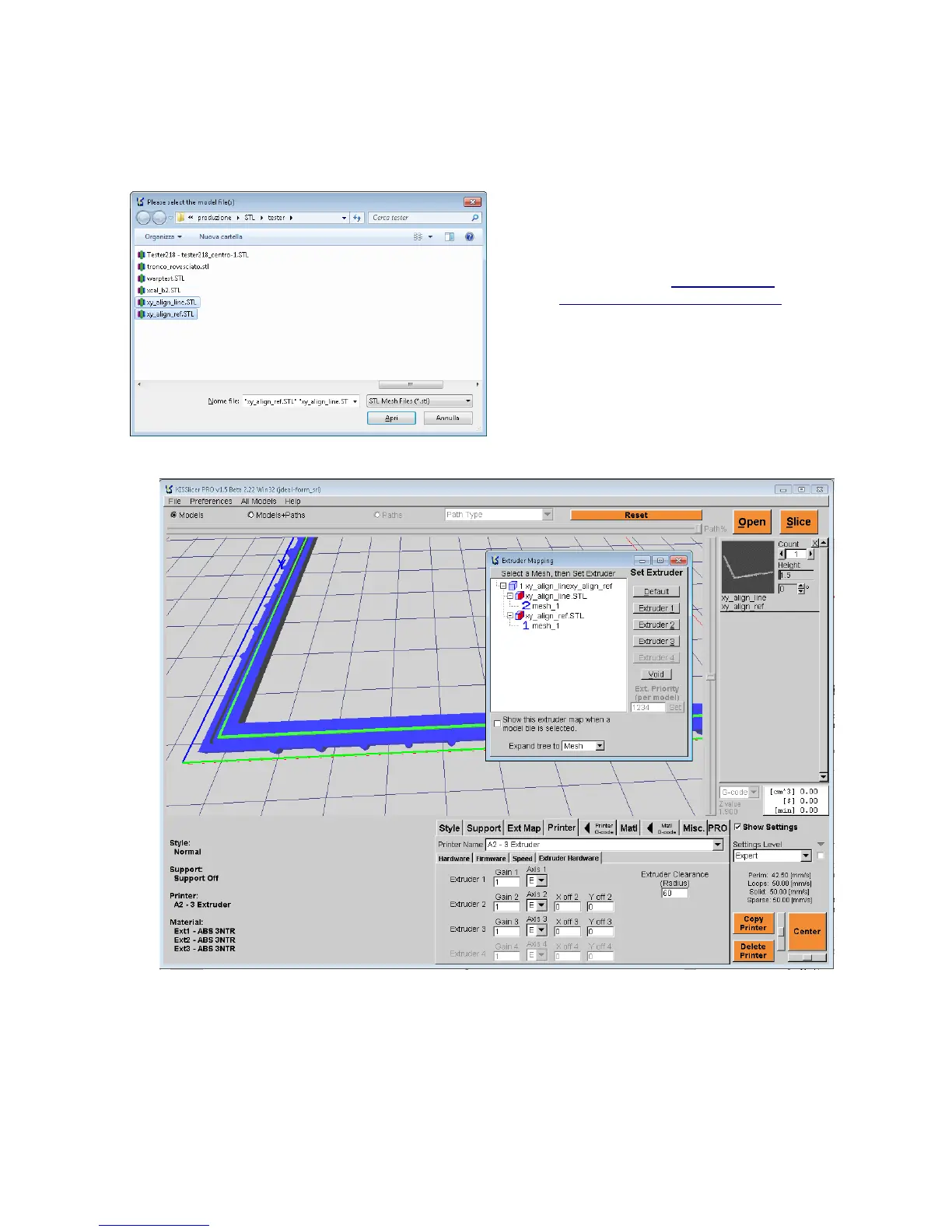
3. Import the downloaded files into KISSlicer
(use mouse to click on the files while pressing
the CTRL key)
4. Right-click on the small file preview icon and
select “SHOW-MESH-TO-EXTRUDER”
5. Assign extruder 1 to xy_align_ref.stl
6. Assign extruder 2 (or 3) to xy_align_line
7. Select your preferred print style, matching the materials in use
8. Print it!
35
Illustrazione 41: Select calibration files
Fig. 42: XY_align



 To Next Page