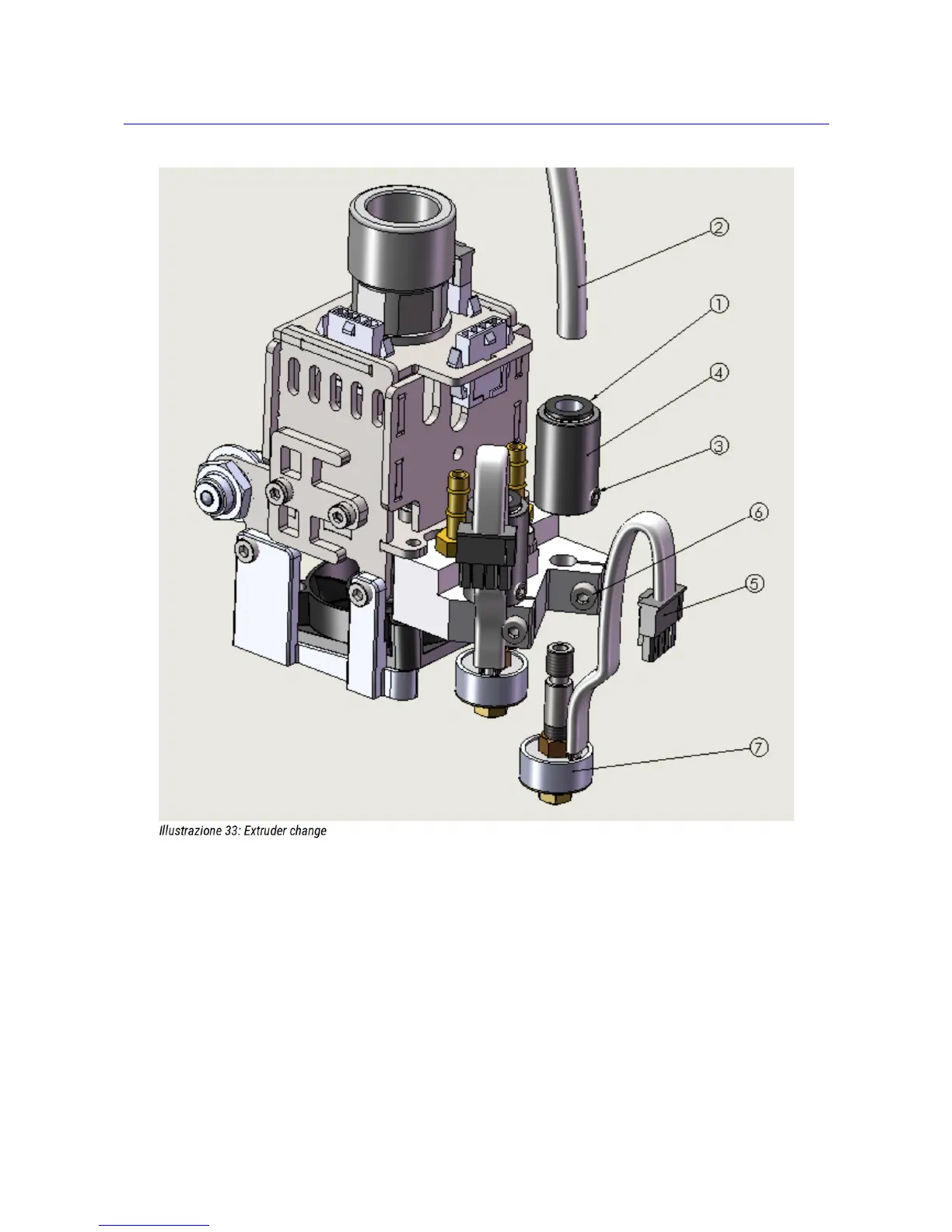
Extruder change
Anytime you need to change the extruder, you must follow this procedure:
1. Perform filament removal procedure
2. Turn OFF all heaters (extruder, plate and chamber)
3. Wait for cooling at room temperature of ALL parts
4. Move the plate at Z>=100, to gain easy access to nozzles
5. TURN OFF PRINTER – DON'T go on with a powered on machine !
6. Push on release collar (1), while pushing in the PTFE pipe (2)
7. Keep pushing on (1) and pull PTFE pipe (2)
8. Release the locking screw(3) on the tube adapter(4) using a 2mm hex key. Just half turn: if you unscrew too
27



 To Next Page